
CoffeeG's Awful Lightning
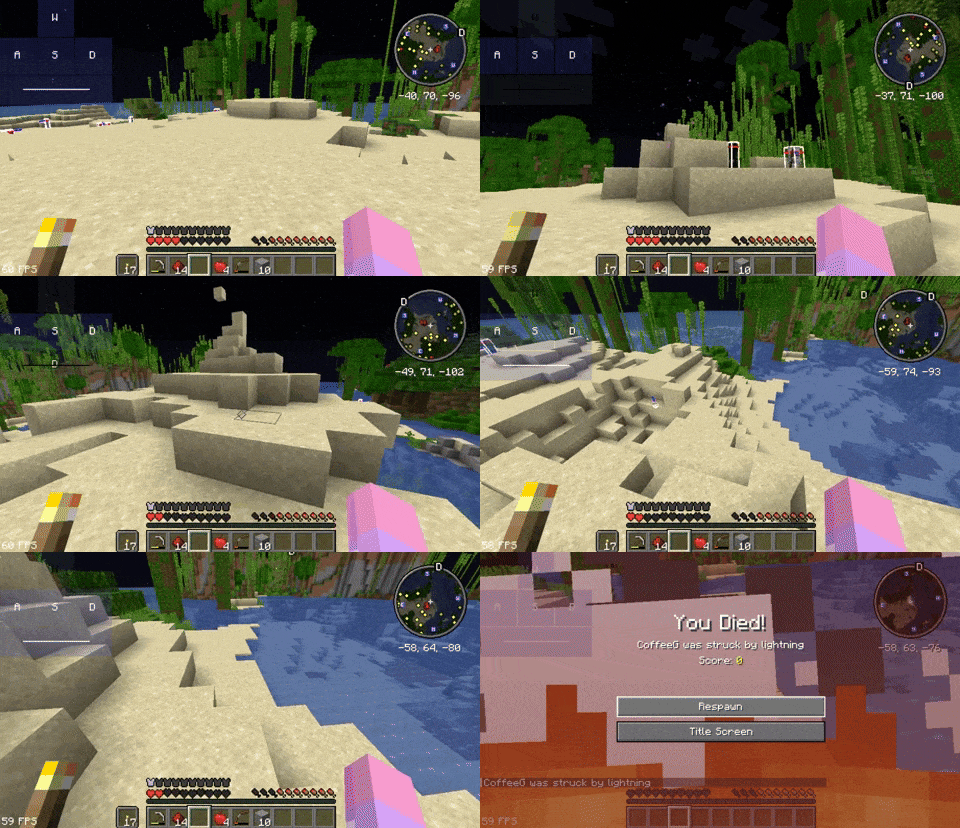
Struck lightning on players more oftenly, can create fun & surprising deaths with lightning bolts.
Screenshots
About this Mod
⚡ CoffeeG's Awful Lightning!
Simple datapack that makes Lightning strucks on players more oftenly, can create fun & surprising deaths with lightning bolts!
Support : 1.14 -> 1.21 (Forge,Fabric,Quilt,Datapack)
Demo
Demo on Youtube (Refer) | Demo on Giphy
Settings
- Custom settings : Only occurs lightning when raining
- Too enable :
/scoreboard players set $awf.settings al.owr 1(This settings only works with MC1.15+)
- Too enable :
- Too disable (By default):
/scoreboard players set $awf.settings al.owr 0
Try my other datapacks/mods:
- Brutal Nightmare - Minecraft, but with insane difficulty. Zombie place/break blocks, throw TNT. Skeleton, Creeper, Ghasts, Spider,Phantom,... get new abilities.New mini bosses...
- Double Jump - Add Double Jump and Leap mechanic to minecraft with sneak button!
- Adrenaline Rush - Add "final shout" & "second chance" mechanic into minecraft! You'll have 0,5 HP instead of dying when fall from height ; Buff your power when you at low HP
- Useful Snowball - Useful Snowball! Make snowball slows mob.
- Wall Climbing - Add Wall Climb (Wall Jump) mechanic to minecraft
Compatible
This datapack works well with almost every datapack
Uninstall & Credits
You can basically remove this datapack in datapack folder
Credits
- Thanks to RajDev for the icon!
Available Versions
How to Install CoffeeG's Awful Lightning on Your Server
Order Server
Order a Minecraft Java server with at least 3 GB RAM (4 GB recommended).
Set datapack Loader
In the panel under "Egg", select the datapack loader and matching Minecraft version (1.21.1).
Install Mod
Open the mod browser in the dashboard and search for "CoffeeG's Awful Lightning". Click "Install" – done! Alternatively, upload the .jar via SFTP to the /mods folder.
Compatibility
Mod Loaders
Minecraft Versions
1.21.1, 1.21, 1.20.6 (+30 more)
Server-side
✓ RequiredRecommended RAM
4 GB(min. 3 GB)Frequently Asked Questions
CoffeeG's Awful Lightning server crashes on startup – what to do?
Most common cause: wrong datapack version or insufficient RAM. Check the server log (latest.log) for "OutOfMemoryError" or "Mixin" errors. With Mado Hosting: ensure at least 3 GB RAM is allocated and the loader matches the mod version (1.21.1). You can switch loaders with one click in the panel.
Is CoffeeG's Awful Lightning compatible with datapack and fabric and forge and neoforge and quilt?
CoffeeG's Awful Lightning officially supports datapack, fabric, forge, neoforge, quilt for Minecraft 1.21.1, 1.21, 1.20.6. Note: Forge and Fabric mods are NOT cross-compatible – pick one loader and stick with it. The Mado dashboard automatically detects incompatible loader combinations.
Server lagging with CoffeeG's Awful Lightning – how to optimize performance?
Recommended RAM: 4 GB (per 8 players). Use /spark profiler to check if CoffeeG's Awful Lightning consumes the most tick time. Common fixes: reduce server view-distance to 8-10, install "performant" or "starlight" as supplementary mods on Forge. With Mado Hosting, your server runs on NVMe SSDs with dedicated CPU cores for minimal latency.
Similar Mods




Rent Modded Server
Install CoffeeG's Awful Lightning with just one click on your server.