
coffin-larva-and-fossils
`Coffin, Larva, and Fossils` adds a compact set of archaeology-inspired and sea-themed features without overwhelming vanilla survival.
Screenshots


About this Mod
Coffin, Larva, and Fossils
Coffin, Larva, and Fossils adds a compact set of archaeology-inspired and sea-themed features without overwhelming vanilla survival.
Included content
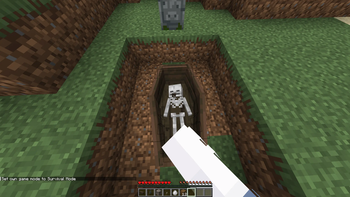
Coffin:
an ancient coffin that must be excavated step by step before you can fully open and clear it.Tombstone:
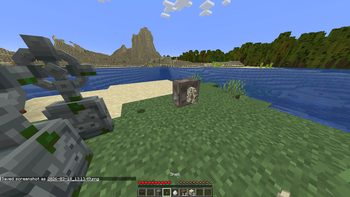
a decorative gravestone block for ruins, cemeteries, and builds.Stone with ShellandShell:
coastal and underwater-style blocks tied to nautilus-themed interactions.Larva:
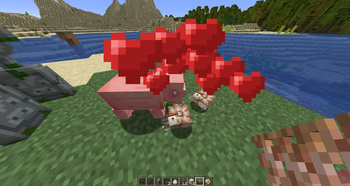
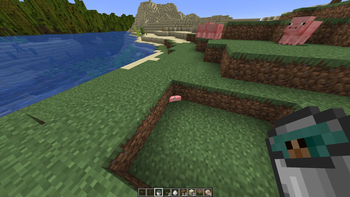
a small creature that can be collected in a bucket and used by the mod.Fossil Bones:
fossils that appear around bone blocks and can be uncovered over multiple stages.
Gameplay features
- Coffins are excavated in stages: remove the dirt layer, open the lid, and finish uncovering what is inside.
- Fossil bones form around exposed
Bone Blockfaces and support staged brushing gameplay. - Larvae can drop from melons and can be picked up in buckets.
- If
Upgrade Aquaticis installed, the mod adds extra nautilus interactions, including baby spawning and breeding support.
Localization
- The mod currently includes in-game localization for
English,Russian,Spanish,French, andGerman. - Minecraft automatically picks the correct translation based on the client's selected language.
Modpack notes
- The core mod works on its own.
Upgrade Aquaticis optional and only expands the aquatic side of the mod.
In short
If you want a lightweight mod focused on graves, excavation, fossils, and strange marine finds while keeping a vanilla-friendly feel, Coffin, Larva, and Fossils fits that niche.
Available Versions
How to Install coffin-larva-and-fossils on Your Server
Order Server
Order a Minecraft Java server with at least 3 GB RAM (4 GB recommended).
Set forge Loader
In the panel under "Egg", select the forge loader and matching Minecraft version (1.20.6).
Install Mod
Open the mod browser in the dashboard and search for "coffin-larva-and-fossils". Click "Install" – done! Alternatively, upload the .jar via SFTP to the /mods folder.
Compatibility
Mod Loaders
Minecraft Versions
1.20.6, 1.20.5, 1.20.4 (+3 more)
Server-side
✓ RequiredRecommended RAM
4 GB(min. 3 GB)Frequently Asked Questions
coffin-larva-and-fossils server crashes on startup – what to do?
Most common cause: wrong forge version or insufficient RAM. Check the server log (latest.log) for "OutOfMemoryError" or "Mixin" errors. With Mado Hosting: ensure at least 3 GB RAM is allocated and the loader matches the mod version (1.20.6). You can switch loaders with one click in the panel.
Is coffin-larva-and-fossils compatible with forge?
coffin-larva-and-fossils officially supports forge for Minecraft 1.20.6, 1.20.5, 1.20.4. The Mado dashboard automatically detects incompatible loader combinations.
Server lagging with coffin-larva-and-fossils – how to optimize performance?
Recommended RAM: 4 GB (per 8 players). Use /spark profiler to check if coffin-larva-and-fossils consumes the most tick time. Common fixes: reduce server view-distance to 8-10, install "performant" or "starlight" as supplementary mods on Forge. With Mado Hosting, your server runs on NVMe SSDs with dedicated CPU cores for minimal latency.
Rent Modded Server
Install coffin-larva-and-fossils with just one click on your server.