
Cogwheel
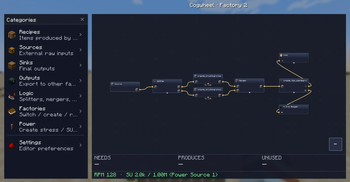
Cogwheel is an interactive factory designer to have a overview of your farms, factories and entire automation pipelines.
Screenshots
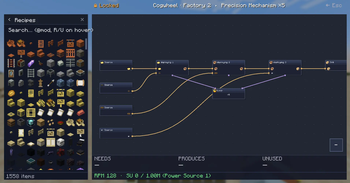
About this Mod
Cogwheel
A node-based visual factory planner for Create and other recipe-driven mods. Plan your factory as a graph before you build it.

Cogwheel is an in-game factory designer built on the same wavelength as Satisfactory's blueprint tool. Press a single key, and instead of throwing recipes into a wiki, you wire them up on a canvas — Cogwheel does the throughput math, tracks Create's stress for you, and warns when your kinetic budget can't keep up.
It works as a planning notebook for any modpack with recipes, but it really shines next to Create.
✨ Features at a glance
- 🎛️ Visual graph editor — drag recipes onto a canvas, connect outputs to inputs, watch your factory take shape before you place a single block.
- ⚡ Create stress calculation — every Create-backed recipe knows its SU draw at any RPM. Mixer at 128 RPM? 512 SU. The math just shows up.
- 🔋 Cross-factory power sources — define your steam engines, windmills or flywheels once, assign factories to them, get warned the moment your budget tips over.
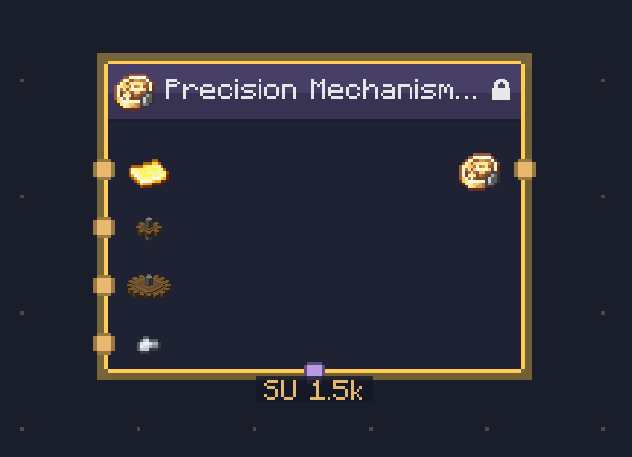
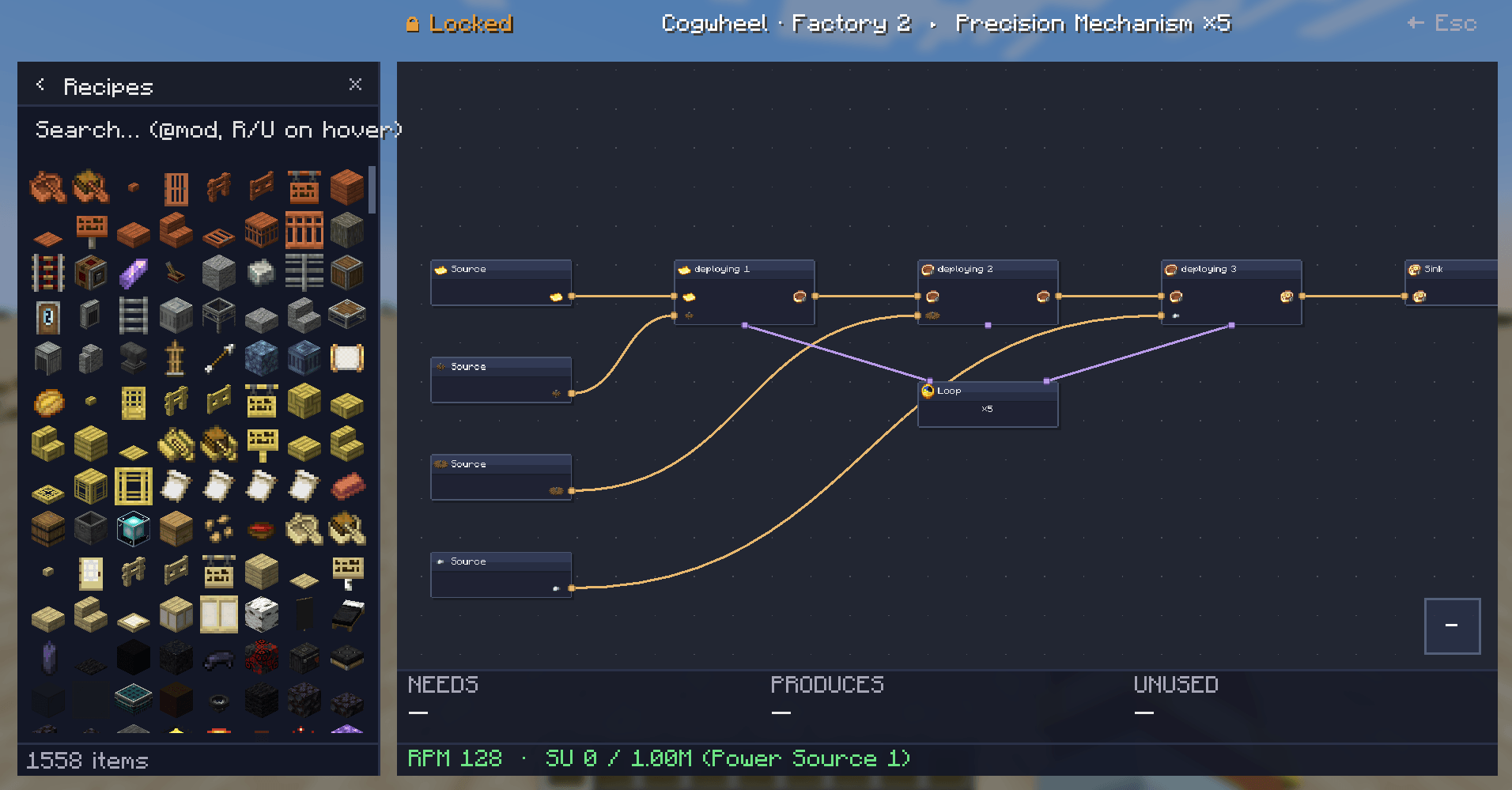
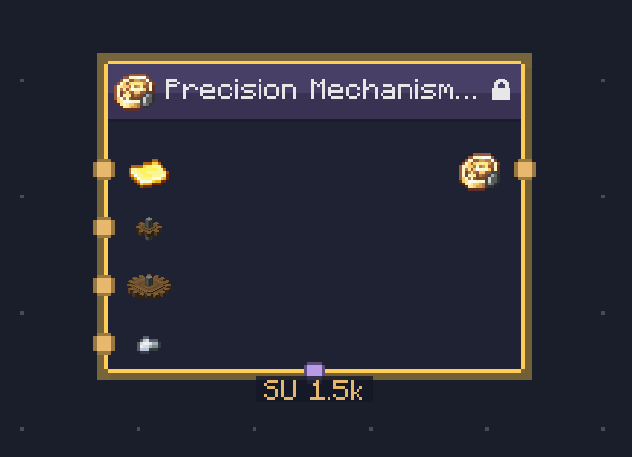
- 🌀 Sequenced assembly auto-expands — drop a Precision Mechanism recipe and Cogwheel unfolds it into a locked cluster with all five steps, the loop control, and the right SU sum.
- 🔁 Loop nodes — gate a chain with a Loop node that runs the contained recipes N times. Connect via the violet bottom-port ports.
- 📚 Multiple factories per save — separate JSON file per factory in
cogwheel/factories/, switchable from the left panel, easy to share. - 🔗 Cross-factory wiring — export an item from Factory A and import it as a source in Factory B by reference.
- 🧩 Clusters — group any selection into a sub-graph (USER cluster) or get auto-built ones (LOCKED) from sequenced recipes. Edit clusters in-place.
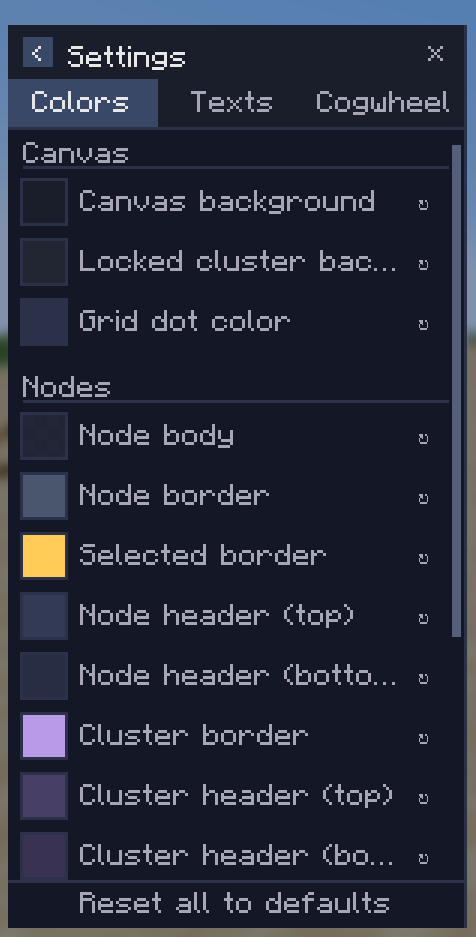
- 🎨 Fully themeable — every color, every text scale, every panel size is configurable from a tabbed settings page.
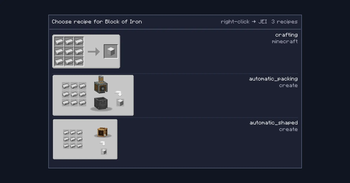
- 🔍 JEI integration — recipe pickers render JEI's own categories. Right-click any picker row to jump straight to JEI's full recipe view.
🚀 Getting started
Press K in-game (or whatever you've bound Open Factory Editor to) to open the editor.
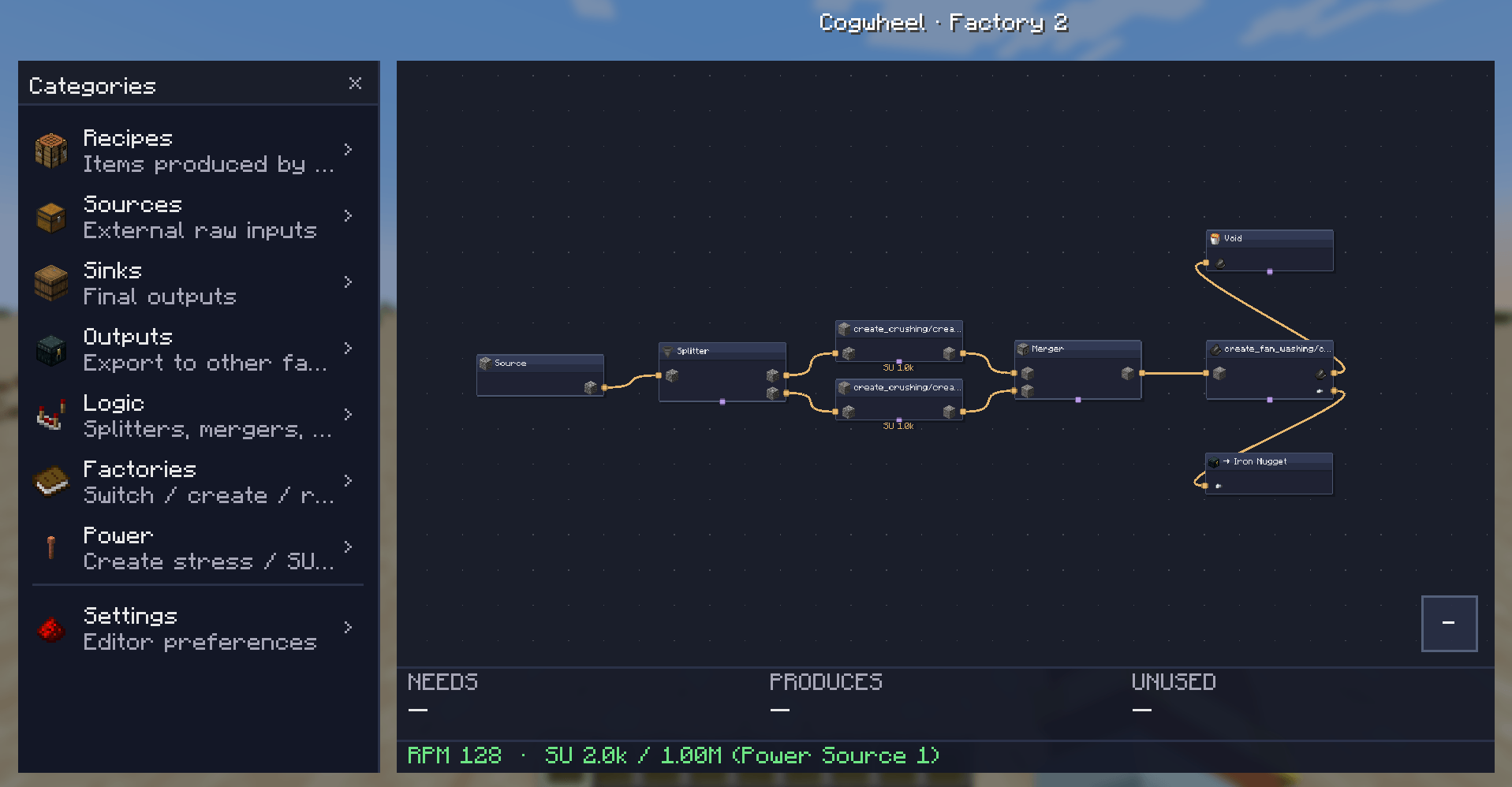
From left to right:
- Categories panel (left side): browse Recipes, Sources, Sinks, Outputs, Logic, Factories, Power sources, Settings.
- Canvas: pan with middle-mouse, zoom with scroll, drop items here to add nodes.
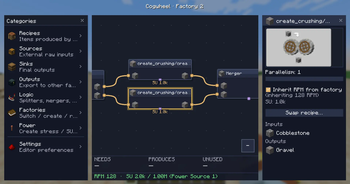
- Properties panel (right side): right-click any node → Edit, or double-click. Configure parallelism, RPM, recipe variant, port pairing.
- Solver overlay (bottom): live readout of what your factory needs, produces, and wastes — plus RPM and SU draw against your assigned power source.
Adding nodes: drag an item or logic block from the left panel onto the canvas. Items land where you drop them.
🔧 Create integration
Cogwheel reads Create's stress-impact tables and recipe types directly. Every Create recipe is recognized and contributes its SU draw at the configured RPM:
| Recipe type | SU per RPM | At 128 RPM (1 machine) |
|---|---|---|
| Crushing wheels (pair) | 8 | 1,024 SU |
| Mechanical Press | 8 | 1,024 SU |
| Mechanical Mixer | 4 | 512 SU |
| Millstone | 4 | 512 SU |
| Mechanical Saw | 4 | 512 SU |
| Deployer | 4 | 512 SU |
| Spout / Item Drain | 4 | 512 SU |
| Encased Fan (washing/haunting) | 2 | 256 SU |
Per-factory and per-recipe RPM
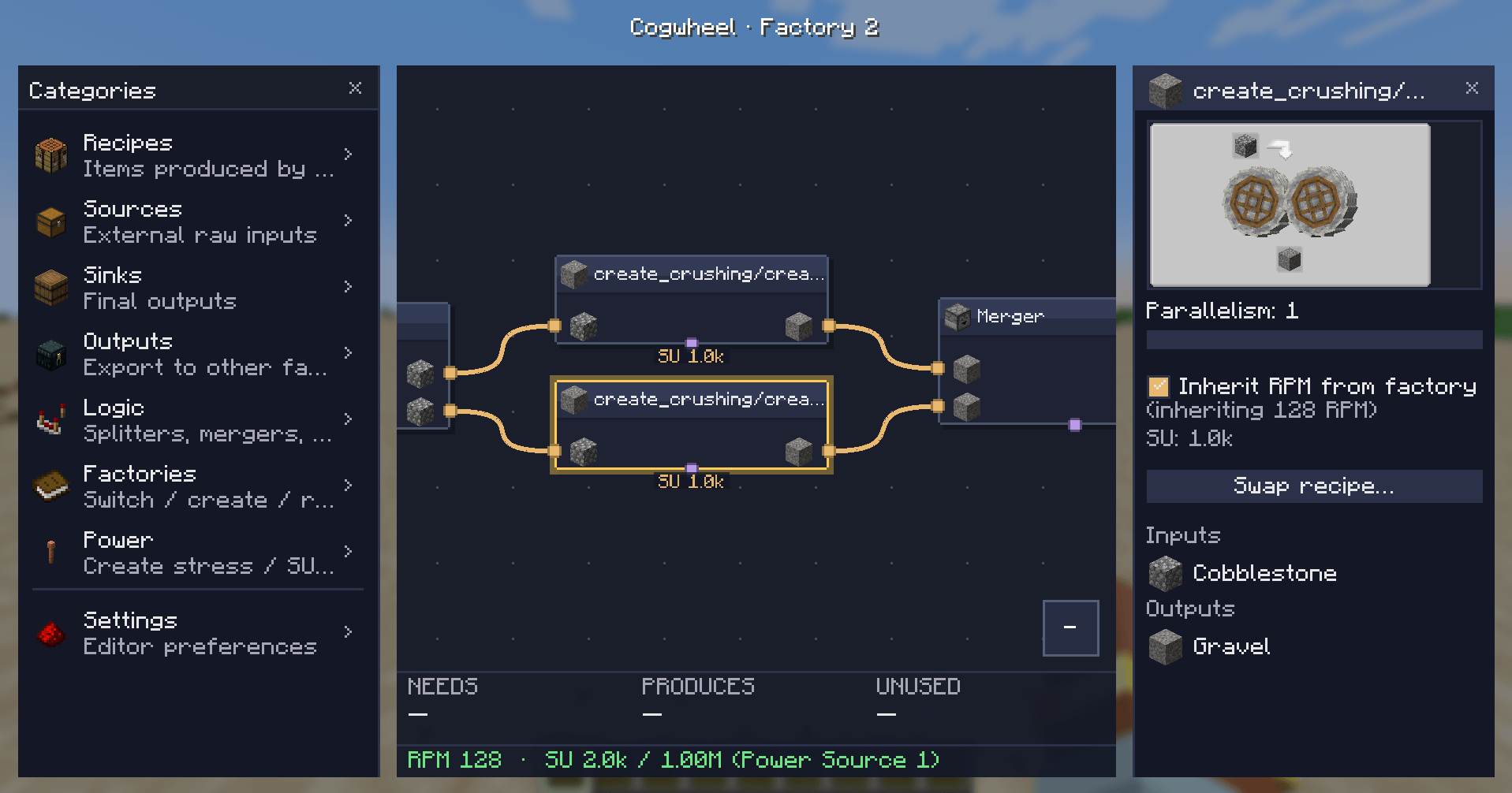
Each factory has a default RPM (1–256). Each Create recipe node and each cluster can either inherit that RPM or override it with its own value via a checkbox in the properties panel.
Sequenced assembly clusters
Drop a Precision Mechanism, Track, or Brass Casing recipe and Cogwheel builds an entire LOCKED cluster for you — every step in order, the right ingredients flowing through, a Loop node showing the iteration count.
⚡ Power sources
Power sources live outside any single factory. Create them once in the Power category (left panel) with a name and an SU capacity:
- Steam Engine — 16,384 SU
- Big windmill array — 4,096 SU
Then assign each factory to a power source via the ⚡ button on the Factories page. Cogwheel sums SU draw across every factory pointing at the same source and:
- 🟢 Green: comfortably within budget
- 🟠 Orange: nearly at capacity
- 🔴 Red ⚠: over budget — by exactly how much
🎨 Settings
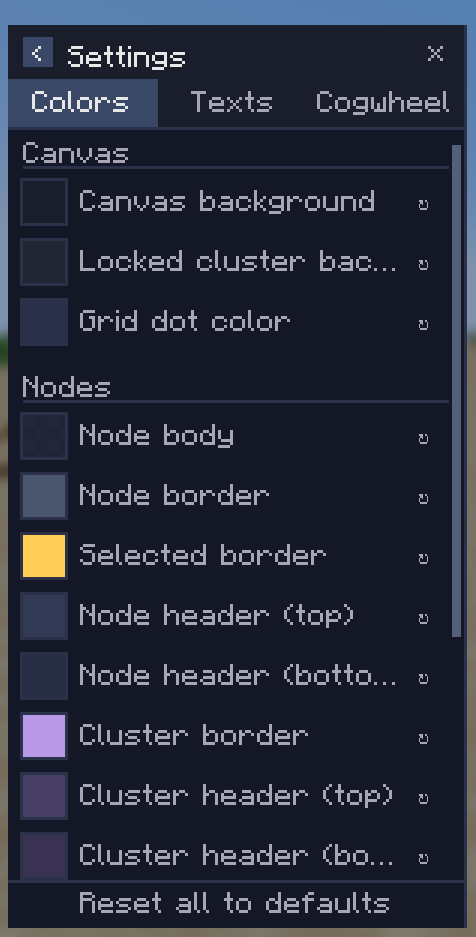
Three tabs in the settings page:
- Colors — every node body, border, port dot, edge, canvas background. Click the swatch, pick a color from the HSV picker, done.
- Texts — text colors and the two scale knobs (node text scale, sidepanel text scale).
- Cogwheel — behavior toggles. Hide vanilla recipes from the picker so your modded factory isn't drowned in compaction recipes. Ponder integration is on the roadmap.
📦 Logic nodes
In addition to recipes, sources, and sinks, the Logic category has:
- Splitter — 1 input, 2–8 outputs. Configurable distribution mode.
- Merger — 2–8 inputs, 1 output.
- Limiter — caps the rate of flow on a single line.
- Void — discards items (useful for modeling waste on purpose).
- Cluster — empty user-created sub-graph for grouping.
- Loop — gates a chain to run N iterations per cycle.
📋 Requirements
| Minecraft | 1.21.1 |
| Mod loader | NeoForge 21.1.228+ |
| Java | 21 |
| JEI | Required |
| Create | Recommended — unlocks SU calculation, sequenced assembly expansion, and accurate Create recipe enumeration |
The mod is client-side only — no server install needed.
🗺️ Roadmap
Things I'm planning but haven't shipped yet:
- 🎬 Ponder integration — auto-build example contraptions for your factories.
- ⚡ Bottleneck-aware solver (real backpressure modeling).
- 🪶 Per-output weights / fixed rates on Splitter and Merger.
- 🔗 Better Create addon coverage (CC&A, Create: New Age, etc).
If you want to ask for a feature or report a bug, head to the issues page.
🤝 Compatibility notes
- Designed for modpacks heavy in Create + addons, but works fine as a vanilla planner too.
- Recipe enumeration goes through JEI, so any mod that ships JEI categories will have its recipes pickable.
- Cogwheel doesn't change any in-world behavior — it's a planning surface. Your factory still has to be built by hand. (For now.)
👤 Credits
Made by Kima. Built on NeoForge + JEI + Mojang Codec. Stress values cross-checked against the Create wiki.
Source / issues: Github
Available Versions
How to Install Cogwheel on Your Server
Order Server
Order a Minecraft Java server with at least 3 GB RAM (4 GB recommended).
Set neoforge Loader
In the panel under "Egg", select the neoforge loader and matching Minecraft version (1.21.1).
Install Mod
Open the mod browser in the dashboard and search for "Cogwheel". Click "Install" – done! Alternatively, upload the .jar via SFTP to the /mods folder.
Compatibility
Mod Loaders
Minecraft Versions
1.21.1
Server-side
✗ UnsupportedRecommended RAM
4 GB(min. 3 GB)Frequently Asked Questions
Cogwheel server crashes on startup – what to do?
Most common cause: wrong neoforge version or insufficient RAM. Check the server log (latest.log) for "OutOfMemoryError" or "Mixin" errors. With Mado Hosting: ensure at least 3 GB RAM is allocated and the loader matches the mod version (1.21.1). You can switch loaders with one click in the panel.
Is Cogwheel compatible with neoforge?
Cogwheel officially supports neoforge for Minecraft 1.21.1. The Mado dashboard automatically detects incompatible loader combinations.
Server lagging with Cogwheel – how to optimize performance?
Recommended RAM: 4 GB (per 8 players). Use /spark profiler to check if Cogwheel consumes the most tick time. Common fixes: reduce server view-distance to 8-10, install "performant" or "starlight" as supplementary mods on Forge. With Mado Hosting, your server runs on NVMe SSDs with dedicated CPU cores for minimal latency.
Similar Mods






Rent Modded Server
Install Cogwheel with just one click on your server.