
Cohesion
Never download mods manually again.
Screenshots
About this Mod
Cohesion
Keep your mods in sync with the servers you play on — automatically.
Ever joined a Minecraft server only to be told you're missing mods, have the wrong versions, or need to remove conflicting ones? Cohesion takes care of all that for you.
How it works
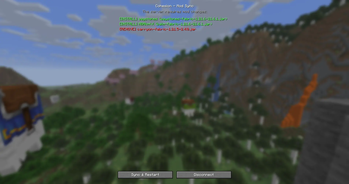
When you connect to a server running Cohesion, the mod checks if your installed mods match what the server expects. If something's off, you'll see a clear summary of what needs to change — which mods to install, update, or remove — and you choose whether to apply the sync or disconnect.
Hit Sync & Restart, and Cohesion handles everything: downloading the right versions, removing what's no longer needed, and getting your game ready. Just relaunch Minecraft and you're good to go.
Switching between servers
Play on multiple servers? No problem. Each time you connect, Cohesion adjusts your mods to match that server's setup. Mods are cached locally, so switching back to a server you've played on before is instant — nothing gets re-downloaded.
Your mods, your control
- You always choose. Cohesion never modifies your mods without showing you exactly what will change and asking for confirmation.
- Your personal mods are safe. Cohesion only manages mods it installed. Anything you added yourself stays untouched.
- Essential mods are protected. Fabric API, Fabric Loader, and Cohesion itself are never removed, no matter what.
Security
Cohesion only downloads mods hosted on Modrinth. A server cannot point your game to arbitrary downloads or sneak in files that aren't published on Modrinth. Every mod is verified through the official Modrinth API before it's installed, so there's no risk of a malicious server pushing harmful files to your game.
For server owners
Add Cohesion to your server and define which mods your players need in a simple config file. When players connect, they'll be prompted to sync — no more troubleshooting broken mod lists or writing setup guides. Players without Cohesion can still join normally.
Available Versions
How to Install Cohesion on Your Server
Order Server
Order a Minecraft Java server with at least 3 GB RAM (4 GB recommended).
Set fabric Loader
In the panel under "Egg", select the fabric loader and matching Minecraft version (1.21.11).
Install Mod
Open the mod browser in the dashboard and search for "Cohesion". Click "Install" – done! Alternatively, upload the .jar via SFTP to the /mods folder.
Compatibility
Mod Loaders
Minecraft Versions
1.21.11, 1.21.10, 1.21.9 (+7 more)
Server-side
✓ RequiredRecommended RAM
4 GB(min. 3 GB)Frequently Asked Questions
Cohesion server crashes on startup – what to do?
Most common cause: wrong fabric version or insufficient RAM. Check the server log (latest.log) for "OutOfMemoryError" or "Mixin" errors. With Mado Hosting: ensure at least 3 GB RAM is allocated and the loader matches the mod version (1.21.11). You can switch loaders with one click in the panel.
Is Cohesion compatible with fabric?
Cohesion officially supports fabric for Minecraft 1.21.11, 1.21.10, 1.21.9. The Mado dashboard automatically detects incompatible loader combinations.
Server lagging with Cohesion – how to optimize performance?
Recommended RAM: 4 GB (per 8 players). Use /spark profiler to check if Cohesion consumes the most tick time. Common fixes: reduce server view-distance to 8-10, install "performant" or "starlight" as supplementary mods on Forge. With Mado Hosting, your server runs on NVMe SSDs with dedicated CPU cores for minimal latency.
Similar Mods



Rent Modded Server
Install Cohesion with just one click on your server.