
Collectors Album
Collect cards, fill your album with over 100 custom cards and gain extra perks for your character
Screenshots
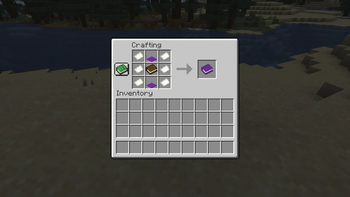
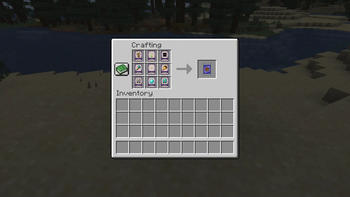
About this Mod
Collector's Album 


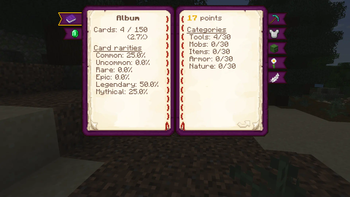
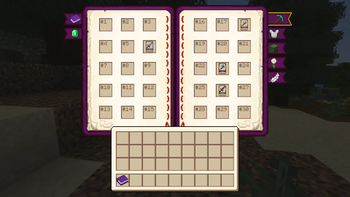
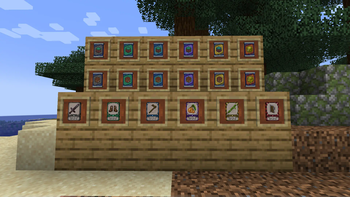
900 new collectible cards in varying rarities which can enhance your character by filling your collector's album.
Join our Discord server to receive lates updates
How it works
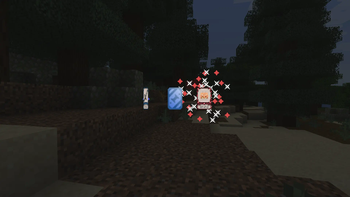
First you need to craft your album and then start killing hostile mobs. Hostile mobs have chance to drop card package with random rarity. Opening the package will grant you 5 cards which can be used for album.
Album is divided into 5 categories:
- Tools
- Armor
- Mobs
- Nature
- Items
Each card has custom parameters:
- Card number -> Used to identify correct slot in album
- Card category -> See category list above
- Card rarity -> Rarity of card (Common=Worst, Mythical=Best)
- Card value -> Value based on rarity
Bonuses
Once you reach certain threshold with your album card collection you will obtain passive effects such as resistance/regeneration/extra health and more.
These thresholds are unlocked by having certain amount of points or filling full categories.
For modpack developers
Wiki contains step-by-step guide on how to create custom addon. We also have default datapack with all default features disabled in case you want to create completely custom experience.
This mod requires Configuration library
All things are configurable either via datapacks or ingame configuration. There's also addon support if you want to add your very own cards and album category.
Available Versions
How to Install Collectors Album on Your Server
Order Server
Order a Minecraft Java server with at least 3 GB RAM (4 GB recommended).
Set fabric Loader
In the panel under "Egg", select the fabric loader and matching Minecraft version (26.1.2).
Install Mod
Open the mod browser in the dashboard and search for "Collectors Album". Click "Install" – done! Alternatively, upload the .jar via SFTP to the /mods folder.
Compatibility
Mod Loaders
Minecraft Versions
26.1.2, 26.1.1, 26.1 (+3 more)
Server-side
✓ RequiredRecommended RAM
4 GB(min. 3 GB)Frequently Asked Questions
Collectors Album server crashes on startup – what to do?
Most common cause: wrong fabric version or insufficient RAM. Check the server log (latest.log) for "OutOfMemoryError" or "Mixin" errors. With Mado Hosting: ensure at least 3 GB RAM is allocated and the loader matches the mod version (26.1.2). You can switch loaders with one click in the panel.
Is Collectors Album compatible with fabric and forge and neoforge?
Collectors Album officially supports fabric, forge, neoforge for Minecraft 26.1.2, 26.1.1, 26.1. Note: Forge and Fabric mods are NOT cross-compatible – pick one loader and stick with it. The Mado dashboard automatically detects incompatible loader combinations.
Server lagging with Collectors Album – how to optimize performance?
Recommended RAM: 4 GB (per 8 players). Use /spark profiler to check if Collectors Album consumes the most tick time. Common fixes: reduce server view-distance to 8-10, install "performant" or "starlight" as supplementary mods on Forge. With Mado Hosting, your server runs on NVMe SSDs with dedicated CPU cores for minimal latency.
Similar Mods




Rent Modded Server
Install Collectors Album with just one click on your server.