
ColorableLib
SuperbWarfare library for easy vehicle coloring.
Screenshots
About this Mod
Library used to easily implement SuperbWarfare vehicles coloring.
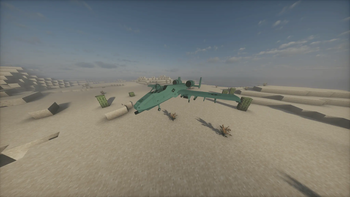
ColorableLib is a lightweight library dedicated for SuperbWarfare addons. ColorableLib is based on Capability logic and implements management engine and automatic server-client synchronization, also changing SuperbWarfere vehicle renderer.
import colorable.capability.EntityColorCapability;
import net.minecraft.world.entity.Entity;

/**
 * Example usage of the ColorableLib API.
 */
public class ColorableExample {

    /**
     * Demonstrates how to manipulate entity color layers.
     *
     * @param targetEntity The entity to be colored (must support the capability).
     * @param color        Color in decimal or hex format (e.g., 0xFF0000 for red).
     */
    public void exampleMethod(Entity targetEntity, int color) {
        // Access the color capability of the target entity
        targetEntity.getCapability(EntityColorCapability.CAPABILITY).ifPresent(cap -> {
            if (!targetEntity.level().isClientSide) {

                // Add or update a specific color layer
                cap.setLayer(targetEntity, "example_id", color);

                // Removed a specified layer
                cap.removeLayer(targetEntity, "example_id");
            }
        });
    }
}
Available Versions
How to Install ColorableLib on Your Server
Order Server
Order a Minecraft Java server with at least 3 GB RAM (4 GB recommended).
Set forge Loader
In the panel under "Egg", select the forge loader and matching Minecraft version (26.1.2).
Install Mod
Open the mod browser in the dashboard and search for "ColorableLib". Click "Install" – done! Alternatively, upload the .jar via SFTP to the /mods folder.
Compatibility
Mod Loaders
Minecraft Versions
26.1.2, 26.1.1, 26.1 (+18 more)
Server-side
✓ RequiredRecommended RAM
4 GB(min. 3 GB)Frequently Asked Questions
ColorableLib server crashes on startup – what to do?
Most common cause: wrong forge version or insufficient RAM. Check the server log (latest.log) for "OutOfMemoryError" or "Mixin" errors. With Mado Hosting: ensure at least 3 GB RAM is allocated and the loader matches the mod version (26.1.2). You can switch loaders with one click in the panel.
Is ColorableLib compatible with forge?
ColorableLib officially supports forge for Minecraft 26.1.2, 26.1.1, 26.1. The Mado dashboard automatically detects incompatible loader combinations.
Server lagging with ColorableLib – how to optimize performance?
Recommended RAM: 4 GB (per 8 players). Use /spark profiler to check if ColorableLib consumes the most tick time. Common fixes: reduce server view-distance to 8-10, install "performant" or "starlight" as supplementary mods on Forge. With Mado Hosting, your server runs on NVMe SSDs with dedicated CPU cores for minimal latency.
Similar Mods



Rent Modded Server
Install ColorableLib with just one click on your server.
Details
- License
- Creative Commons Attribution Non Commercial 4.0 International
- Server-side
- Required