
Color Pointers
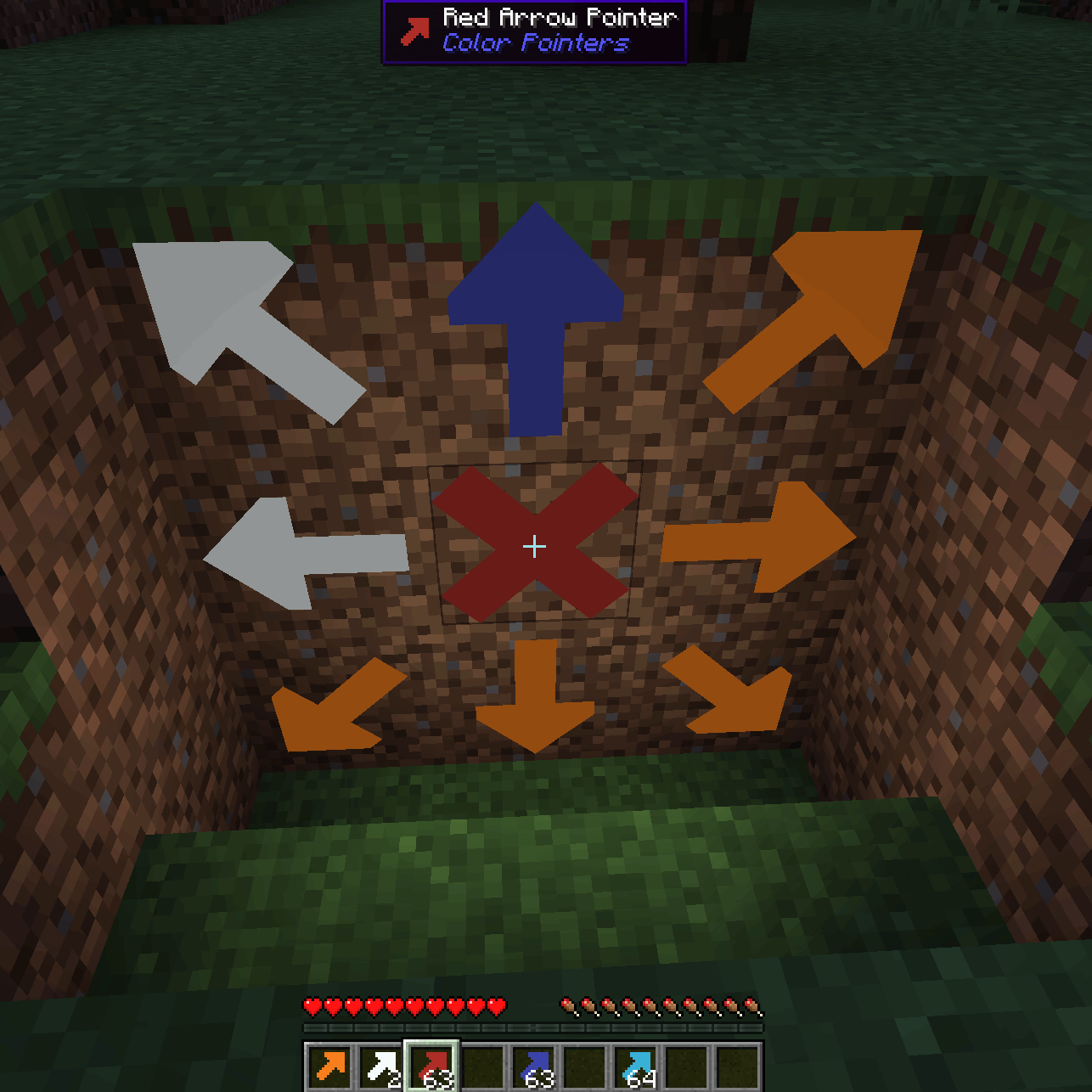
Place high contrast arrow pointers on any full block to aid you on your mining journeys.
Screenshots
About this Mod
Color Pointers (Fabric and NeoForge)

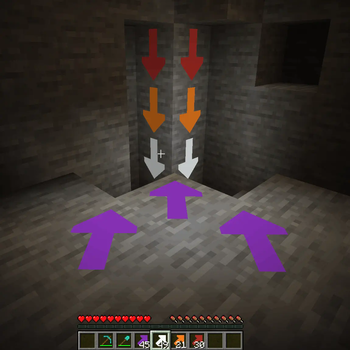
Allows you to place high contrast arrow pointers on any full block to aid you on your mining journeys. Never lose your way again.
Hitting the corner of a block places an arrow pointing in that direction, hitting the center creates an X.
The placed arrows emit a faint light, and they are visible even in the dark.
License
Standard MIT license. Feel free to learn from it and incorporate it in your own projects.
Source code
Available on GitLab or on GitHub.
For developers
Quite often, when I start learning programming on a new platform, I find even the simplest examples too complicated.
Tutorials, written by experts, with years of experience programming on that platform, sometimes forget how difficult those first step are.
This is why I decided to make my first Minecraft mods publicly available.
Requires (Fabric)
Recommended addons
Iron Signs is a good companion mod to place matching color signs next to the arrows.
Alternative addons
Arrow Pointers allows you to mark your way with vanilla arrows.
Chalk provides a different way to mark your path with arrows.
And Chalk: Colorful Addon adds variants of chalk in every color!
See also
My other mods on Modrinth and on CurseForge.
Available Versions
How to Install Color Pointers on Your Server
Order Server
Order a Minecraft Java server with at least 3 GB RAM (4 GB recommended).
Set fabric Loader
In the panel under "Egg", select the fabric loader and matching Minecraft version (1.21.11).
Install Mod
Open the mod browser in the dashboard and search for "Color Pointers". Click "Install" – done! Alternatively, upload the .jar via SFTP to the /mods folder.
Compatibility
Mod Loaders
Minecraft Versions
1.21.11, 1.21.10, 1.21.9 (+13 more)
Server-side
✓ RequiredRecommended RAM
4 GB(min. 3 GB)Frequently Asked Questions
Color Pointers server crashes on startup – what to do?
Most common cause: wrong fabric version or insufficient RAM. Check the server log (latest.log) for "OutOfMemoryError" or "Mixin" errors. With Mado Hosting: ensure at least 3 GB RAM is allocated and the loader matches the mod version (1.21.11). You can switch loaders with one click in the panel.
Is Color Pointers compatible with fabric and neoforge?
Color Pointers officially supports fabric, neoforge for Minecraft 1.21.11, 1.21.10, 1.21.9. The Mado dashboard automatically detects incompatible loader combinations.
Server lagging with Color Pointers – how to optimize performance?
Recommended RAM: 4 GB (per 8 players). Use /spark profiler to check if Color Pointers consumes the most tick time. Common fixes: reduce server view-distance to 8-10, install "performant" or "starlight" as supplementary mods on Forge. With Mado Hosting, your server runs on NVMe SSDs with dedicated CPU cores for minimal latency.
Similar Mods




Rent Modded Server
Install Color Pointers with just one click on your server.