Command Actions
Allows mcfunction files to be executed on various events
Screenshots
About this Mod
Command Actions provides an interface to automatically run .mcfunction files at particular events. They are loaded from the filesystem on every event call, ensuring that they are as up to date as they can be.
How to run functions?
- Open / create the
.minecraft/config/command-actions/functionsfolder - Add function files or folders containing function files with the proper event names
- Functions are detected either without an extension or with the
.mcfunctionextension. - All files in subdirectories are detected regardless of extension (or lack thereof)
- Subdirectories are recursed to find functions
- Functions are detected either without an extension or with the
Current capabilities
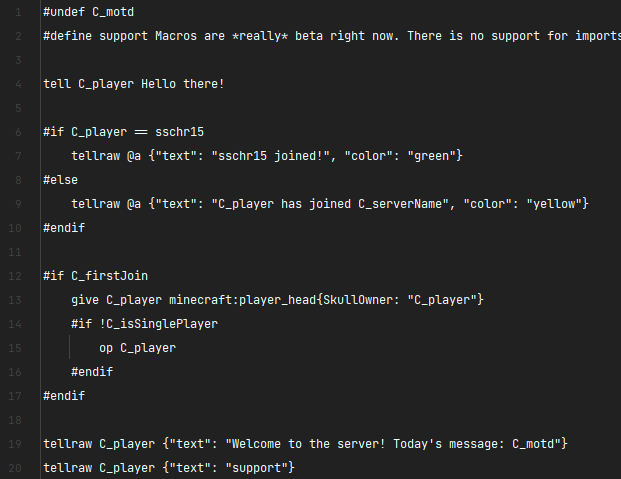
Some preprocessing occurs on the input. All preprocessing directives are preceded with a hash (#),
and any line preceded with a hash that is not a preprocessor is marked as a comment.
Preprocessing directives:
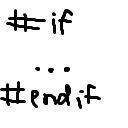
if,elif,else,endif- check if a given macro evaluates totrueor1, if a number is nonzero, if an equation results in a nonzero answer, or if two values are equal or unequaldefine- define a replacement to be replaced later. Not recursiveundef- remove the definition of an already defined macro. This also works for system-provided macros.
Current events
Built-in macros are listed, and all builtins (including those provided by other mods) are preceded with C_
server-ready- called after the server reports it's ready for playersserverNameisSinglePlayeronlinemotd
player-join- called when a player is placed into the server- All macros provided by
server-ready playerNameandplayeras shorthandplayerUUIDauthfirstJoin
- All macros provided by
Available Versions
How to Install Command Actions on Your Server
Order Server
Order a Minecraft Java server with at least 3 GB RAM (4 GB recommended).
Set quilt Loader
In the panel under "Egg", select the quilt loader and matching Minecraft version (1.19.2).
Install Mod
Open the mod browser in the dashboard and search for "Command Actions". Click "Install" – done! Alternatively, upload the .jar via SFTP to the /mods folder.
Compatibility
Mod Loaders
Minecraft Versions
1.19.2
Server-side
✓ RequiredRecommended RAM
4 GB(min. 3 GB)Frequently Asked Questions
Command Actions server crashes on startup – what to do?
Most common cause: wrong quilt version or insufficient RAM. Check the server log (latest.log) for "OutOfMemoryError" or "Mixin" errors. With Mado Hosting: ensure at least 3 GB RAM is allocated and the loader matches the mod version (1.19.2). You can switch loaders with one click in the panel.
Is Command Actions compatible with quilt?
Command Actions officially supports quilt for Minecraft 1.19.2. The Mado dashboard automatically detects incompatible loader combinations.
Server lagging with Command Actions – how to optimize performance?
Recommended RAM: 4 GB (per 8 players). Use /spark profiler to check if Command Actions consumes the most tick time. Common fixes: reduce server view-distance to 8-10, install "performant" or "starlight" as supplementary mods on Forge. With Mado Hosting, your server runs on NVMe SSDs with dedicated CPU cores for minimal latency.
Similar Mods



Rent Modded Server
Install Command Actions with just one click on your server.