
CommandKick
Kicks players who run blocked commands, instead of removing the commands from the tree. Server-side, configurable, Fabric + Kotlin.
Screenshots

About this Mod
CommandKick
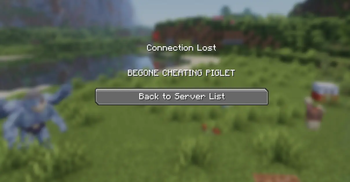
Instead of fiddling with permissions,CommandKick takes a different approach: the commands stay fully visible and tab-completable, but the moment a player runs a blocked one, they're kicked with a custom message. Humorous, no?
Features
- Leaves the command tree intact. Blocked commands still show up and tab-complete; only execution is intercepted.
- Console-safe. Server console, command blocks, datapack functions, and rcon run blocked commands normally. Only player-initiated runs are caught.
- Configurable. Edit a JSON file and restart — no rebuild needed.
- Custom kick message. Set whatever text players see when they get booted.
- Logging. Every kick records which player ran which command, in the server log.
- Lightweight. No LuckPerms or other permission-system dependency required.
Configuration
On first launch, CommandKick writes config/commandkick.json with defaults. Edit it and restart the server to apply — the command list is read once at startup, because Brigadier builds the command tree only at boot. (A /reload is not enough.)
{
  "kickMessage": "command verboten.",
  "blockedCommands": [
    "tick",
    "givepokemon",
    "pokespawn"
  ]
}
Each entry blocks that command and all of its subcommands — listing tick covers /tick freeze, /tick rate, and so on.
Installation
- Install Fabric Loader and Fabric API.
- Install Fabric Language Kotlin.
- Drop CommandKick into your server's
modsfolder. - Start the server once to generate the config, edit it, then restart.
Server-side only — no client installation needed.
Made with the help of Claude
Available Versions
How to Install CommandKick on Your Server
Order Server
Order a Minecraft Java server with at least 3 GB RAM (4 GB recommended).
Set fabric Loader
In the panel under "Egg", select the fabric loader and matching Minecraft version (1.21.11).
Install Mod
Open the mod browser in the dashboard and search for "CommandKick". Click "Install" – done! Alternatively, upload the .jar via SFTP to the /mods folder.
Compatibility
Mod Loaders
Minecraft Versions
1.21.11, 1.21.10, 1.21.9 (+8 more)
Server-side
✓ RequiredRecommended RAM
4 GB(min. 3 GB)Frequently Asked Questions
CommandKick server crashes on startup – what to do?
Most common cause: wrong fabric version or insufficient RAM. Check the server log (latest.log) for "OutOfMemoryError" or "Mixin" errors. With Mado Hosting: ensure at least 3 GB RAM is allocated and the loader matches the mod version (1.21.11). You can switch loaders with one click in the panel.
Is CommandKick compatible with fabric?
CommandKick officially supports fabric for Minecraft 1.21.11, 1.21.10, 1.21.9. The Mado dashboard automatically detects incompatible loader combinations.
Server lagging with CommandKick – how to optimize performance?
Recommended RAM: 4 GB (per 8 players). Use /spark profiler to check if CommandKick consumes the most tick time. Common fixes: reduce server view-distance to 8-10, install "performant" or "starlight" as supplementary mods on Forge. With Mado Hosting, your server runs on NVMe SSDs with dedicated CPU cores for minimal latency.
Similar Mods






Rent Modded Server
Install CommandKick with just one click on your server.