Compact Diamonds

Compact Diamonds

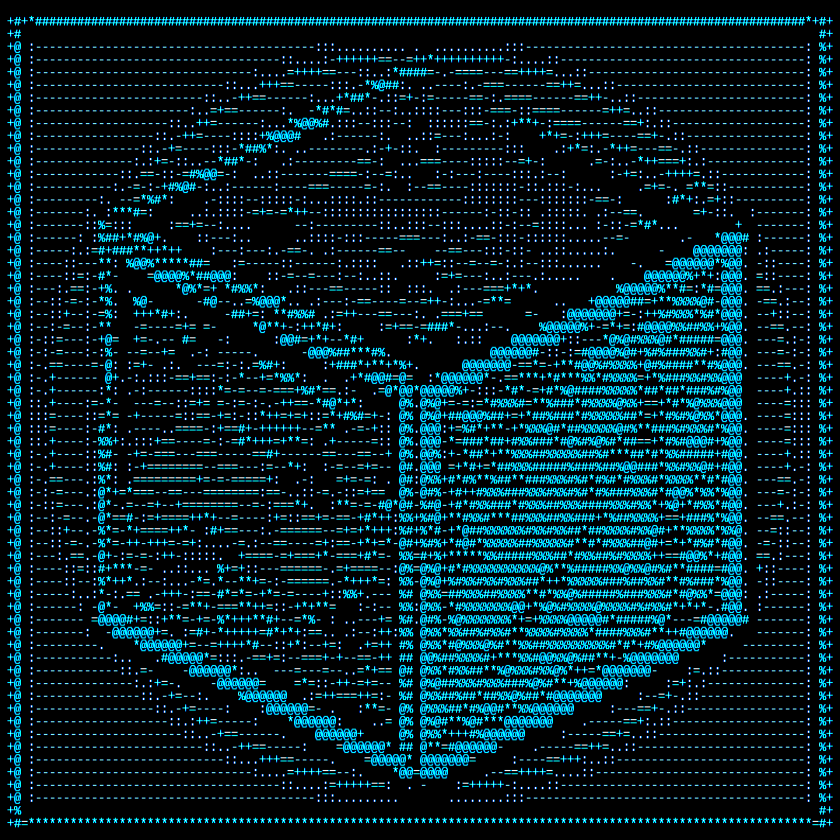
No need to carry too many shulkers because you happen to be too rich. Just pack them together into a Compact Block of Diamond.

by
1.8K Downloads
datapackfabricforgeneoforgepaperpurpurquilteconomystoragetransportation
Rent Server with this Mod

Screenshots

uncrafting compact block of diamond
crafting a compact block of diamond
item frame
1.0.0 crafting
placed

About this Mod

Does your server have a diamond-based economy?
Is your server dealing with large transactions?
Are you tired of carrying so many diamonds?

Well you're in luck!

Crafting a Compact Block of Diamond

Compact Diamonds is a simple yet very useful Data Pack that adds a new item called "Compact Block of Diamond", crafted with 9 Blocks of Diamond and easily uncrafted in the inventory crafting menu.

The Compact Block of Diamond can be carried in stacks of 64 or placed on the ground

One Compact Block of Diamond is the equivalent to 81 diamonds.

How to install?

Vanilla [Datapack]:

  1. Download the latest release for vanilla.
  2. Open Minecraft.
  3. Select the world you want to install the data pack for, click on "Edit", then "Open world folder".

    ⚠ Server note:

    For a server, simply find the folder in the server called "world".

  4. Open the folder named datapacks, and put the datapack into it. The datapack should be a .zip file.
  5. If you are in the world during the installation, type /reload (if you have enabled cheats) or press F3+T.
  6. If the datapack was installed correctly, it should be enabled in the world. If you have enabled cheats, you can verify by typing /datapack list enabled and find an entry named [file/Compact-Diamonds.zip].
  7. If it doesn't work then reload Minecraft.
  8. If it still doesn't work then just search on the internet.

Modded [Fabric / Quilt / Forge / NeoForge]

  1. Download the latest release for modded.
  2. Locate your mods folder. Often located in %appdata%\.minecraft\mods or ~/Library/Application Support/minecraft/mods.
  3. Put the Compact Diamonds .jar in the mods folder.
  4. If Minecraft is open, please restart it for Compact Diamonds to load.

    ⚠ Fabric / Quilt note:

    Fabric iconFabricAPI (or specifically fabric-resource-loader-v0) is required for the .jar to load.

Plugin [Paper / Purpur]

⚠ Plugin support is very experimental

  1. Download the latest release for plugin.
  2. Locate your plugins folder.
  3. Put the Compact Diamonds .jar in the plugins folder.
  4. If Minecraft is open, please restart it for Compact Diamonds to load.
Dev Info: Compact Block of Diamond can be translated using the key block.compact_diamonds.compact_diamond_block, fallback is "Compact Block of Diamond".

If you want to change the texture of the Compact Block of Diamond without also changing the normal Diamond Block, you can use Compact-Diamonds-Custom-Model-Template Compact Diamonds Custom Model Template.
All repositories related to Compact Diamonds:
Compact Diamonds Compact Diamonds Custom Model Template Compact Diamonds Translations Compact Diamonds Paper

I'm currently working on on making translations for this datapack, I'd love some help.

Available Versions

v0.1.4+datapackrelease
MC 25w03a, 25w04a, 25w05a, 25w06a, 25w07a, 25w08a, 25w09a, 25w09b, 25w10a, 1.21.5-pre1, 1.21.5-pre2, 1.21.5-pre3, 1.21.5-rc1, 1.21.5-rc2, 1.21.5, 25w14craftmine, 25w15a, 25w16a, 25w17a, 25w18a, 25w19a, 25w20a, 25w21a, 1.21.6-pre1, 1.21.6-pre2, 1.21.6-pre3, 1.21.6-pre4, 1.21.6-rc1, 1.21.6, 1.21.7-rc1, 1.21.7-rc2, 1.21.7, 1.21.8-rc1, 1.21.8, 25w31a, 25w32a, 25w33a, 25w34a, 25w34b, 25w35a, 25w36a, 25w36b, 25w37a, 1.21.9-pre1, 1.21.9-pre2, 1.21.9-pre3, 1.21.9-pre4, 1.21.9-rc1, 1.21.9, 1.21.10-rc1, 1.21.10, 25w41a, 25w42a, 25w43a, 25w44a, 25w45a, 25w46a, 1.21.11-pre1, 1.21.11-pre2, 1.21.11-pre3, 1.21.11-pre4, 1.21.11-pre5, 1.21.11-rc1, 1.21.11-rc2, 1.21.11-rc3, 1.21.11, 26.1-snapshot-1, 26.1-snapshot-2, 26.1-snapshot-3, 26.1-snapshot-4, 26.1-snapshot-5, 26.1-snapshot-6, 26.1-snapshot-7, 26.1-snapshot-8, 26.1-snapshot-9, 26.1-snapshot-10, 26.1-snapshot-11, 26.1-pre-1, 26.1-pre-2, 26.1-pre-3, 26.1-rc-1, 26.1-rc-2, 26.1-rc-3, 26.1, 26.1.1-rc-1, 26.1.1, 26w14a, 26.2-snapshot-1, 26.1.2-rc-1, 26.1.2, 26.2-snapshot-2, 26.2-snapshot-3, 26.2-snapshot-4, 26.2-snapshot-5, 26.2-snapshot-6, 26.2-snapshot-7, 26.2-snapshot-8, 26.2-pre-1, 26.2-pre-2, 26.2-pre-3, 26.2-pre-4, 26.2-pre-5, 26.2-pre-6, 26.2-rc-1, 26.2-rc-2, 26.2datapack
April 12, 2026
v0.1.4+modrelease
MC 25w03a, 25w04a, 25w05a, 25w06a, 25w07a, 25w08a, 25w09a, 25w09b, 25w10a, 1.21.5-pre1, 1.21.5-pre2, 1.21.5-pre3, 1.21.5-rc1, 1.21.5-rc2, 1.21.5, 25w14craftmine, 25w15a, 25w16a, 25w17a, 25w18a, 25w19a, 25w20a, 25w21a, 1.21.6-pre1, 1.21.6-pre2, 1.21.6-pre3, 1.21.6-pre4, 1.21.6-rc1, 1.21.6, 1.21.7-rc1, 1.21.7-rc2, 1.21.7, 1.21.8-rc1, 1.21.8, 25w31a, 25w32a, 25w33a, 25w34a, 25w34b, 25w35a, 25w36a, 25w36b, 25w37a, 1.21.9-pre1, 1.21.9-pre2, 1.21.9-pre3, 1.21.9-pre4, 1.21.9-rc1, 1.21.9, 1.21.10-rc1, 1.21.10, 25w41a, 25w42a, 25w43a, 25w44a, 25w45a, 25w46a, 1.21.11-pre1, 1.21.11-pre2, 1.21.11-pre3, 1.21.11-pre4, 1.21.11-pre5, 1.21.11-rc1, 1.21.11-rc2, 1.21.11-rc3, 1.21.11, 26.1-snapshot-1, 26.1-snapshot-2, 26.1-snapshot-3, 26.1-snapshot-4, 26.1-snapshot-5, 26.1-snapshot-6, 26.1-snapshot-7, 26.1-snapshot-8, 26.1-snapshot-9, 26.1-snapshot-10, 26.1-snapshot-11, 26.1-pre-1, 26.1-pre-2, 26.1-pre-3, 26.1-rc-1, 26.1-rc-2, 26.1-rc-3, 26.1, 26.1.1-rc-1, 26.1.1, 26w14a, 26.2-snapshot-1, 26.1.2-rc-1, 26.1.2, 26.2-snapshot-2, 26.2-snapshot-3, 26.2-snapshot-4, 26.2-snapshot-5, 26.2-snapshot-6, 26.2-snapshot-7, 26.2-snapshot-8, 26.2-pre-1, 26.2-pre-2, 26.2-pre-3, 26.2-pre-4, 26.2-pre-5, 26.2-pre-6, 26.2-rc-1, 26.2-rc-2, 26.2fabric, forge, neoforge, quilt
April 4, 2026
v0.1.3+modrelease
MC 25w03a, 25w04a, 25w05a, 25w06a, 25w07a, 25w08a, 25w09a, 25w09b, 25w10a, 1.21.5-pre1, 1.21.5-pre2, 1.21.5-pre3, 1.21.5-rc1, 1.21.5-rc2, 1.21.5, 25w14craftmine, 25w15a, 25w16a, 25w17a, 25w18a, 25w19a, 25w20a, 25w21a, 1.21.6-pre1, 1.21.6-pre2, 1.21.6-pre3, 1.21.6-pre4, 1.21.6-rc1, 1.21.6, 1.21.7-rc1, 1.21.7-rc2, 1.21.7, 1.21.8-rc1, 1.21.8, 25w31a, 25w32a, 25w33a, 25w34a, 25w34b, 25w35a, 25w36a, 25w36b, 25w37a, 1.21.9-pre1, 1.21.9-pre2, 1.21.9-pre3, 1.21.9-pre4, 1.21.9-rc1, 1.21.9, 1.21.10-rc1, 1.21.10, 25w41a, 25w42a, 25w43a, 25w44a, 25w45a, 25w46a, 1.21.11-pre1, 1.21.11-pre2, 1.21.11-pre3, 1.21.11-pre4, 1.21.11-pre5, 1.21.11-rc1, 1.21.11-rc2, 1.21.11-rc3, 1.21.11, 26.1-snapshot-1, 26.1-snapshot-2, 26.1-snapshot-3, 26.1-snapshot-4, 26.1-snapshot-5, 26.1-snapshot-6, 26.1-snapshot-7, 26.1-snapshot-8, 26.1-snapshot-9, 26.1-snapshot-10, 26.1-snapshot-11, 26.1-pre-1, 26.1-pre-2, 26.1-pre-3, 26.1-rc-1, 26.1-rc-2, 26.1-rc-3, 26.1, 26.1.1-rc-1, 26.1.1, 26w14a, 26.2-snapshot-1, 26.1.2-rc-1, 26.1.2, 26.2-snapshot-2, 26.2-snapshot-3, 26.2-snapshot-4, 26.2-snapshot-5, 26.2-snapshot-6, 26.2-snapshot-7, 26.2-snapshot-8, 26.2-pre-1, 26.2-pre-2, 26.2-pre-3, 26.2-pre-4, 26.2-pre-5, 26.2-pre-6, 26.2-rc-1, 26.2-rc-2, 26.2fabric, forge, neoforge, quilt
March 30, 2026
v0.1.2+modrelease
MC 25w03a, 25w04a, 25w05a, 25w06a, 25w07a, 25w08a, 25w09a, 25w09b, 25w10a, 1.21.5-pre1, 1.21.5-pre2, 1.21.5-pre3, 1.21.5-rc1, 1.21.5-rc2, 1.21.5, 25w14craftmine, 25w15a, 25w16a, 25w17a, 25w18a, 25w19a, 25w20a, 25w21a, 1.21.6-pre1, 1.21.6-pre2, 1.21.6-pre3, 1.21.6-pre4, 1.21.6-rc1, 1.21.6, 1.21.7-rc1, 1.21.7-rc2, 1.21.7, 1.21.8-rc1, 1.21.8, 25w31a, 25w32a, 25w33a, 25w34a, 25w34b, 25w35a, 25w36a, 25w36b, 25w37a, 1.21.9-pre1, 1.21.9-pre2, 1.21.9-pre3, 1.21.9-pre4, 1.21.9-rc1, 1.21.9, 1.21.10-rc1, 1.21.10, 25w41a, 25w42a, 25w43a, 25w44a, 25w45a, 25w46a, 1.21.11-pre1, 1.21.11-pre2, 1.21.11-pre3, 1.21.11-pre4, 1.21.11-pre5, 1.21.11-rc1, 1.21.11-rc2, 1.21.11-rc3, 1.21.11, 26.1-snapshot-1, 26.1-snapshot-2, 26.1-snapshot-3, 26.1-snapshot-4, 26.1-snapshot-5, 26.1-snapshot-6, 26.1-snapshot-7, 26.1-snapshot-8, 26.1-snapshot-9, 26.1-snapshot-10, 26.1-snapshot-11, 26.1-pre-1, 26.1-pre-2, 26.1-pre-3, 26.1-rc-1, 26.1-rc-2, 26.1-rc-3, 26.1, 26.1.1-rc-1, 26.1.1, 26w14a, 26.2-snapshot-1, 26.1.2-rc-1, 26.1.2, 26.2-snapshot-2, 26.2-snapshot-3, 26.2-snapshot-4, 26.2-snapshot-5, 26.2-snapshot-6, 26.2-snapshot-7, 26.2-snapshot-8, 26.2-pre-1, 26.2-pre-2, 26.2-pre-3, 26.2-pre-4, 26.2-pre-5, 26.2-pre-6, 26.2-rc-1, 26.2-rc-2, 26.2fabric, forge, neoforge, quilt
March 30, 2026
v0.1.1+modrelease
MC 25w03a, 25w04a, 25w05a, 25w06a, 25w07a, 25w08a, 25w09a, 25w09b, 25w10a, 1.21.5-pre1, 1.21.5-pre2, 1.21.5-pre3, 1.21.5-rc1, 1.21.5-rc2, 1.21.5, 25w14craftmine, 25w15a, 25w16a, 25w17a, 25w18a, 25w19a, 25w20a, 25w21a, 1.21.6-pre1, 1.21.6-pre2, 1.21.6-pre3, 1.21.6-pre4, 1.21.6-rc1, 1.21.6, 1.21.7-rc1, 1.21.7-rc2, 1.21.7, 1.21.8-rc1, 1.21.8, 25w31a, 25w32a, 25w33a, 25w34a, 25w34b, 25w35a, 25w36a, 25w36b, 25w37a, 1.21.9-pre1, 1.21.9-pre2, 1.21.9-pre3, 1.21.9-pre4, 1.21.9-rc1, 1.21.9, 1.21.10-rc1, 1.21.10, 25w41a, 25w42a, 25w43a, 25w44a, 25w45a, 25w46a, 1.21.11-pre1, 1.21.11-pre2, 1.21.11-pre3, 1.21.11-pre4, 1.21.11-pre5, 1.21.11-rc1, 1.21.11-rc2, 1.21.11-rc3, 1.21.11, 26.1-snapshot-1, 26.1-snapshot-2, 26.1-snapshot-3, 26.1-snapshot-4, 26.1-snapshot-5, 26.1-snapshot-6, 26.1-snapshot-7, 26.1-snapshot-8, 26.1-snapshot-9, 26.1-snapshot-10, 26.1-snapshot-11, 26.1-pre-1, 26.1-pre-2, 26.1-pre-3, 26.1-rc-1, 26.1-rc-2, 26.1-rc-3, 26.1, 26.1.1-rc-1, 26.1.1, 26w14a, 26.2-snapshot-1, 26.1.2-rc-1, 26.1.2, 26.2-snapshot-2, 26.2-snapshot-3, 26.2-snapshot-4, 26.2-snapshot-5, 26.2-snapshot-6, 26.2-snapshot-7, 26.2-snapshot-8, 26.2-pre-1, 26.2-pre-2, 26.2-pre-3, 26.2-pre-4, 26.2-pre-5, 26.2-pre-6, 26.2-rc-1, 26.2-rc-2, 26.2fabric, forge, neoforge, quilt
March 28, 2026

How to Install Compact Diamonds on Your Server

1

Order Server

Order a Minecraft Java server with at least 3 GB RAM (4 GB recommended).

2

Set datapack Loader

In the panel under "Egg", select the datapack loader and matching Minecraft version (26.2).

3

Install Mod

Open the mod browser in the dashboard and search for "Compact Diamonds". Click "Install" – done! Alternatively, upload the .jar via SFTP to the /mods folder.

Compatibility

Mod Loaders

datapackfabricforgeneoforgepaperpurpurquilt

Minecraft Versions

26.2, 26.2-rc-2, 26.2-rc-1 (+104 more)

Server-side

Required

Recommended RAM

4 GB(min. 3 GB)

Frequently Asked Questions

Compact Diamonds server crashes on startup – what to do?

Most common cause: wrong datapack version or insufficient RAM. Check the server log (latest.log) for "OutOfMemoryError" or "Mixin" errors. With Mado Hosting: ensure at least 3 GB RAM is allocated and the loader matches the mod version (26.2). You can switch loaders with one click in the panel.

Is Compact Diamonds compatible with datapack and fabric and forge and neoforge and paper and purpur and quilt?

Compact Diamonds officially supports datapack, fabric, forge, neoforge, paper, purpur, quilt for Minecraft 26.2, 26.2-rc-2, 26.2-rc-1. Note: Forge and Fabric mods are NOT cross-compatible – pick one loader and stick with it. The Mado dashboard automatically detects incompatible loader combinations.

Server lagging with Compact Diamonds – how to optimize performance?

Recommended RAM: 4 GB (per 8 players). Use /spark profiler to check if Compact Diamonds consumes the most tick time. Common fixes: reduce server view-distance to 8-10, install "performant" or "starlight" as supplementary mods on Forge. With Mado Hosting, your server runs on NVMe SSDs with dedicated CPU cores for minimal latency.

Rent Modded Server

Install Compact Diamonds with just one click on your server.

Recommended RAM
4 GBab €8/mo
Min. 3 GB | +1 GB pro 8 Spieler
Create Server Now
1-Click Mod Install
NVMe SSD Storage
DDoS Protection included

Details

License
LicenseRef-All-Rights-Reserved
Server-side
Required

Supported Versions

26.226.2-rc-226.2-rc-126.2-pre-626.2-pre-526.2-pre-426.2-pre-326.2-pre-226.2-pre-126.2-snapshot-8+97 more