
Config API
A Config API for Fabric, Forge, NeoForge and Quilt
Screenshots
About this Mod
This is a Config API for Fabric, Forge, NeoForge and Quilt.
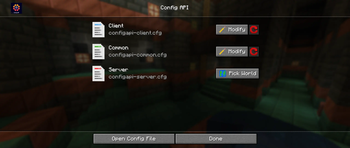
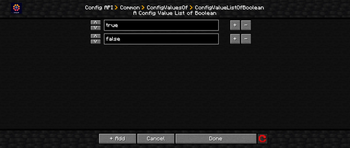
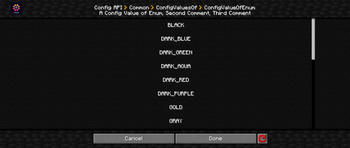
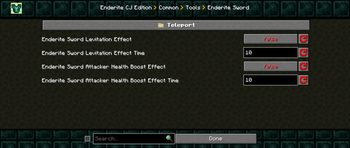
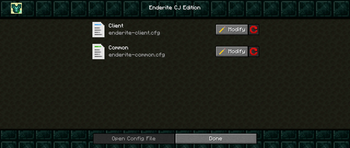
It has a Config Screen, which is automatically added, if the specific mod uses this as config system.
This is a "core" mod, specifically designed for multiloader projects. It allows you to create easily new configs, for Client, Common and Server, in the style of Forge's and NeoForge's Config System.
Why you should use this instead of Forge's and NeoForge's Config System?
- Automatically adds a fully functional Config Screen
- You can use more methods like getComments(), getKey(), getRange(), etc.
- It's cross-platform for Fabric, Forge, NeoForge and Quilt
For developer
- Open your build.gradle
- Add this plugin to your other plugins
plugins {
    id 'io.github.0ffz.github-packages' version '1.2.+'
}
- Next step is, to add this repository:
repositories {
  maven githubPackage.invoke("Craftjakob/Config-API")
}
- After that, you can add a dependency and choose one of these implementations for your project. (If you can not use 'modImplementation' use 'compileOnly' and 'runtimeOnly')
dependencies {
  modImplementation "com.craftjakob:configapi-common:${mc_version}-${configapi_version}"
  modImplementation "com.craftjakob:configapi-fabric:${mc_version}-${configapi_version}"
  modImplementation "com.craftjakob:configapi-forge:${mc_version}-${configapi_version}"
  modImplementation "com.craftjakob:configapi-neoforge:${mc_version}-${configapi_version}"
  modImplementation "com.craftjakob:configapi-quilt:${mc_version}-${configapi_version}"
}
- Finally, you can reload your build.gradle.
For more information, visit the GitHub page.
Changelog
CONFIG API VERSION 2.4.0
- Added support for 1.21.2 and 1.21.3
- Removed support of background configs, due to many changes from Minecraft
- Changed the parameter order in the
registerConfigmethod - Cleaned-Up code and performance improvements
- Reworked the ConfigTracking for increasing efficient
- Changed the Position of the Reset All Server Config Button
CONFIG API VERSION 2.3.2
- Fixed a crash, when opening the screen
- Added HolderHelper that's a utility class
CONFIG API VERSION 2.3.1
- Added SimpleResourceLocation, because the new system is unnecessary
CONFIG API VERSION 2.3.0
- Updated to 1.21 for Fabric and NeoForge
CONFIG API VERSION 2.2.1
Thanks to xLuPo, ornithoptercat
- Removed license from quilt.mod.json, to prevent a crash
- Added back the support for NeoForge 1.20.4
- Fixed Forge crash on 1.20.4, because of the Logo
- Fixed Server Compatibility, the ServiceLoader had tried to load Client methods on Server
CONFIG API VERSION 2.0.0
- Made the ConfigTracker more efficient
- added a method to stop tracked configs
- Added Server support for Config with the type SERVER
- These configs are only loaded on the server
- The server configs are saved inside the worlds folder
- That allows you to set specific things only in the World
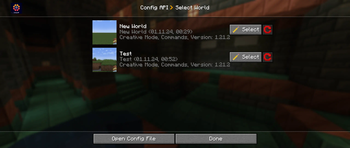
- Added ConfigWorldSelectionScreen
- If you want to open a Server config, and you are not in a world, you can choose which config do you want to modify
- If you are inside a world, you can directly modify it
- Added an example config for the Config Screen
- fixed quilt mixin
CONFIG API VERSION 1.2.0
- Added CheckboxButton
- Added Deep Search
- If your in a folder, and then enabling it, all configs in and after the folder will be displayed
- Now you need to type an '#' to search for tooltips
- Added new mechanics to the SearchBox
- A search suggestion
- It's now displayed with a search lupe
- If you had searched something, you can click on a delete button
- Fixed client config, does not tracked on fabric
- Optimized load & track methode
- Rewritten the ConfigFileWriter for better performance
- Optimized some other things
CONFIG API VERSION 1.1.1
- Fixed server compatibility
- Added ConfigEditBox for friendlier usability
- Now you can press Enter to get out of the EditBox/Searchbox
- And some other things
- Fixed Enum & ListScreen's reset button, does not set correctly
CONFIG API VERSION 1.1.0
Critical Changes: new file format is .cfg, moved directories, now it's not compatible with v1.0.0
- added navigation buttons
- the displayed config names have now a space after a capital letter
- fixed reset button, do not reset all configs
- removed reset all button in Config Screen
- rework of Config Type Selection Screen
- Added Icons for the specific config type
- Added reset button, to reset the file
- Added Open Config File Button
- Added SearchBox as extra Widget
- Added ImageTextButton as extra Widget
- Added Services for getConfigDirectory, isModLoaded & getEnvironment
CONFIG API VERSION 1.0.0
- Supported Modloaders Fabric, Forge, NeoForge and Quilt
- Fabric requires Fabric API
- Config Screen features:
- Automatically added
- Organized with categories
- Currently available only for Forge and NeoForge
- Config files are saved and tracked only when you are in the specific environment
- Common Configs are always tracked and directly loaded, they are the safest to use
- For usage instructions, please refer to the README.md file on Github
- Access is currently not possible, due to the requirement of a password key
Available Versions
How to Install Config API on Your Server
Order Server
Order a Minecraft Java server with at least 3 GB RAM (4 GB recommended).
Set fabric Loader
In the panel under "Egg", select the fabric loader and matching Minecraft version (26.1.2).
Install Mod
Open the mod browser in the dashboard and search for "Config API". Click "Install" – done! Alternatively, upload the .jar via SFTP to the /mods folder.
Compatibility
Mod Loaders
Minecraft Versions
26.1.2, 26.1.1, 26.1 (+11 more)
Server-side
✓ RequiredRecommended RAM
4 GB(min. 3 GB)Frequently Asked Questions
Config API server crashes on startup – what to do?
Most common cause: wrong fabric version or insufficient RAM. Check the server log (latest.log) for "OutOfMemoryError" or "Mixin" errors. With Mado Hosting: ensure at least 3 GB RAM is allocated and the loader matches the mod version (26.1.2). You can switch loaders with one click in the panel.
Is Config API compatible with fabric and forge and neoforge and quilt?
Config API officially supports fabric, forge, neoforge, quilt for Minecraft 26.1.2, 26.1.1, 26.1. Note: Forge and Fabric mods are NOT cross-compatible – pick one loader and stick with it. The Mado dashboard automatically detects incompatible loader combinations.
Server lagging with Config API – how to optimize performance?
Recommended RAM: 4 GB (per 8 players). Use /spark profiler to check if Config API consumes the most tick time. Common fixes: reduce server view-distance to 8-10, install "performant" or "starlight" as supplementary mods on Forge. With Mado Hosting, your server runs on NVMe SSDs with dedicated CPU cores for minimal latency.
Similar Mods



Rent Modded Server
Install Config API with just one click on your server.