
Configurable Audio Emitters (Or Sound Blocks)
Add immersive, invisible audio sources to your world. Features GUI configuration, redstone control, and easy support for custom .ogg files.
Screenshots
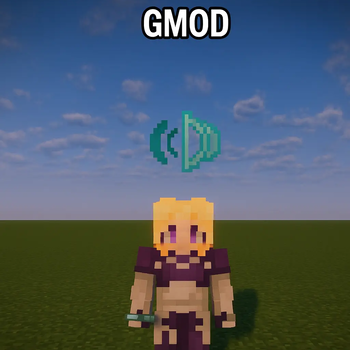

About this Mod

Configurable Audio Emitters Mod







🔊 Sound Blocks
Sound Blocks allows builders and map makers to place invisible, fully configurable audio sources in the world to create immersive atmospheres. Whether you need the hum of a server room, the buzzing of a transformer, or spooky cave winds, this mod handles it all without complex commands.
✨ Features
Invisible Emitters: The Sound Block acts like a Creative Light Block. It is invisible and has no collision, making it perfect for hiding in builds. It only becomes visible when you hold the Sound Block item.
Full GUI Configuration: Right-click the block (while holding the Sound Block item) to open an easy-to-use menu via Cloth Config.
🧰 Customizable Settings
Sound Selection: Searchable dropdown menu.
Looping: Set sounds to repeat automatically.
Random Delay: Add random pauses between loops for more natural ambience.
Volume, Pitch, & Range: Fine-tune exactly how the sound is heard.
Redstone Support: Power the block with redstone to activate/deactivate the sound.
Custom Sound Support: Add your own audio files without making a resource pack!
📂 How to Add Custom Sounds
Run the game once to generate the config folders.
Go to your Minecraft (Or Profile folder if on Modrinth or similar platform.) folder: .minecraft/config/sound-blocks/custom_sounds/
Drop your .ogg audio (Must be in mono format to have sound attenuation working.) files into this folder.
Restart the game.
Your sounds will automatically appear in the "Sound Selection" dropdown inside the block!
🛠️ Dependencies
This mod requires:
Fabric API
Cloth Config API
Available Versions
How to Install Configurable Audio Emitters (Or Sound Blocks) on Your Server
Order Server
Order a Minecraft Java server with at least 3 GB RAM (4 GB recommended).
Set fabric Loader
In the panel under "Egg", select the fabric loader and matching Minecraft version (1.20.1).
Install Mod
Open the mod browser in the dashboard and search for "Configurable Audio Emitters (Or Sound Blocks)". Click "Install" – done! Alternatively, upload the .jar via SFTP to the /mods folder.
Compatibility
Mod Loaders
Minecraft Versions
1.20.1
Server-side
✓ RequiredRecommended RAM
4 GB(min. 3 GB)Frequently Asked Questions
Configurable Audio Emitters (Or Sound Blocks) server crashes on startup – what to do?
Most common cause: wrong fabric version or insufficient RAM. Check the server log (latest.log) for "OutOfMemoryError" or "Mixin" errors. With Mado Hosting: ensure at least 3 GB RAM is allocated and the loader matches the mod version (1.20.1). You can switch loaders with one click in the panel.
Is Configurable Audio Emitters (Or Sound Blocks) compatible with fabric?
Configurable Audio Emitters (Or Sound Blocks) officially supports fabric for Minecraft 1.20.1. The Mado dashboard automatically detects incompatible loader combinations.
Server lagging with Configurable Audio Emitters (Or Sound Blocks) – how to optimize performance?
Recommended RAM: 4 GB (per 8 players). Use /spark profiler to check if Configurable Audio Emitters (Or Sound Blocks) consumes the most tick time. Common fixes: reduce server view-distance to 8-10, install "performant" or "starlight" as supplementary mods on Forge. With Mado Hosting, your server runs on NVMe SSDs with dedicated CPU cores for minimal latency.
Similar Mods




Rent Modded Server
Install Configurable Audio Emitters (Or Sound Blocks) with just one click on your server.