
Container Preview
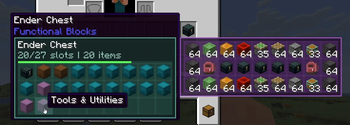
Want to view Shulkers, Bags, EnderChests all directly from inventory? This is the ultimate Storage tooltip you!
Screenshots
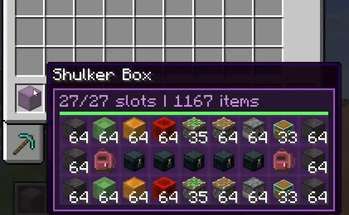
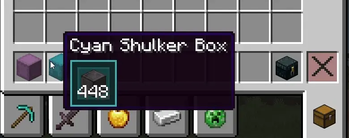
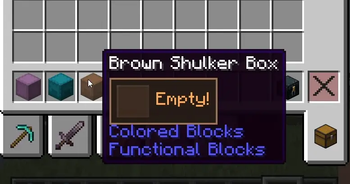
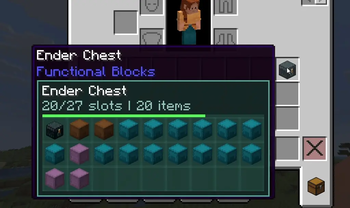
About this Mod
Container Preview [Storage Tip]
Container Preview is a lightweight, highly compatible Quality of Life (QoL) mod that shows the contents of container items directly in your tooltips. As the official successor to Shulker Peek, this mod ensures you no longer have to place down shulker boxes, backpacks, or bundles just to see what's inside peek inside instantly!
✨ Core Features
Broad Storage Mod Support: Works seamlessly out of the box with your favorite custom backpacks, bundles, shulke alternatives, echest and other expanded storage mods!
Direct Tooltip Previews: Instantly view the exact contents of any container item seamlessly within its standard hover tooltip.
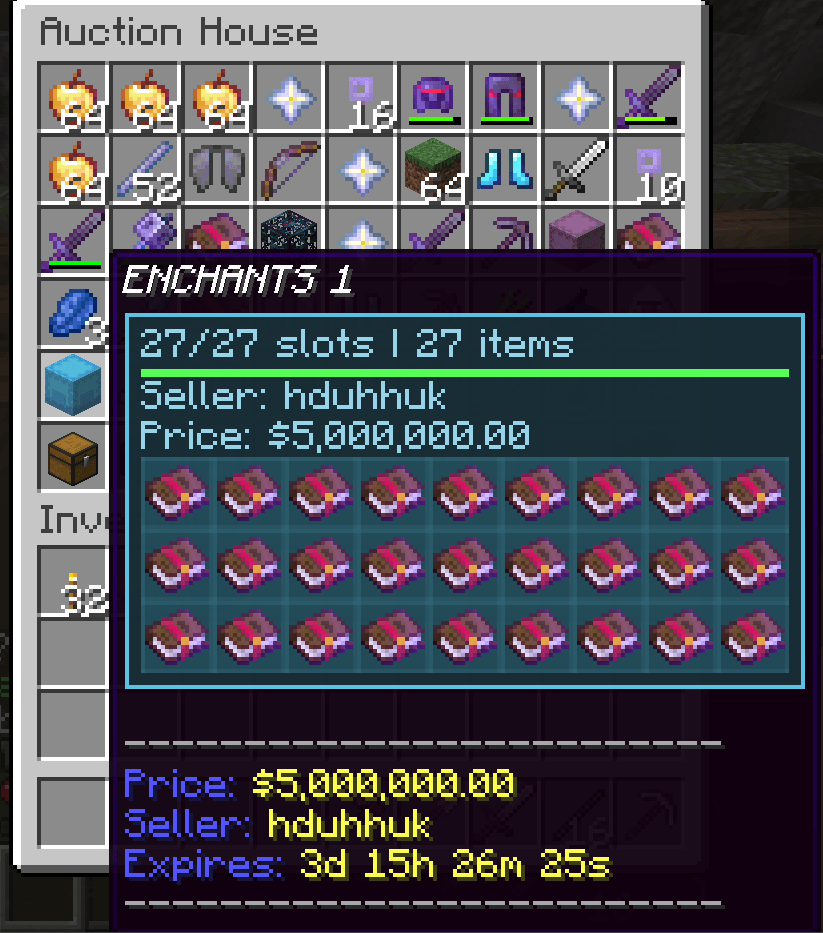
Nested Previews: Dig deep! Full support for viewing the contents of containers that are stored inside other containers.
Detail & Lock Modes: Advanced inspection modes let you lock the tooltip in place and view detailed item information without the UI getting in your way.
Configurable Layouts: Customize your viewing experience with full grid support and flexible, clean layout options.
Multi-Loader Native: Unified but native. The mod handles bootstrap, registration, and platform-specific integration flawlessly to support all major modloaders!
Server Support: Unlike Shulker Peek it now fully supports servers Sellers name price and expiry time can be seen. This is still a client side and it can interact with server is what it means its not a server side and only works when placed on client!.
⚙️ Compatibility & Dependencies
Container Preview is built to be a true multi-loader project, providing native files for all major modloaders. Be sure to download the correct file for your specific loader from the Files tab!
Fabric Users: Requires the Fabric API. For an easy in-game settings menu, we highly recommend installing Mod Menu along with the optional YetAnotherConfigLib (YACL).
Other Loaders: Plug and play! Native integration means no additional external mod dependencies are required beyond the loader itself.
Join the discord community for more fun updates and sneek peaks as well as bug reports!

Available Versions
How to Install Container Preview on Your Server
Order Server
Order a Minecraft Java server with at least 3 GB RAM (4 GB recommended).
Set fabric Loader
In the panel under "Egg", select the fabric loader and matching Minecraft version (26.1.2).
Install Mod
Open the mod browser in the dashboard and search for "Container Preview". Click "Install" – done! Alternatively, upload the .jar via SFTP to the /mods folder.
Compatibility
Mod Loaders
Minecraft Versions
26.1.2, 26.1.1, 26.1 (+4 more)
Server-side
✗ UnsupportedRecommended RAM
4 GB(min. 3 GB)Frequently Asked Questions
Container Preview server crashes on startup – what to do?
Most common cause: wrong fabric version or insufficient RAM. Check the server log (latest.log) for "OutOfMemoryError" or "Mixin" errors. With Mado Hosting: ensure at least 3 GB RAM is allocated and the loader matches the mod version (26.1.2). You can switch loaders with one click in the panel.
Is Container Preview compatible with fabric and forge and neoforge?
Container Preview officially supports fabric, forge, neoforge for Minecraft 26.1.2, 26.1.1, 26.1. Note: Forge and Fabric mods are NOT cross-compatible – pick one loader and stick with it. The Mado dashboard automatically detects incompatible loader combinations.
Server lagging with Container Preview – how to optimize performance?
Recommended RAM: 4 GB (per 8 players). Use /spark profiler to check if Container Preview consumes the most tick time. Common fixes: reduce server view-distance to 8-10, install "performant" or "starlight" as supplementary mods on Forge. With Mado Hosting, your server runs on NVMe SSDs with dedicated CPU cores for minimal latency.
Similar Mods






Rent Modded Server
Install Container Preview with just one click on your server.