
Cooling Cloth
Adds a Dry Cloth and Wet Cloth for those crazy summer heats! Made for ToughAsNails.
Screenshots


About this Mod
!!!TOUGH AS NAILS BY ADUBBZ IS REQUIRED FOR THIS MOD TO WORK, SPECIFICALLY v9.2.0.171!!!
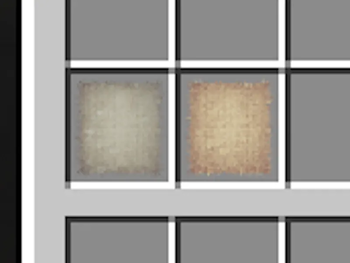
This mod adds a Dry Cloth, that can be crafted with 9 string in a 3x3 Crafting grid.
No, wet cloth cannot be crafted.
Take the Dry Cloth and dump it in any water source to turn it into a Wet Cloth. The Wet Cloth can be used to cool yourself down immediately.
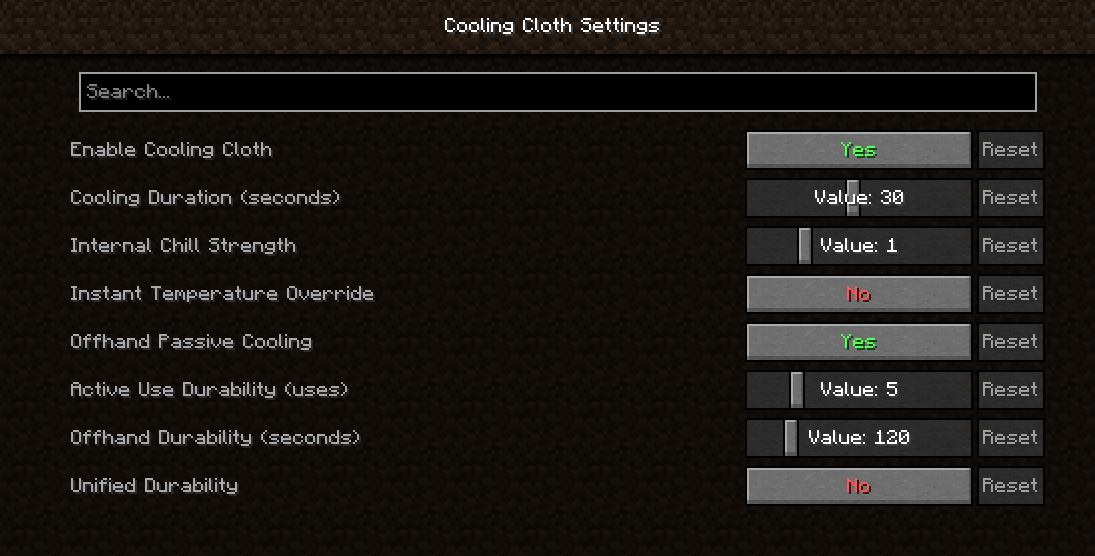
You can use Mod Menu to customize the mod to your liking, or go to the config.json in your gams config folder.
Note: Season mods that don't support ToughAsNails may override the cooling effect.
Note 2: The config.json may only populate once you customize every settings, save, then reset to default.
ONLY MINECRAFT VERSION 1.20.1 HAS BEEN TESTED.
Every change I make before stable release or stable fixes will come out as a public beta, listed as Beta under the releases, if you'd like to download them for your own personal testing before the stable comes out. I will be opening a suggestion box soon, whether by website or by email, so you guys can ask for future mods, OR give opinions or suggestions for existing mods.
Available Versions
How to Install Cooling Cloth on Your Server
Order Server
Order a Minecraft Java server with at least 3 GB RAM (4 GB recommended).
Set fabric Loader
In the panel under "Egg", select the fabric loader and matching Minecraft version (1.20.1).
Install Mod
Open the mod browser in the dashboard and search for "Cooling Cloth". Click "Install" – done! Alternatively, upload the .jar via SFTP to the /mods folder.
Compatibility
Mod Loaders
Minecraft Versions
1.20.1
Server-side
✓ RequiredRecommended RAM
4 GB(min. 3 GB)Frequently Asked Questions
Cooling Cloth server crashes on startup – what to do?
Most common cause: wrong fabric version or insufficient RAM. Check the server log (latest.log) for "OutOfMemoryError" or "Mixin" errors. With Mado Hosting: ensure at least 3 GB RAM is allocated and the loader matches the mod version (1.20.1). You can switch loaders with one click in the panel.
Is Cooling Cloth compatible with fabric?
Cooling Cloth officially supports fabric for Minecraft 1.20.1. The Mado dashboard automatically detects incompatible loader combinations.
Server lagging with Cooling Cloth – how to optimize performance?
Recommended RAM: 4 GB (per 8 players). Use /spark profiler to check if Cooling Cloth consumes the most tick time. Common fixes: reduce server view-distance to 8-10, install "performant" or "starlight" as supplementary mods on Forge. With Mado Hosting, your server runs on NVMe SSDs with dedicated CPU cores for minimal latency.
Similar Mods



![[TaCZ] Timeless and Classics Zero](https://cdn.modrinth.com/data/SzzJttH8/fd27766d2bb8390d284696b1dbd358f87e081439_96.webp)


Rent Modded Server
Install Cooling Cloth with just one click on your server.