
CopperHopper (Regulator Fork)
A fork of Copper Hopper by pcal34
Screenshots
About this Mod
🟠 Copper Hopper (Regulator Fork)
A fork of Copper Hopper by pcal43 that adds "Keep Last Item" functionality!
📦 Original Mod: Copper Hopper on Modrinth
🔧 Fork Maintainer: @AlpineOpponent
🧐 Why this fork?
The original Copper Hopper is amazing for filtering items, but it has one flaw for automation: It drains the chest above completely.
If you are using Copper Golems, Item Frames, or Visual Sorting Systems, you often need to keep at least one "bait" item in the source chest so your system remembers what belongs there.
This fork solves that problem by turning the Copper Hopper into a smart Regulator. 🧠
✨ New Features
🛑 The "Stock Keeper" Buttons
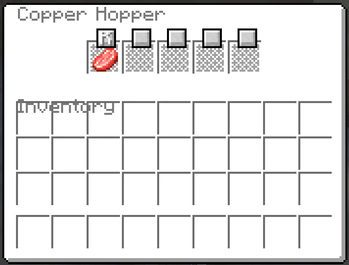
Inside the Copper Hopper GUI, you will now see small toggle buttons next to each of the 5 filter slots.
These buttons control how the hopper pulls items from the container directly above it (Chest, Barrel, etc.).
| Icon | Mode | Description |
|---|---|---|
| ⬇️ | Drain All (Default) | Standard behavior. The hopper will pull every matching item from the chest above until it is empty. |
| 🛑 | Keep Last Item | The hopper will pull matching items but STOP when there is exactly 1 item left in the chest above. |
🛠️ How to Use
- Place a Copper Hopper underneath a Chest or Barrel.
- Open the Hopper GUI.
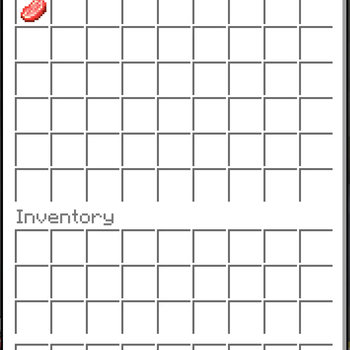
- Place your filter item (e.g., Raw Iron) in a slot.
- Click the small button next to that slot to toggle it to 🛑 (Keep Last).
- Watch as the hopper drains your excess iron but leaves the last one behind for your Golems! 🤖
💡 Perfect For...
- 🤖 Copper Golem Sorting: Keep one item in the chest so the Golem always knows the chest is "assigned."
- 🔥 Furnace Arrays: Prevent your input buffers from running completely dry.
- 🖼️ Item Frame Systems: Keep your storage organized without manual refilling.
⚖️ License & Credits
- Original code and concept by pcal43.
- Forked and modified by AlpineOpponent. (and Google Antigravity hehe)
- Licensed under the MIT License .
Check out the original project to support the creator! 👇
https://modrinth.com/mod/copper-hopper
Available Versions
How to Install CopperHopper (Regulator Fork) on Your Server
Order Server
Order a Minecraft Java server with at least 3 GB RAM (4 GB recommended).
Set fabric Loader
In the panel under "Egg", select the fabric loader and matching Minecraft version (1.21.11).
Install Mod
Open the mod browser in the dashboard and search for "CopperHopper (Regulator Fork)". Click "Install" – done! Alternatively, upload the .jar via SFTP to the /mods folder.
Compatibility
Mod Loaders
Minecraft Versions
1.21.11, 1.21.10, 1.21.9 (+7 more)
Server-side
✓ RequiredRecommended RAM
4 GB(min. 3 GB)Frequently Asked Questions
CopperHopper (Regulator Fork) server crashes on startup – what to do?
Most common cause: wrong fabric version or insufficient RAM. Check the server log (latest.log) for "OutOfMemoryError" or "Mixin" errors. With Mado Hosting: ensure at least 3 GB RAM is allocated and the loader matches the mod version (1.21.11). You can switch loaders with one click in the panel.
Is CopperHopper (Regulator Fork) compatible with fabric?
CopperHopper (Regulator Fork) officially supports fabric for Minecraft 1.21.11, 1.21.10, 1.21.9. The Mado dashboard automatically detects incompatible loader combinations.
Server lagging with CopperHopper (Regulator Fork) – how to optimize performance?
Recommended RAM: 4 GB (per 8 players). Use /spark profiler to check if CopperHopper (Regulator Fork) consumes the most tick time. Common fixes: reduce server view-distance to 8-10, install "performant" or "starlight" as supplementary mods on Forge. With Mado Hosting, your server runs on NVMe SSDs with dedicated CPU cores for minimal latency.
Similar Mods


Rent Modded Server
Install CopperHopper (Regulator Fork) with just one click on your server.