
Copper Horn Lives
Adds the removed Copper Horns, faithful to its original implementation.
Screenshots
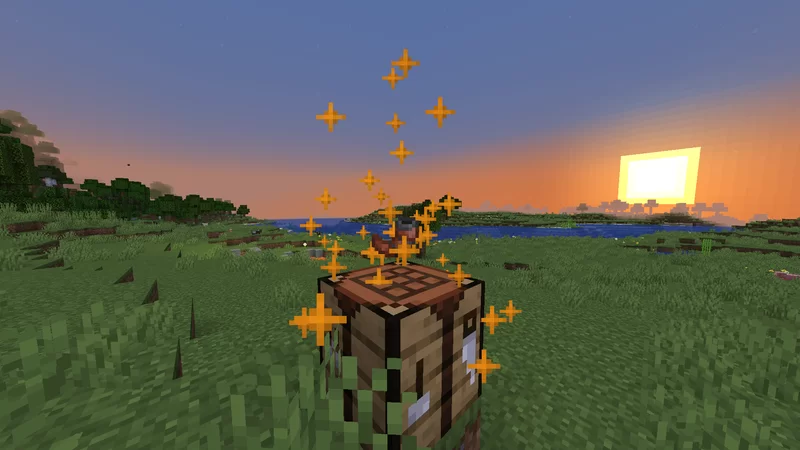
About this Mod
(Originally uploaded on Planet Minecraft on June 7th, 2022)
This data pack adds one simple item: Copper Horns, an item that was once a part of the Wild Update's development, but then was removed shortly afterward.
Note: Copper horns are NOT crafted in the crafting table GUI.
Instead, drop a goat horn and 3 copper ingots onto a crafting table to craft a copper horn.
To use the item, right click to play a tune. If you do it while looking up, it'll play a higher pitched tune, and while crouching, it'll play a bass tune.
There are 10 copper horn variants that can be crafted from each goat horn variant.
In version 2.0, the data pack includes 2 new goat horns: Fly and Resist, which can be dropped from regular and screaming goats respectively. These will let you craft all of the copper horns.
You can also obtain these items using commands, like /function chl:give/all or /function chl:give/great_sky_falling.
Crafting Guide
Each type of goat horn will correspond to a certain copper horn when crafting. Here is a list of all the crafting recipes.Horns dropped by regular goats:
- Ponder -> Great Sky Falling
- Sing -> Old Hymn Resting
- Seek -> Pure Water Desire
- Feel -> Humble Fire Memory
- Fly -> Fearless River Gift
Horns dropped by screaming goats:
- Admire -> Dry Urge Anger
- Call -> Clear Temper Journey
- Yearn -> Fresh Nest Thought
- Dream -> Secret Lake Tear
- Resist -> Sweet Moon Love
Available Versions
How to Install Copper Horn Lives on Your Server
Order Server
Order a Minecraft Java server with at least 3 GB RAM (4 GB recommended).
Set datapack Loader
In the panel under "Egg", select the datapack loader and matching Minecraft version (1.21.8).
Install Mod
Open the mod browser in the dashboard and search for "Copper Horn Lives". Click "Install" – done! Alternatively, upload the .jar via SFTP to the /mods folder.
Compatibility
Mod Loaders
Minecraft Versions
1.21.8, 1.21.7, 1.21.6 (+14 more)
Server-side
✓ RequiredRecommended RAM
4 GB(min. 3 GB)Frequently Asked Questions
Copper Horn Lives server crashes on startup – what to do?
Most common cause: wrong datapack version or insufficient RAM. Check the server log (latest.log) for "OutOfMemoryError" or "Mixin" errors. With Mado Hosting: ensure at least 3 GB RAM is allocated and the loader matches the mod version (1.21.8). You can switch loaders with one click in the panel.
Is Copper Horn Lives compatible with datapack and fabric and forge and neoforge and quilt?
Copper Horn Lives officially supports datapack, fabric, forge, neoforge, quilt for Minecraft 1.21.8, 1.21.7, 1.21.6. Note: Forge and Fabric mods are NOT cross-compatible – pick one loader and stick with it. The Mado dashboard automatically detects incompatible loader combinations.
Server lagging with Copper Horn Lives – how to optimize performance?
Recommended RAM: 4 GB (per 8 players). Use /spark profiler to check if Copper Horn Lives consumes the most tick time. Common fixes: reduce server view-distance to 8-10, install "performant" or "starlight" as supplementary mods on Forge. With Mado Hosting, your server runs on NVMe SSDs with dedicated CPU cores for minimal latency.
Similar Mods




![[TaCZ] Timeless and Classics Zero](https://cdn.modrinth.com/data/SzzJttH8/fd27766d2bb8390d284696b1dbd358f87e081439_96.webp)

Rent Modded Server
Install Copper Horn Lives with just one click on your server.