
Copper Item Pipes
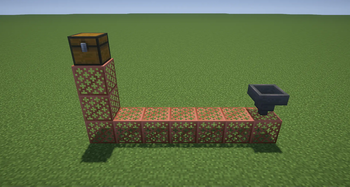
Copper grates now transport items!
Screenshots

About this Mod
Copper Item Pipes Mod
Overview
Copper Item Pipes adds functionality to all variants of copper grates, turning them into a simple item transport system. The pipes can be oxidized, waxed, or any state of copper without affecting functionality.
Crafting
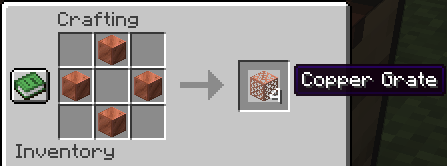
- Recipe: Vanilla's 4 Copper Blocks in a star (No changes here).
- All copper block variants (including waxed and oxidized) are accepted.
How It Works
- Item Input
- Only hoppers can insert items into the copper grates/pipes.
- Droppers and dispensers cannot push items into these pipes.
- Item Throughput
- Transfers full stacks at a time (unlike hoppers, which transfer one item at a time).
- Visual Transfer
- Items are visibly moved through the grates.
- If you break a grate with an item inside, that item will drop.
- Splitting Paths
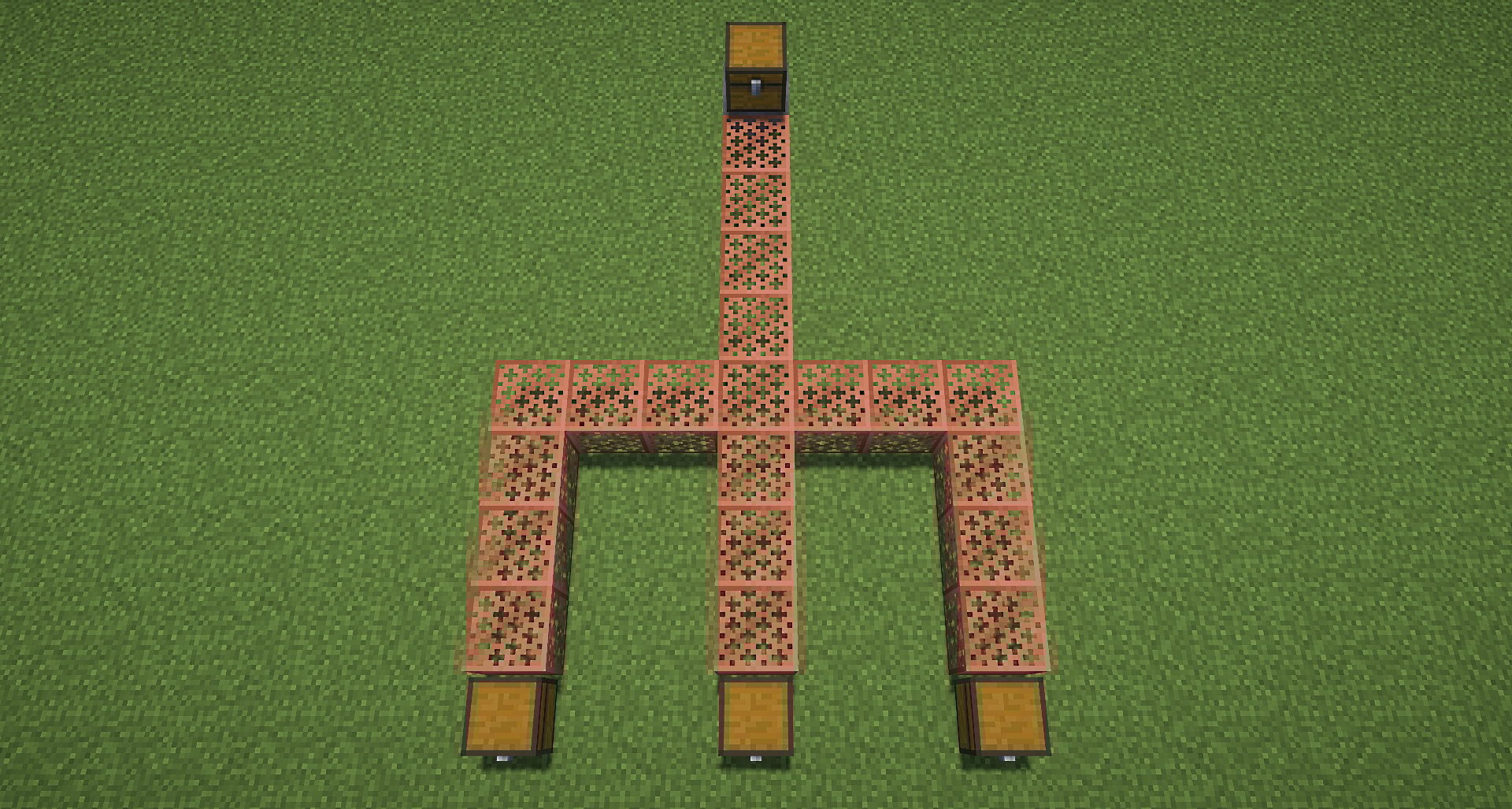
- If the pipe branches in multiple directions, the system picks one available path and ignores the rest. This means you can have backup branch paths.
- When items are transported, they will try to store into touching containers unless the grate is waterlogged.
- If no container has space, the items remain in the grate until space is available.
- Item Extraction
- Place a hopper underneath a copper grate to pull items out of it.
- Waterlogged Grates
- Pipes also work while waterlogged. However items in waterlogged pipes will prioitize transport over depositing.
Use Cases
- Build compact item transport systems.
- Control item depositing with waterlogged pipes.
- No need to worry about copper oxidation states.
Enjoy the Copper Item Pipes Mod for streamlined item transport in your Minecraft world!
See my other mods
Available Versions
How to Install Copper Item Pipes on Your Server
Order Server
Order a Minecraft Java server with at least 3 GB RAM (4 GB recommended).
Set datapack Loader
In the panel under "Egg", select the datapack loader and matching Minecraft version (26.1.2).
Install Mod
Open the mod browser in the dashboard and search for "Copper Item Pipes". Click "Install" – done! Alternatively, upload the .jar via SFTP to the /mods folder.
Compatibility
Mod Loaders
Minecraft Versions
26.1.2, 26.1.1, 26.1 (+10 more)
Server-side
✓ RequiredRecommended RAM
4 GB(min. 3 GB)Frequently Asked Questions
Copper Item Pipes server crashes on startup – what to do?
Most common cause: wrong datapack version or insufficient RAM. Check the server log (latest.log) for "OutOfMemoryError" or "Mixin" errors. With Mado Hosting: ensure at least 3 GB RAM is allocated and the loader matches the mod version (26.1.2). You can switch loaders with one click in the panel.
Is Copper Item Pipes compatible with datapack and fabric and forge and neoforge and quilt?
Copper Item Pipes officially supports datapack, fabric, forge, neoforge, quilt for Minecraft 26.1.2, 26.1.1, 26.1. Note: Forge and Fabric mods are NOT cross-compatible – pick one loader and stick with it. The Mado dashboard automatically detects incompatible loader combinations.
Server lagging with Copper Item Pipes – how to optimize performance?
Recommended RAM: 4 GB (per 8 players). Use /spark profiler to check if Copper Item Pipes consumes the most tick time. Common fixes: reduce server view-distance to 8-10, install "performant" or "starlight" as supplementary mods on Forge. With Mado Hosting, your server runs on NVMe SSDs with dedicated CPU cores for minimal latency.
Similar Mods


Rent Modded Server
Install Copper Item Pipes with just one click on your server.