
Copper's
This mod will change the way you use copper.
Screenshots
About this Mod
This mod will change the way you use copper.
Indeed, this material is rarely used in normal survival.
So I've decided to add various functions to it:
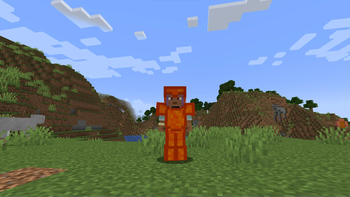
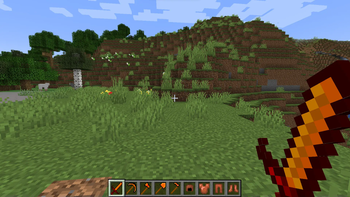
-Copper weapons, tools and armour are added, crafted with copper ingots in the same way as other iron tools and armour, for example.
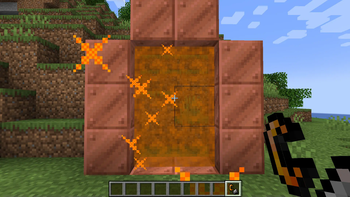
-A new portal igniter has been added: the Flint & Copper, as well as a new portal, made of copper blocks in the same way as a Nether portal, which can be ignited with the Flint & Copper, crafted with a copper ingot and a flint.
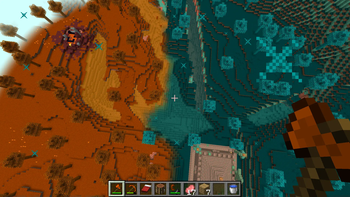
-This portal will take you to a new dimension: The Copper Dimension! Here you'll find two biomes: the copper biome and the oxidised copper biome. With them, you'll discover two new types of wood and foliage.
-You'll also come across a new structure: the Copper Temple. Despite the desert zombies inside, I advise you to venture into this temple, where you'll find a wealth of minerals.
There are also a few details in this mod, such as particles specific to the mod, a flower that will slow you down slightly and reduce your jump height, and the colour of the sky that will adapt to the biome.
I hope you have fun!
Available Versions
How to Install Copper's on Your Server
Order Server
Order a Minecraft Java server with at least 4 GB RAM (6 GB recommended).
Set forge Loader
In the panel under "Egg", select the forge loader and matching Minecraft version (1.20.1).
Install Mod
Open the mod browser in the dashboard and search for "Copper's". Click "Install" – done! Alternatively, upload the .jar via SFTP to the /mods folder.
Compatibility
Mod Loaders
Minecraft Versions
1.20.1
Server-side
~ OptionalRecommended RAM
6 GB(min. 4 GB)Frequently Asked Questions
Copper's server crashes on startup – what to do?
Most common cause: wrong forge version or insufficient RAM. Check the server log (latest.log) for "OutOfMemoryError" or "Mixin" errors. With Mado Hosting: ensure at least 4 GB RAM is allocated and the loader matches the mod version (1.20.1). You can switch loaders with one click in the panel.
Is Copper's compatible with forge?
Copper's officially supports forge for Minecraft 1.20.1. The Mado dashboard automatically detects incompatible loader combinations.
Server lagging with Copper's – how to optimize performance?
Recommended RAM: 6 GB (per 5 players). Use /spark profiler to check if Copper's consumes the most tick time. Common fixes: reduce server view-distance to 8-10, install "performant" or "starlight" as supplementary mods on Forge. With Mado Hosting, your server runs on NVMe SSDs with dedicated CPU cores for minimal latency.
Similar Mods




![[TaCZ] Timeless and Classics Zero](https://cdn.modrinth.com/data/SzzJttH8/fd27766d2bb8390d284696b1dbd358f87e081439_96.webp)

Rent Modded Server
Install Copper's with just one click on your server.