
copypaster
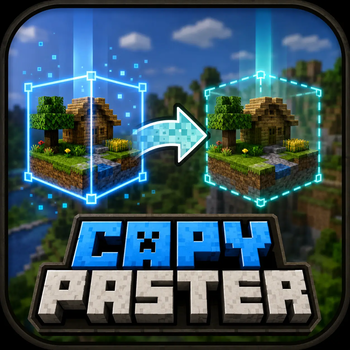
Fabric client+server mod: copy/paste Minecraft cuboid regions to .nbt with player-relative positioning, interactive selection, paste preview, and undo.
Screenshots
About this Mod

Copy cuboid regions to files. Paste them back exactly where you mean to — anchored to your position.



Copy Paster is a Fabric client + server mod for survival and creative builders who want a fast, visual way to duplicate structures without leaving the game. Select a box in the world, name it in chat, then paste it later — position follows where you stand at copy time and paste time, so offsets stay intuitive.
- Interactive
/copy— click two corners; live wireframe preview while you aim - Paste ghost preview — cyan outline when blocks would be overwritten
- Undo —
/pasteundorestores the last paste (in-memory until restart) - Ukrainian (
uk_ua) — full UI strings alongside English - Configurable highlights —
config/copypaster.ymlor optional Mod Menu + Cloth Config
Maintainer docs:
CLAUDE.md· Release notes:CHANGELOG.md
Install
| Where | What |
|---|---|
| Dedicated server | copy_paster-<version>.jar in mods/ + Fabric API |
| Each player | Same JAR in client mods/ (required for /copy, previews, HUD) |
Server-only mode: coordinate /copy x1 y1 z1 x2 y2 z2 and all /paste commands still work; bare /copy needs the client mod.
Optional: Mod Menu + Cloth Config for in-game highlight colour.
Quick start
1 · Save a region
- Stand at the anchor point you want for this copy.
- Run
/copy. - Attack corner 1, then corner 2 (blue wireframe follows your crosshair).
- Use (right-click) to cancel anytime.
- Type a structure name in chat (
a–z,0–9,_,-, max 64 chars). Typecancelto abort (60 s).
Legacy: /copy <x1> <y1> <z1> <x2> <y2> <z2> then name in chat — or bind [ / ] under Options → Controls → Miscellaneous (unbound by default).
2 · Paste it back
- Stand in the same relative spot you used when copying.
/paste <name>— confirm with/paste <name> confirmif the ghost preview warns about overwrites.- Save the undo ID from chat for
/pasteundo <id>.
Commands
| Command | Description |
|---|---|
/copy |
Interactive block selection (client mod) |
/copy <x1> <y1> <z1> <x2> <y2> <z2> |
Coordinate selection |
/paste <name> |
Paste at player-relative anchor |
/paste <name> confirm |
Paste after overwrite warning |
/pasteundo <id> |
Restore blocks from one paste |
/copylist |
List saved structures |
/copyinfo <name> |
Size, dimension, offset, metadata |
/copydelete <name> |
Remove .nbt + .json |
All commands require operator on the server.
Controls
| Input | Action |
|---|---|
/copy |
Start interactive selection |
| Attack block | Set corners 1 → 2 |
| Use | Cancel selection |
[ / ] (if bound) |
Legacy corner shortcut |
Limits & storage
| Max volume | 32 768 blocks |
| Files | Server copypaster/structures/ — <name>.nbt + <name>.json |
| Undo | In memory only; cleared on server restart |
| Highlight colour | Client config/copypaster.yml |
Build
./gradlew clean jar
# → build/libs/copy_paster-<version>.jar
Requires Java 25. See CLAUDE.md for deploy runbook (Fabric on gserver).
License
See repository license file if present; otherwise treat as private CrazyHouse tooling until a license is added.
Available Versions
How to Install copypaster on Your Server
Order Server
Order a Minecraft Java server with at least 3 GB RAM (4 GB recommended).
Set fabric Loader
In the panel under "Egg", select the fabric loader and matching Minecraft version (26.1.2).
Install Mod
Open the mod browser in the dashboard and search for "copypaster". Click "Install" – done! Alternatively, upload the .jar via SFTP to the /mods folder.
Compatibility
Mod Loaders
Minecraft Versions
26.1.2
Server-side
✓ RequiredRecommended RAM
4 GB(min. 3 GB)Frequently Asked Questions
copypaster server crashes on startup – what to do?
Most common cause: wrong fabric version or insufficient RAM. Check the server log (latest.log) for "OutOfMemoryError" or "Mixin" errors. With Mado Hosting: ensure at least 3 GB RAM is allocated and the loader matches the mod version (26.1.2). You can switch loaders with one click in the panel.
Is copypaster compatible with fabric?
copypaster officially supports fabric for Minecraft 26.1.2. The Mado dashboard automatically detects incompatible loader combinations.
Server lagging with copypaster – how to optimize performance?
Recommended RAM: 4 GB (per 8 players). Use /spark profiler to check if copypaster consumes the most tick time. Common fixes: reduce server view-distance to 8-10, install "performant" or "starlight" as supplementary mods on Forge. With Mado Hosting, your server runs on NVMe SSDs with dedicated CPU cores for minimal latency.
Similar Mods



Rent Modded Server
Install copypaster with just one click on your server.