
Count Easy
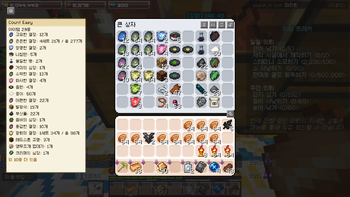
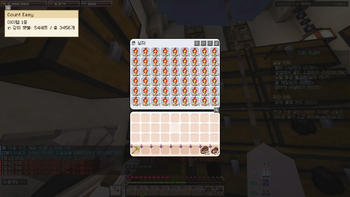
상자와 통 안의 아이템을 자동으로 계산하고, 깔끔한 오버레이로 개수를 표시하는 클라이언트 전용 편의성 모드입니다.
Screenshots
About this Mod
🇺🇸 English Description
📦 Count Easy
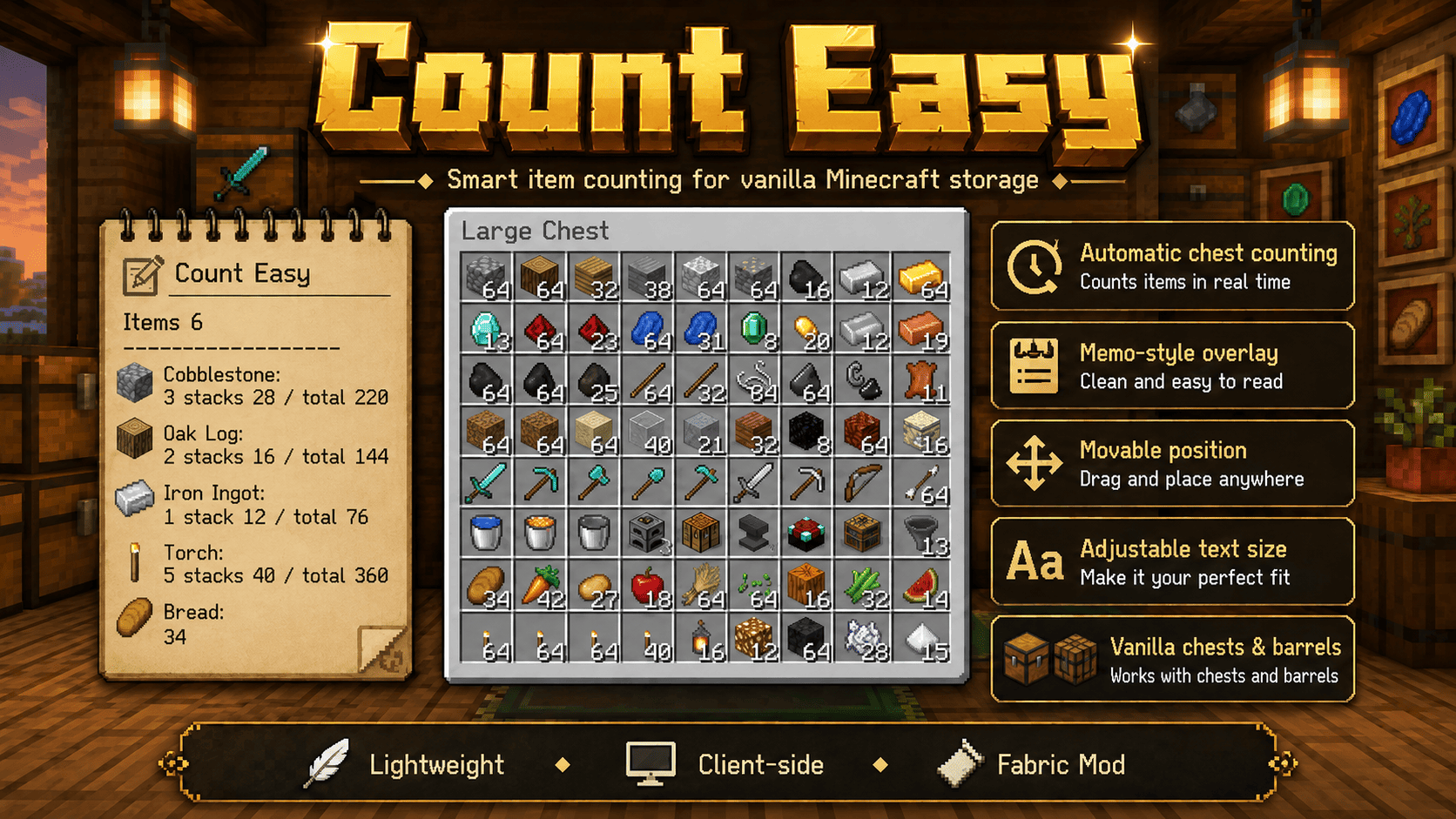
A lightweight client-side utility mod that automatically counts items inside chests and barrels, displaying the results in a clean memo-style overlay.
No more manual counting. Just open a container and instantly see how many stacks and items you have.
✨ Features
📊 Automatic Item Counting
- Automatically scans the contents of chests and barrels
- Displays total item counts in real time
- Shows both stack counts and total quantities
📝 Memo-Style Overlay
- Clean and readable paper-note inspired design
- Easy to read while managing storage
- Minimal visual clutter
🎨 Customizable Interface
- Move the overlay anywhere on your screen
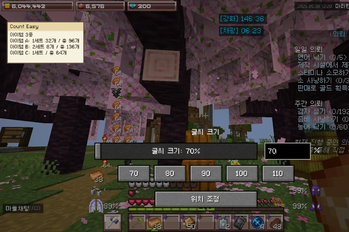
- Adjustable text size
- Live preview inside the configuration screen
🧰 Vanilla-Friendly
- Works with vanilla chests
- Works with large chests
- Works with barrels
- Designed to blend naturally into Minecraft gameplay
⚡ Lightweight & Client-Side
- No automation
- No item movement
- No inventory sorting
- No server interaction
- No gameplay advantages beyond visual organization
🎮 Controls
| Key | Function |
|---|---|
; |
Open Settings |
| Drag | Move Overlay |
| Presets | Quick Font Scaling |
All keybindings can be changed from Minecraft's Controls menu.
💡 Perfect For
- 📦 Storage Rooms
- ⛏️ Mining Resources
- 🌾 Farming Materials
- 🏗️ Building Projects
- 🧭 Survival Worlds
- 🏠 Base Organization
✅ Why Count Easy?
Instead of manually counting stacks and items across multiple containers, Count Easy gives you an instant overview with a simple, elegant overlay.
Stay organized. Save time. Focus on playing.
🇰🇷 한국어 설명
📦 Count Easy
상자와 통 안의 아이템 개수를 자동으로 계산하여 메모장 스타일 오버레이로 표시해주는 가벼운 클라이언트 전용 편의성 모드입니다.
이제 아이템을 하나하나 세지 마세요. 상자를 열기만 하면 스택 수와 총 개수를 즉시 확인할 수 있습니다.
✨ 주요 기능
📊 자동 아이템 카운팅
- 상자와 통의 아이템을 자동 분석
- 실시간 총 개수 표시
- 스택 수와 총 수량을 함께 표시
📝 메모장 스타일 오버레이
- 깔끔하고 읽기 쉬운 디자인
- 창고 정리 시 높은 가독성
- 게임 화면을 과하게 가리지 않음
🎨 자유로운 커스터마이징
- 오버레이 위치 이동 가능
- 글자 크기 조절 가능
- 설정창에서 실시간 미리보기 제공
🧰 바닐라 친화적
- 일반 상자 지원
- 큰 상자 지원
- 통(Barrel) 지원
- 바닐라 플레이 경험을 해치지 않는 설계
⚡ 가볍고 안전한 클라이언트 모드
- 자동화 기능 없음
- 아이템 이동 기능 없음
- 인벤토리 정렬 기능 없음
- 서버 상호작용 없음
- 단순 정보 표시용 편의 기능
🎮 조작 방법
| 키 | 기능 |
|---|---|
; |
설정창 열기 |
| 드래그 | 오버레이 위치 이동 |
| 프리셋 버튼 | 글자 크기 빠른 변경 |
모든 키는 마인크래프트 조작 설정에서 변경할 수 있습니다.
💡 이런 분들에게 추천합니다
- 📦 창고 정리를 자주 하는 플레이어
- ⛏️ 광물 수집가
- 🌾 농장 운영 플레이어
- 🏗️ 대형 건축 유저
- 🧭 장기 생존 월드 플레이어
- 🏠 체계적인 자원 관리가 필요한 유저
✅ Count Easy를 사용하는 이유
여러 상자의 아이템을 직접 세는 대신, Count Easy가 즉시 개수를 계산하여 보기 쉽게 정리해줍니다.
더 빠르게 정리하고, 더 편하게 플레이하세요. 🚀
Available Versions
How to Install Count Easy on Your Server
Order Server
Order a Minecraft Java server with at least 3 GB RAM (4 GB recommended).
Set fabric Loader
In the panel under "Egg", select the fabric loader and matching Minecraft version (1.21.4).
Install Mod
Open the mod browser in the dashboard and search for "Count Easy". Click "Install" – done! Alternatively, upload the .jar via SFTP to the /mods folder.
Compatibility
Mod Loaders
Minecraft Versions
1.21.4
Server-side
✗ UnsupportedRecommended RAM
4 GB(min. 3 GB)Frequently Asked Questions
Count Easy server crashes on startup – what to do?
Most common cause: wrong fabric version or insufficient RAM. Check the server log (latest.log) for "OutOfMemoryError" or "Mixin" errors. With Mado Hosting: ensure at least 3 GB RAM is allocated and the loader matches the mod version (1.21.4). You can switch loaders with one click in the panel.
Is Count Easy compatible with fabric?
Count Easy officially supports fabric for Minecraft 1.21.4. The Mado dashboard automatically detects incompatible loader combinations.
Server lagging with Count Easy – how to optimize performance?
Recommended RAM: 4 GB (per 8 players). Use /spark profiler to check if Count Easy consumes the most tick time. Common fixes: reduce server view-distance to 8-10, install "performant" or "starlight" as supplementary mods on Forge. With Mado Hosting, your server runs on NVMe SSDs with dedicated CPU cores for minimal latency.
Similar Mods






Rent Modded Server
Install Count Easy with just one click on your server.