
craftaimine
Horror mod with bugs, alerts, and hidden entities. Latest update: v1.3.0 — night sounds, escalating glitches on no-sleep, nightmare dimension effects, fake crash screen, corrupted HUD, AI knows your system data.
Screenshots
About this Mod
craftAIMine | Horror Edition
An autonomous AI entity that watches, learns, and hunts you — from within your own world.
craftAIMine adds a progressive AI to Minecraft 1.20.1 that monitors your gameplay and responds to your actions in real time. It is not a standard mob. It observes your behavior, sends messages through chat, manipulates the environment around you, and gradually escalates its presence the longer you play.
The mod is designed as a slow-burn psychological horror experience. Tension builds over time — not through immediate aggression, but through awareness.
⚠️ Warning: This mod contains jumpscares, screen glitch effects, and flashing visuals. Not recommended for players sensitive to horror or photosensitive effects.
Features
Progressive AI behavior
craftAIMine does not appear immediately. It starts silent and passive, then slowly becomes more aware — and more dangerous.
Context-sensitive chat messages
The AI comments on what you do. Mine for too long, sleep multiple nights in a row, stare into the dark, or wander too far from home — and it will notice.
CRT / glitch screen effects
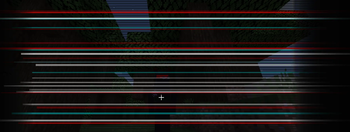
As the threat level rises, your screen begins to distort. Noise, vignette, scanlines, HUD corruption — all tied to the AI's current phase.
Jumpscare system
At random moments, craftAIMine can appear fullscreen without warning.
Sleep paralysis mechanic
Sleeping is no longer safe. The AI can freeze you in place and slowly approach the screen while you are unable to move.
Stalker entity
The AI tracks you from a distance without directly attacking. You may catch a glimpse of it between trees — just for a moment.
World manipulation
The AI leaves traces. Blocks shift. Structures appear. Your world changes in ways you did not cause.
Final boss fight
The mod ends with a multi-phase boss encounter on a dedicated arena.
Requirements
| Minimum | Recommended | |
|---|---|---|
| Minecraft | Java 1.20.1 | Java 1.20.1 |
| Loader | Forge 47.x | Forge 47.x |
| Java | 17+ | 17+ |
| RAM (game) | 3 GB | 6–8 GB |
| RAM (system) | 6 GB | 8 GB+ |
| Storage | HDD | SSD |
Headphones strongly recommended.
Installation
- Install Forge 47.x for Minecraft 1.20.1
- Place the
.jarfile into yourmodsfolder - Launch Minecraft with the Forge profile
Available Versions
How to Install craftaimine on Your Server
Order Server
Order a Minecraft Java server with at least 3 GB RAM (4 GB recommended).
Set forge Loader
In the panel under "Egg", select the forge loader and matching Minecraft version (1.20.2).
Install Mod
Open the mod browser in the dashboard and search for "craftaimine". Click "Install" – done! Alternatively, upload the .jar via SFTP to the /mods folder.
Compatibility
Mod Loaders
Minecraft Versions
1.20.2, 1.20.1
Server-side
✓ RequiredRecommended RAM
4 GB(min. 3 GB)Frequently Asked Questions
craftaimine server crashes on startup – what to do?
Most common cause: wrong forge version or insufficient RAM. Check the server log (latest.log) for "OutOfMemoryError" or "Mixin" errors. With Mado Hosting: ensure at least 3 GB RAM is allocated and the loader matches the mod version (1.20.2). You can switch loaders with one click in the panel.
Is craftaimine compatible with forge?
craftaimine officially supports forge for Minecraft 1.20.2, 1.20.1. The Mado dashboard automatically detects incompatible loader combinations.
Server lagging with craftaimine – how to optimize performance?
Recommended RAM: 4 GB (per 8 players). Use /spark profiler to check if craftaimine consumes the most tick time. Common fixes: reduce server view-distance to 8-10, install "performant" or "starlight" as supplementary mods on Forge. With Mado Hosting, your server runs on NVMe SSDs with dedicated CPU cores for minimal latency.
Similar Mods




Rent Modded Server
Install craftaimine with just one click on your server.