
Crafting Station: JEI Edition
A port of the Crafting Station mod to add JEI integration, and some other fixes
Screenshots
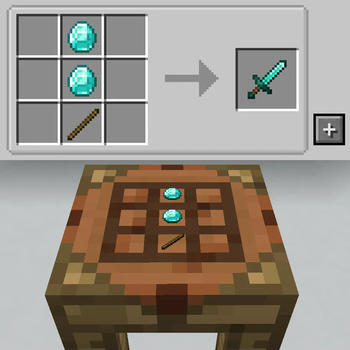
About this Mod
This is just a fork of tfarecnim's Crafting Station mod, with added JEI support. tfarecnim wasn't interested in adding it but there was enough demand, and its an MIT licence, so here we are!
Crafting Station is a slight tweak to how crafting tables work. Origanlly from Tinkers Construct, this crafting station keeps your items stored and displays them on top. It also has access to any neighbouring inventories (with an optional blacklist for modpack creators)
Players with JEI can now get the "+" icon on their crafting station to import a recipe, just like you'd expect on any other crafting bench.
Version 1 (including 1b and 1c) are fully backwards compatible with the original. That means if you're playing a server with the original version of the mod, you can safely use these tweaked versions to get the JEI support you need. 1c also includes fixes to the table rendering.
Version 1.1 onwards are a complete fork - you'll need this version of the mod on the server too. This version adds support for Polymorph if installed (so you can select from conflicting recipes), and also adds the crafting station to the creative tab menu.
My future plans are for a ground-up rewrite with new features, a new look and generally a bit of a more involved mod - but thats a ways off yet. This should help for now!
GIF to show functionality:

Available Versions
How to Install Crafting Station: JEI Edition on Your Server
Order Server
Order a Minecraft Java server with at least 3 GB RAM (4 GB recommended).
Set forge Loader
In the panel under "Egg", select the forge loader and matching Minecraft version (1.20.1).
Install Mod
Open the mod browser in the dashboard and search for "Crafting Station: JEI Edition". Click "Install" – done! Alternatively, upload the .jar via SFTP to the /mods folder.
Compatibility
Mod Loaders
Minecraft Versions
1.20.1
Server-side
✗ UnsupportedRecommended RAM
4 GB(min. 3 GB)Frequently Asked Questions
Crafting Station: JEI Edition server crashes on startup – what to do?
Most common cause: wrong forge version or insufficient RAM. Check the server log (latest.log) for "OutOfMemoryError" or "Mixin" errors. With Mado Hosting: ensure at least 3 GB RAM is allocated and the loader matches the mod version (1.20.1). You can switch loaders with one click in the panel.
Is Crafting Station: JEI Edition compatible with forge?
Crafting Station: JEI Edition officially supports forge for Minecraft 1.20.1. The Mado dashboard automatically detects incompatible loader combinations.
Server lagging with Crafting Station: JEI Edition – how to optimize performance?
Recommended RAM: 4 GB (per 8 players). Use /spark profiler to check if Crafting Station: JEI Edition consumes the most tick time. Common fixes: reduce server view-distance to 8-10, install "performant" or "starlight" as supplementary mods on Forge. With Mado Hosting, your server runs on NVMe SSDs with dedicated CPU cores for minimal latency.
Rent Modded Server
Install Crafting Station: JEI Edition with just one click on your server.