
CraftShot
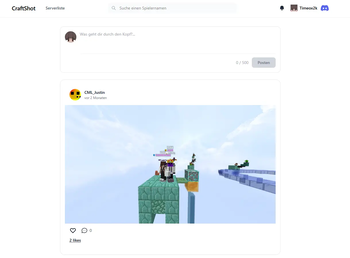
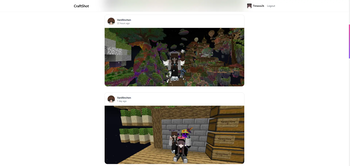
A Social Network for your Minecraft Screenshots? Yep. Welcome to CraftShot! Just install the Mod, make a screenshot, confirm and its online!
Screenshots
About this Mod
A Social Network for your Minecraft Screenshots?
Yep. Welcome to CraftShot!
How to use?
When making a screenshot you will receive a prompt in the chat asking you if you want to share your freshly made screenshot. If you click upload, it will be sent to our Server and you will see your Browser opening with your freshly made screenshot while getting auto-logged in.

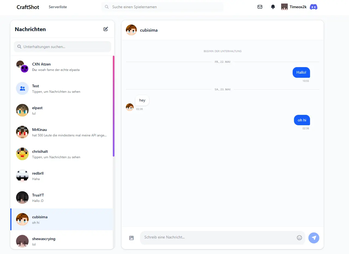
If you look at the Website that opens in your browser you can click back to the timeline and follow people, like others posts or comment on them but you can also stay on the page and set a caption, write comments, delete the post again. Whatever you like more.

Just why..?
Well I looked around and there was no modern way to share screenshots where you could properly find them and interact with them, follow creators etc. Sure, I could post them into some random discords or some very very old minecraft forums. But lets be honest. There could be better solutions. So I tried making one for the community :)
This Project started as a LabyMod Addon first, there it got quite some users but many others wished for a Fabric Mod so that they are not forced on using LabyMod. Thats why I ported it to Fabric as well, maintaining both versions now.
Can I contribute?
Yes please! The LabyMod Addon and the Fabric Mod are open source. Feel free to create PRs. The Website is planned to stay closed source for now. If you cant code but still want to help feedback & translations are always welcomed, feel free to join the discord to reach out. :)
Available Versions
How to Install CraftShot on Your Server
Order Server
Order a Minecraft Java server with at least 3 GB RAM (4 GB recommended).
Set fabric Loader
In the panel under "Egg", select the fabric loader and matching Minecraft version (26.2).
Install Mod
Open the mod browser in the dashboard and search for "CraftShot". Click "Install" – done! Alternatively, upload the .jar via SFTP to the /mods folder.
Compatibility
Mod Loaders
Minecraft Versions
26.2, 26.1.2, 1.21.11
Server-side
✗ UnsupportedRecommended RAM
4 GB(min. 3 GB)Frequently Asked Questions
CraftShot server crashes on startup – what to do?
Most common cause: wrong fabric version or insufficient RAM. Check the server log (latest.log) for "OutOfMemoryError" or "Mixin" errors. With Mado Hosting: ensure at least 3 GB RAM is allocated and the loader matches the mod version (26.2). You can switch loaders with one click in the panel.
Is CraftShot compatible with fabric?
CraftShot officially supports fabric for Minecraft 26.2, 26.1.2, 1.21.11. The Mado dashboard automatically detects incompatible loader combinations.
Server lagging with CraftShot – how to optimize performance?
Recommended RAM: 4 GB (per 8 players). Use /spark profiler to check if CraftShot consumes the most tick time. Common fixes: reduce server view-distance to 8-10, install "performant" or "starlight" as supplementary mods on Forge. With Mado Hosting, your server runs on NVMe SSDs with dedicated CPU cores for minimal latency.
Similar Mods






Rent Modded Server
Install CraftShot with just one click on your server.