
CraftyAI
A free, intelligent AI companion for Minecraft. Talk naturally, scan blocks, and more in chat!
Screenshots
About this Mod
CraftyAI
Smart AI Companion for Minecraft




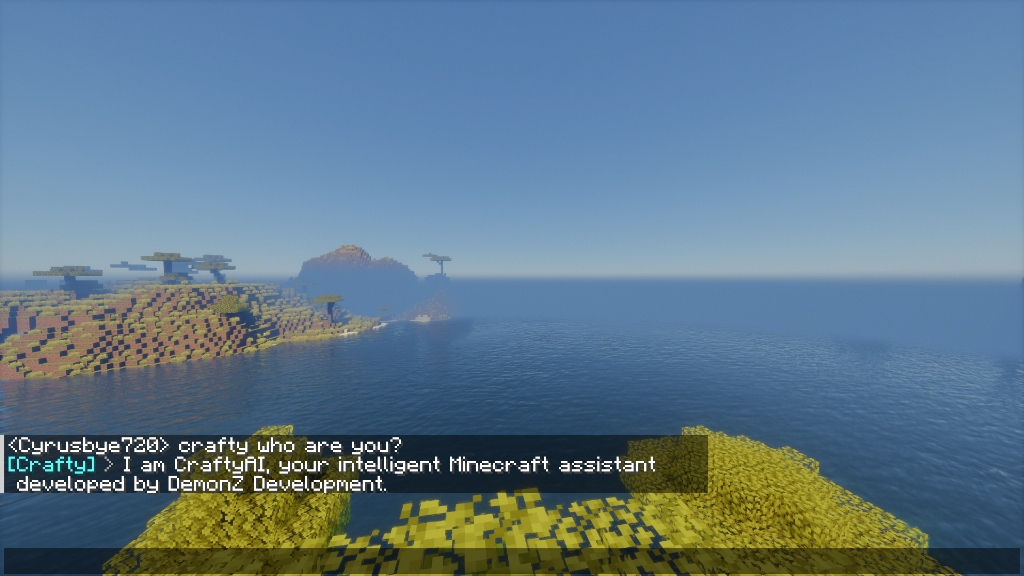
Ask questions in Minecraft chat. Get instant, intelligent, context-aware AI responses.
Powered by a proprietary, blazing-fast edge-distributed engine built for Minecraft.
[!NOTE]
CraftyAI is currently in beta. You may encounter bugs, service interruptions, or unexpected behavior. Because the default AI service is entirely free, the system may occasionally experience performance drops. If the AI is not working well or you run into issues, please report it on our Discord server!
🚀 What's New in v1.2.0-beta ("Orion")
The Orion update transforms CraftyAI from a chatbot into a fully capable virtual assistant that remembers, sees, and acts.
- 🧠 Infinite RAG Memory: The AI actually remembers you. Our new Matryoshka vector memory system recalls past conversations across sessions.
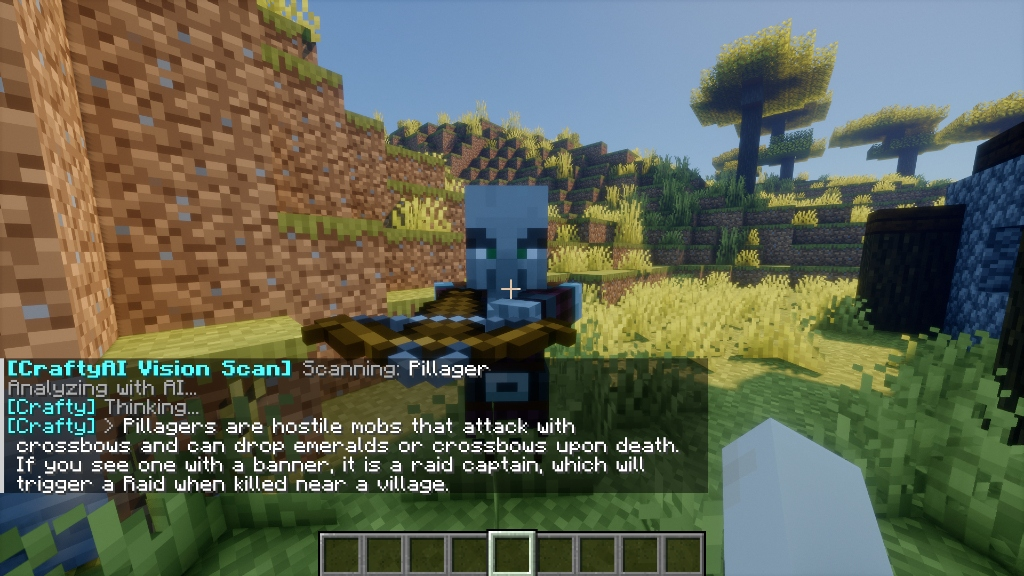
- 👁️ Block Scanning: Ask the AI to scan nearby blocks and entities (radius up to 32 blocks) to analyze your surroundings.
- ⏰ Scheduled & Delayed Tasks: Automate your server. Tell the AI to "remind me to sleep in 5 minutes" or "set the weather to clear every hour".
- 🔑 Auto-Mint API Keys: No more Discord verification needed to start. Install the plugin, and an API key is automatically generated for your server.
- 🎭 Custom Prompts (Pro): Mold the AI's personality and behavior to fit your server's theme.
- 🔗 Server Linking: Link your Minecraft server to your Discord account for advanced quota management.
✨ Features
🎮 In-Game AI Chat
|
👁️ Vision Scanner
|
🛠️ AI Game ActionsThe AI doesn't just talk — it acts.
|
⚡ Edge-Distributed Engine
|
💎 Subscription Tiers
CraftyAI is free for everyone, with high-scale options for large networks.
| Tier | RPM | Requests/Day | Tokens/Day | Custom Prompts |
|---|---|---|---|---|
| Free | 30 | 100 | 50K | No |
| Starter | 100 | 1,000 | 500K | No |
| Pro | 200 | 5,000 | 2.5M | 1 change/24h |
| Enterprise | 500 | 100,000 | 10M | Yes |
💻 Platform Support
Plugin (Server-Side)
| Platform | Versions | Status |
|---|---|---|
| Spigot | 1.8 → 1.21+ | ✅ Full Support |
| Paper | 1.8 → 1.21+ | ✅ Full Support |
| Folia | 1.19+ | ✅ Async Scheduling |
| Purpur | 1.16+ | ✅ Full Support |
Mod (Client/Server)
| Platform | Versions | Status |
|---|---|---|
| Fabric | 1.20.4 – 1.21.1 & 26.x |
✅ Full Support |
| Quilt | 1.20.4 – 1.20.6 |
✅ Fabric-Compatible |
| Forge | 1.20.4 – 1.20.6 |
✅ Full Support |
(Note: Fabric requires craftyai-fabric for 1.20.x–1.21.1, and craftyai-fabric-26 for MC 26.x)
🚀 Quick Setup
Plugin (Spigot/Paper/Folia/Purpur)
- Download
craftyai-spigot-1.2.0-beta.jarfrom Modrinth - Place in your server's
plugins/folder and start the server - Check your console — CraftyAI will auto-generate your API Key
- start chatting!
Mod (Fabric/Forge)
- Download the mod file from Modrinth and place in
mods/ - Fabric users: Install Fabric API
- Launch Minecraft
- Press K in-game to open the beautiful settings GUI
- Paste your API Key, save, and chat!
⌨️ Commands & Permissions
| Command | Description | Permission |
|---|---|---|
/crafty |
Plugin info & status | crafty.chat |
/crafty status |
Connection diagnostics | crafty.chat |
/crafty reload |
Reload configuration | crafty.admin |
/crafty learn Q | A |
Teach the AI new knowledge | crafty.admin |
/crafty test |
Test AI connection | crafty.chat |
/crafty apikey |
Generate a new API key (auto-mint) | crafty.admin |
/crafty pro status |
Show current tier and expiry | crafty.chat |
/crafty pro redeem <key> |
Redeem a Pro key from Discord | crafty.chat |
/crafty pro help |
Show how to get a Pro key | crafty.chat |
/crafty link |
Link server to Discord | crafty.chat |
/crafty prompt view |
View custom prompt | crafty.chat |
/crafty prompt set <text> |
Set custom prompt (Pro) | crafty.admin |
/crafty prompt reset |
Reset prompt (Pro) | crafty.admin |
Allow AI to execute actions with the crafty.actions permission.
🔒 Transparency & Privacy
CraftyAI is built to protect your server's data privacy:
- Self-Hosted Infrastructure: Processing is done on our secure edge network. No selling of chat history.
- BYOK (Bring Your Own Key): Bring your own Gemini API keys for absolute data isolation and private quotas.
- Closed Source Backend: To protect our proprietary routing algorithms, the backend is closed source. Client plugins communicate securely via HTTPS.
Remote Connections Disclosure (Modrinth Rule 1.11):
- AI Endpoint: Connects to
craftyai-gateway.craftyauth.workers.devto process chat, sending game context, API key, and Session ID only when a user interacts with the AI. - Telemetry: Sends an anonymous heartbeat with request counts to verify quotas. Disable via
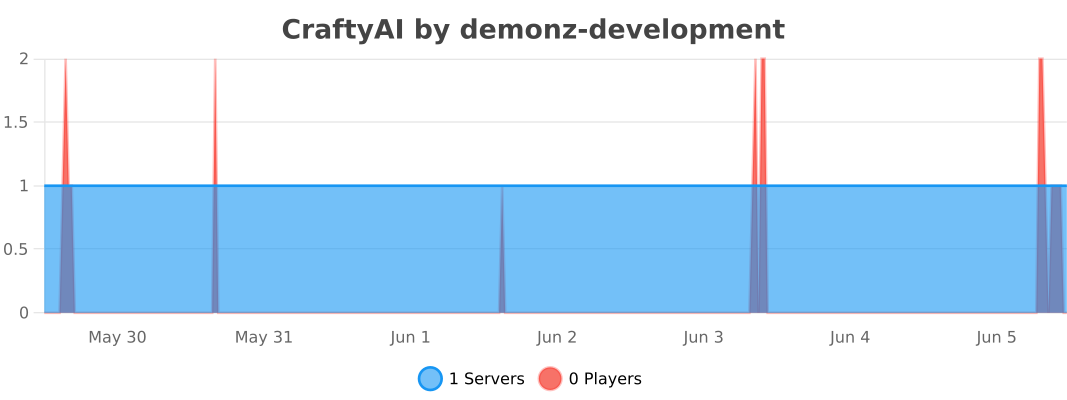
enable_metrics: false(Plugin) ortelemetry_enabled: false(Mod).
For more details, see our SECURITY.md.
🐛 Found a Bug?
Please open a ticket on our Discord server. Our team actively monitors tickets and will respond promptly.
⚡ Sponsored by Nexeu Hosting

Looking for high-performance, reliable, and affordable hosting for your Minecraft server proxy? Check out Nexeu Hosting! Premium hardware, instant setup, and 24/7 support.
👉 Get Premium Hosting at nexeu.zip
Built with ❤️ by DemonZ Development
CraftyAI is not affiliated with Mojang, Microsoft, or Minecraft.
Available Versions
How to Install CraftyAI on Your Server
Order Server
Order a Minecraft Java server with at least 3 GB RAM (4 GB recommended).
Set bukkit Loader
In the panel under "Egg", select the bukkit loader and matching Minecraft version (26.1.2).
Install Mod
Open the mod browser in the dashboard and search for "CraftyAI". Click "Install" – done! Alternatively, upload the .jar via SFTP to the /mods folder.
Compatibility
Mod Loaders
Minecraft Versions
26.1.2, 26.1.1, 26.1 (+70 more)
Server-side
✗ UnsupportedRecommended RAM
4 GB(min. 3 GB)Frequently Asked Questions
CraftyAI server crashes on startup – what to do?
Most common cause: wrong bukkit version or insufficient RAM. Check the server log (latest.log) for "OutOfMemoryError" or "Mixin" errors. With Mado Hosting: ensure at least 3 GB RAM is allocated and the loader matches the mod version (26.1.2). You can switch loaders with one click in the panel.
Is CraftyAI compatible with bukkit and fabric and folia and forge and paper and purpur and spigot?
CraftyAI officially supports bukkit, fabric, folia, forge, paper, purpur, spigot for Minecraft 26.1.2, 26.1.1, 26.1. Note: Forge and Fabric mods are NOT cross-compatible – pick one loader and stick with it. The Mado dashboard automatically detects incompatible loader combinations.
Server lagging with CraftyAI – how to optimize performance?
Recommended RAM: 4 GB (per 8 players). Use /spark profiler to check if CraftyAI consumes the most tick time. Common fixes: reduce server view-distance to 8-10, install "performant" or "starlight" as supplementary mods on Forge. With Mado Hosting, your server runs on NVMe SSDs with dedicated CPU cores for minimal latency.
Similar Mods






Rent Modded Server
Install CraftyAI with just one click on your server.