Crash Guard: Client Recovery
Recover from supported client-side crashes and safely return to the main menu instead of immediately closing Minecraft.
Screenshots
About this Mod
🛡️ Crash Guard: Client Recovery
Crash Guard: Client Recovery is a Minecraft 1.20.1 Forge client-side recovery mod that helps recover from certain crashes instead of immediately closing the game.
When a supported client crash occurs, Crash Guard attempts to catch the exception, generate a crash report, safely disconnect from the current world or server if necessary, and return you to the main menu with a detailed recovery screen.
The goal is not to prevent every crash, but to make supported client-side crashes easier to diagnose and recover from.
✨ Features
🛡️ Client Crash Recovery
Crash Guard can recover from several types of client-side crashes, including:
- GUI crashes
- Screen rendering crashes
- Tooltip crashes
- General rendering crashes
- Entity rendering crashes
- Client tick crashes
- Ticking entity crashes
📄 Automatic Crash Reports
Whenever a crash is recovered, Crash Guard automatically:
- Creates a dedicated crash report
- Records exception information
- Stores recovery details
- Saves useful debugging information
🔍 Suspected Mod Detection
Crash Guard analyzes the stacktrace and attempts to identify the mod most likely responsible for the crash.
This can significantly reduce troubleshooting time when using large modpacks.
📋 Recovery Screen
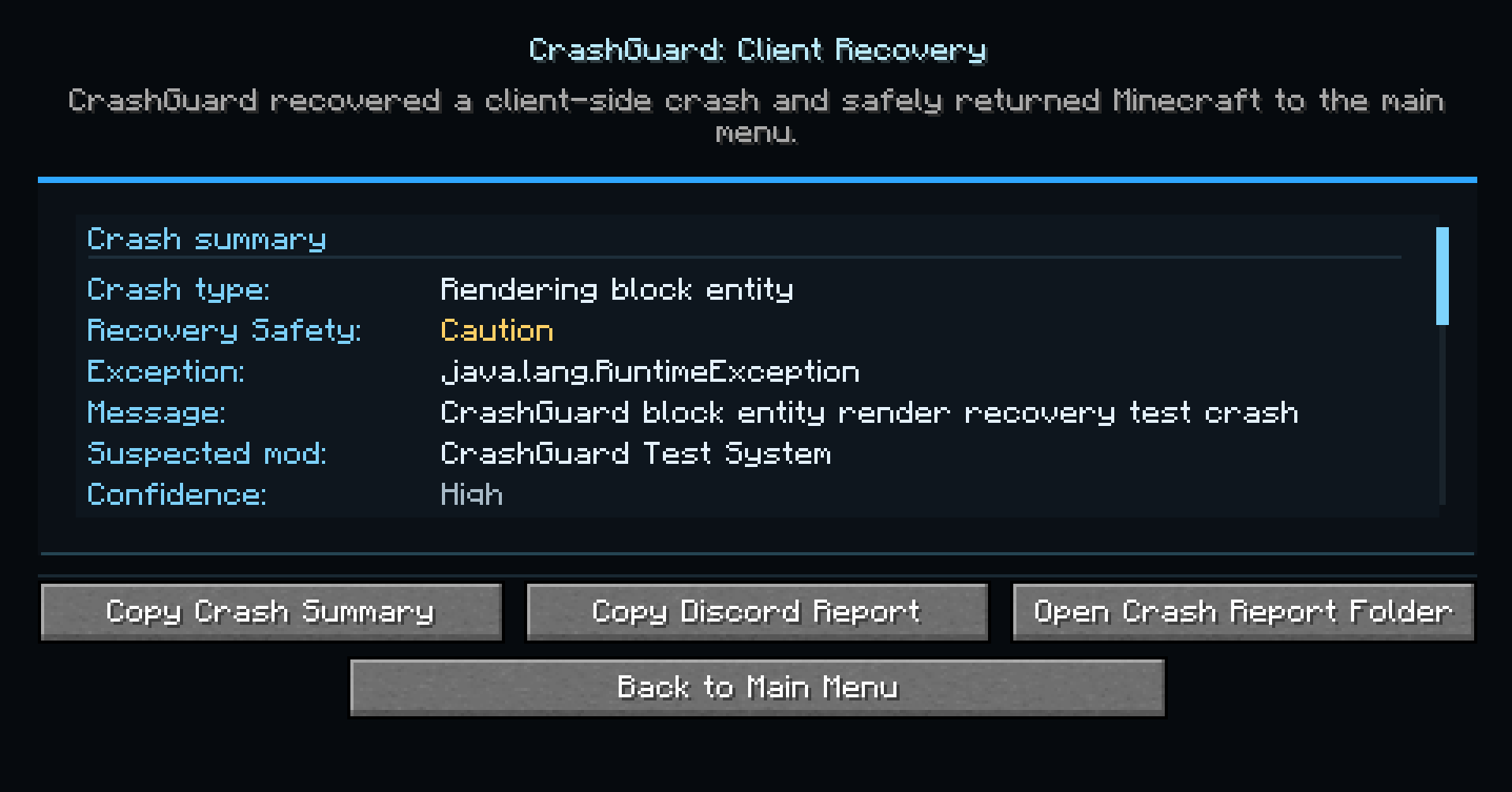
After a successful recovery, Crash Guard displays a dedicated recovery screen showing:
- Crash type
- Exception class
- Exception message
- Suspected mod
- Crash report location
- Minecraft version
- Loader information
- Additional warnings when applicable
Available actions:
- Copy Crash Summary
- Copy Discord Report
- Open Crash Report Folder
- Return to Main Menu
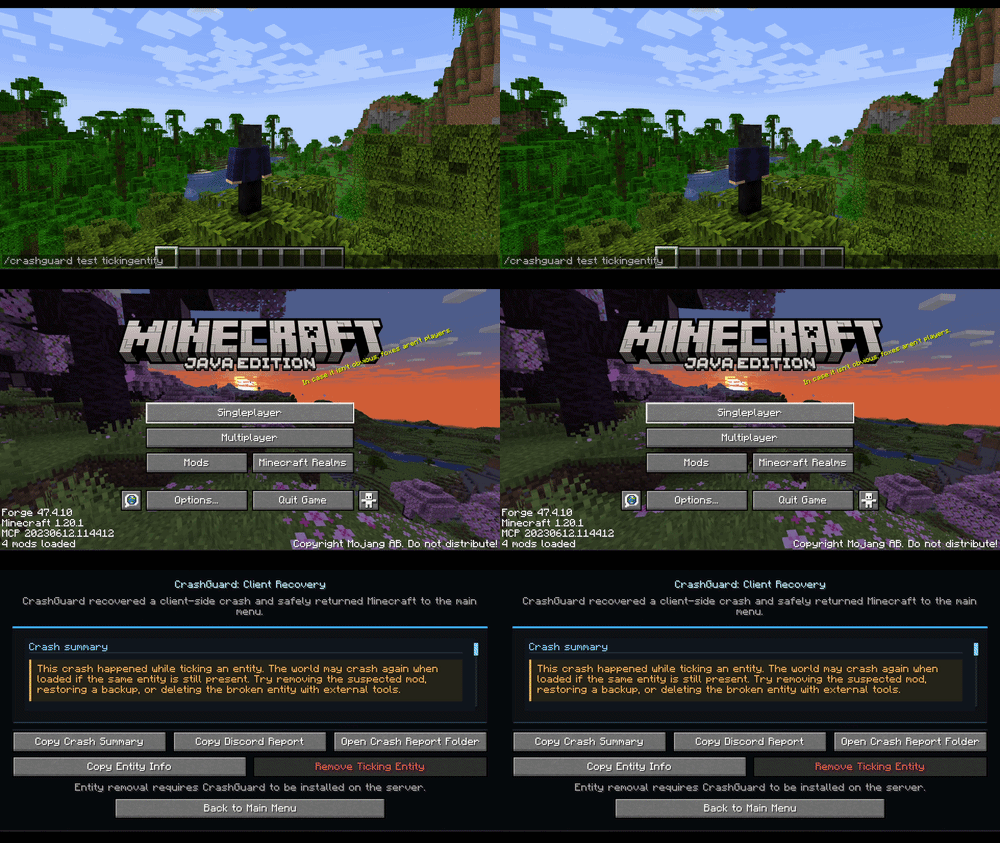
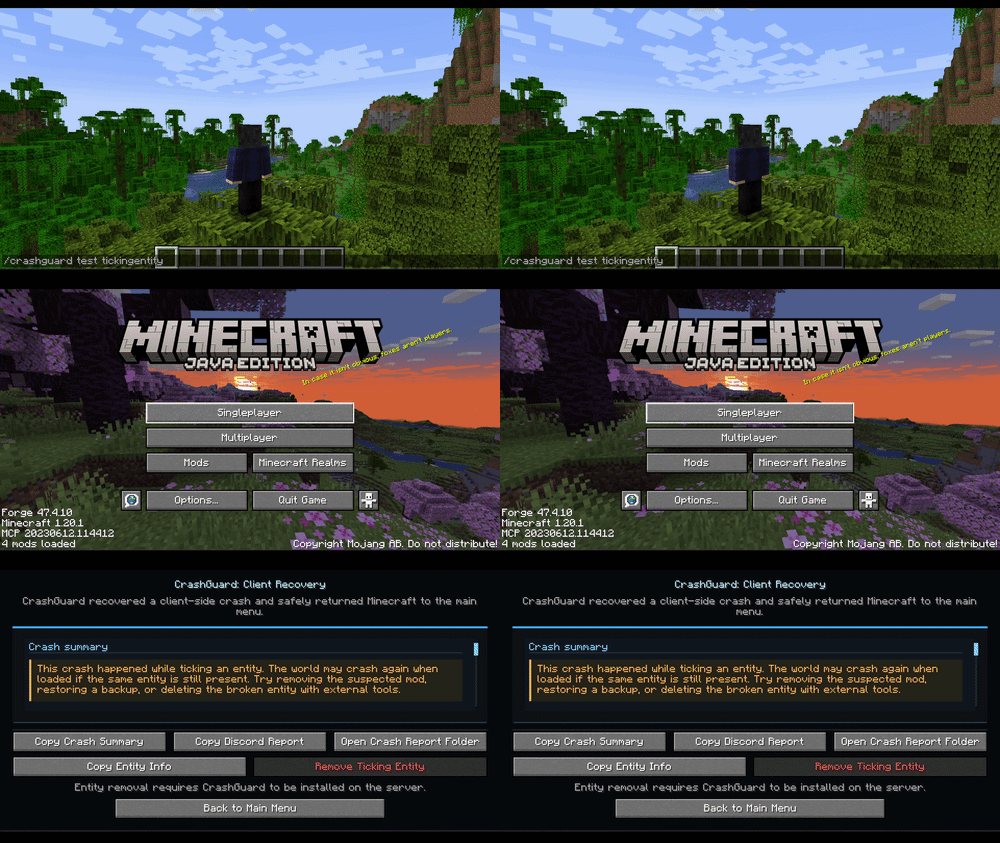
⚠️ Ticking Entity Warnings
Ticking entity crashes may occur again if the problematic entity still exists in the world.
Crash Guard provides additional warnings for these situations and includes safeguards to prevent accidental entity removal.
Nothing is removed automatically.
🔒 Recovery Safety System
To prevent endless recovery loops, Crash Guard monitors how often recoveries occur during a session.
If too many recoveries happen within a short period, the mod automatically enters safe mode and stops attempting further recoveries.
⚙️ Commands
View Available Commands
/crashguard help
Check Current Status
/crashguard status
Displays:
- Recovery status
- Debug mode status
- Recovery count
- Safe mode status
🧪 Testing Recovery
Test commands are only available when debug mode is enabled.
File:
config/crashguard-client.toml
Enable:
debugMode = true
Available test commands:
/crashguard test gui/crashguard test tooltip/crashguard test render/crashguard test entityrender/crashguard test clienttick/crashguard test tickingentity/crashguard test suspectedmod/crashguard test repeat
For normal gameplay and release builds:
debugMode = false
❌ What Crash Guard Does NOT Recover
Crash Guard is not a universal crash fixer.
It does not recover from:
- Startup crashes
- Mod loading crashes
- Registry crashes
- Datapack crashes
- JVM crashes
- Native crashes
- OpenGL driver crashes
- Out of memory crashes
- Other crashes outside supported recovery points
🔧 How It Works
Crash Guard uses Mixins to intercept specific Minecraft client methods such as rendering, GUI handling, tooltip rendering, entity rendering, and client ticking.
When a supported runtime exception occurs, Crash Guard intercepts the crash before Minecraft's normal fatal crash handler, generates a crash report, safely exits the current session, and opens the recovery screen.
🎯 Perfect For
- Players using large modpacks
- Modpack developers
- Mod developers
- Testers
- Server communities
- Anyone who wants better crash diagnostics and recovery tools
🛡️ Summary
Recover from supported Minecraft client crashes, save crash reports, identify suspected mods, and safely return to the main menu instead of immediately closing the game.

This mod have been created with IntelliJ
Disclaimer about product: NOT AN OFFICIAL MINECRAFT PRODUCT. NOT APPROVED BY OR ASSOCIATED WITH MOJANG OR MICROSOFT
Available Versions
How to Install Crash Guard: Client Recovery on Your Server
Order Server
Order a Minecraft Java server with at least 3 GB RAM (4 GB recommended).
Set fabric Loader
In the panel under "Egg", select the fabric loader and matching Minecraft version (26.1.2).
Install Mod
Open the mod browser in the dashboard and search for "Crash Guard: Client Recovery". Click "Install" – done! Alternatively, upload the .jar via SFTP to the /mods folder.
Compatibility
Mod Loaders
Minecraft Versions
26.1.2, 26.1.1, 26.1 (+4 more)
Server-side
✓ RequiredRecommended RAM
4 GB(min. 3 GB)Frequently Asked Questions
Crash Guard: Client Recovery server crashes on startup – what to do?
Most common cause: wrong fabric version or insufficient RAM. Check the server log (latest.log) for "OutOfMemoryError" or "Mixin" errors. With Mado Hosting: ensure at least 3 GB RAM is allocated and the loader matches the mod version (26.1.2). You can switch loaders with one click in the panel.
Is Crash Guard: Client Recovery compatible with fabric and forge and neoforge?
Crash Guard: Client Recovery officially supports fabric, forge, neoforge for Minecraft 26.1.2, 26.1.1, 26.1. Note: Forge and Fabric mods are NOT cross-compatible – pick one loader and stick with it. The Mado dashboard automatically detects incompatible loader combinations.
Server lagging with Crash Guard: Client Recovery – how to optimize performance?
Recommended RAM: 4 GB (per 8 players). Use /spark profiler to check if Crash Guard: Client Recovery consumes the most tick time. Common fixes: reduce server view-distance to 8-10, install "performant" or "starlight" as supplementary mods on Forge. With Mado Hosting, your server runs on NVMe SSDs with dedicated CPU cores for minimal latency.
Similar Mods






Rent Modded Server
Install Crash Guard: Client Recovery with just one click on your server.