
Create: Ballast
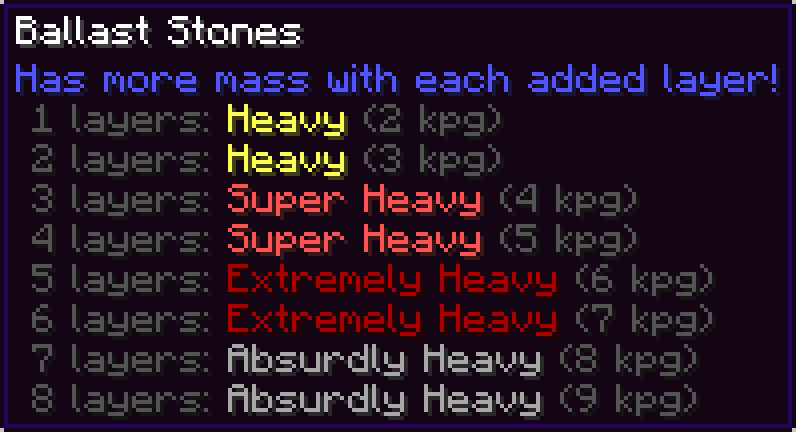
Adds a new layerable block that has more mass with each added layer. Useful for balancing your aeronautics builds!
Screenshots
About this Mod
This is an addon for Create: Aeronautics, you won't find much use for it without that mod.
Adds Ballast Stones, a dense, layerable block that has more mass with each added layer. Useful for ballancing your aeronautics builds!
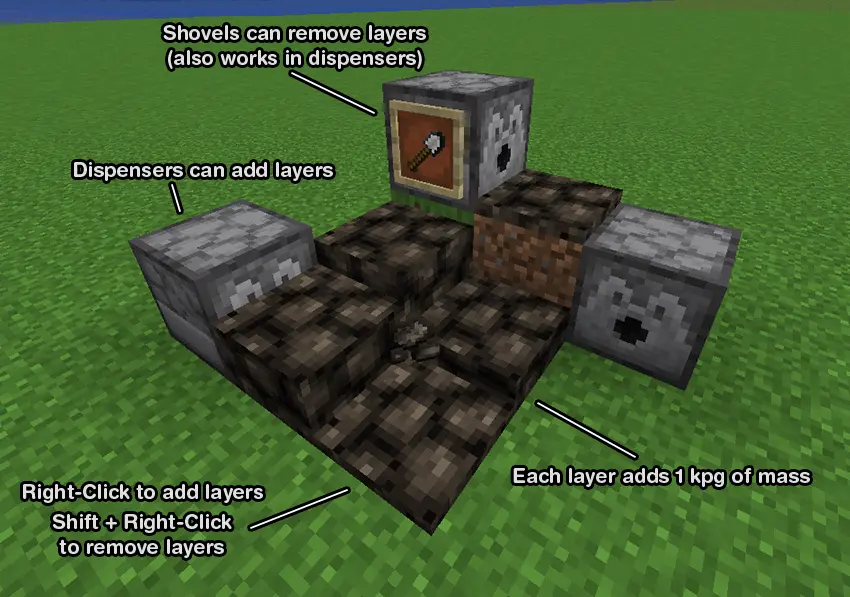
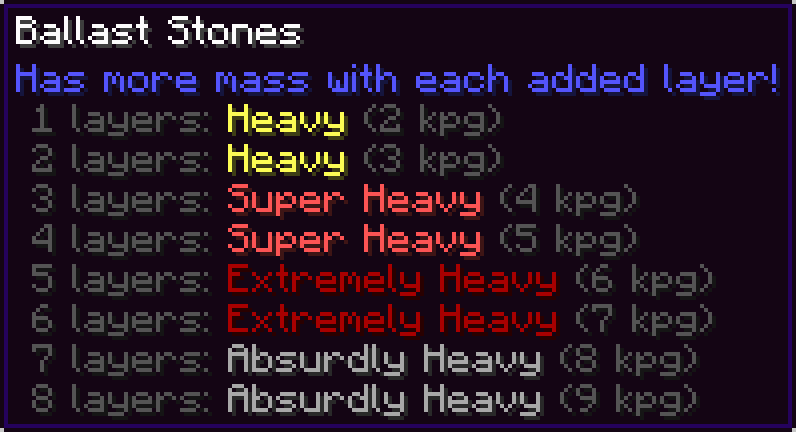
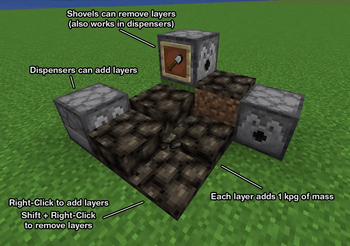
Right-click to add a new layer.
Shift + Right-Click with ballast or an empty hand to remove a layer.
Right-Clicking with a shovel can also remove a layer.
Dispensers can add layers, and remove layers with a shovel.
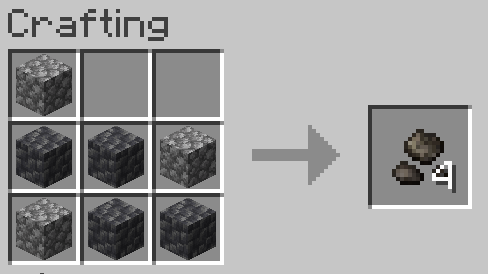
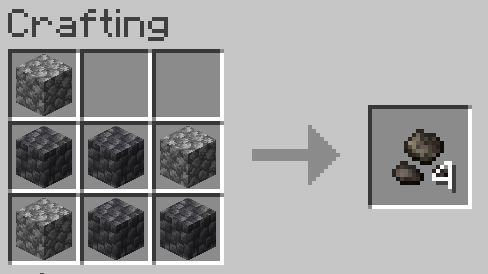
Crafted with 7 of any type of cobblestones (shapeless)
FAQ
Q: What is ballast?
A: Ballast is dense material used as a weight to provide stability to a ship or hot air balloon. Ships today use water as ballast, but historically large stones known as ballast stones were used.
Q: Why would I want this mod?
A: Ships and airships in Create: Aeronautics can be tricky to ballance, especially since the heaviest blocks in the mod are only 4 kpg. This mod allows you to easily ballance the weight distribution on your ship without needing to place dozens of metal blocks all over your ship and ruining its aesthetic.
Q: Can you add water tank ballast?
A: Create: Aeronautics already plans to add weight for filled water tanks in an upcoming update. To maintain compatability when that update is released, I won't be adding it to this mod.
Q: When removing a layer of ballast stones using a dispenser, the ballast stones item is placed into the dispenser's inventory which can cause it to be placed again. How can I make sure layers are removed consistently?
A: You can have a hopper or pipe with a filtering setup remove the ballast stones from the dispenser but not the shovel. Or you can fill every slot in the hopper with shovels and the ballast stones will just drop on the ground instead of being placed into the dispenser, and you can use a hopper beneath the ballast stones to collect it.
Attribution
Textures were modified from https://github.com/malcolmriley/unused-textures
Available Versions
How to Install Create: Ballast on Your Server
Order Server
Order a Minecraft Java server with at least 4 GB RAM (6 GB recommended).
Set neoforge Loader
In the panel under "Egg", select the neoforge loader and matching Minecraft version (1.21.1).
Install Mod
Open the mod browser in the dashboard and search for "Create: Ballast". Click "Install" – done! Alternatively, upload the .jar via SFTP to the /mods folder.
Compatibility
Mod Loaders
Minecraft Versions
1.21.1
Server-side
✓ RequiredRecommended RAM
6 GB(min. 4 GB)Frequently Asked Questions
Create: Ballast server crashes on startup – what to do?
Most common cause: wrong neoforge version or insufficient RAM. Check the server log (latest.log) for "OutOfMemoryError" or "Mixin" errors. With Mado Hosting: ensure at least 4 GB RAM is allocated and the loader matches the mod version (1.21.1). You can switch loaders with one click in the panel.
Is Create: Ballast compatible with neoforge?
Create: Ballast officially supports neoforge for Minecraft 1.21.1. The Mado dashboard automatically detects incompatible loader combinations.
Server lagging with Create: Ballast – how to optimize performance?
Recommended RAM: 6 GB (per 5 players). Use /spark profiler to check if Create: Ballast consumes the most tick time. Common fixes: reduce server view-distance to 8-10, install "performant" or "starlight" as supplementary mods on Forge. With Mado Hosting, your server runs on NVMe SSDs with dedicated CPU cores for minimal latency.
Rent Modded Server
Install Create: Ballast with just one click on your server.