
Create: Better Frequency
Create addon that lets you set Redstone Link frequencies by renaming frequency items or blocks. Matching now depends on both the item type and its custom name.
Screenshots
About this Mod
Create Better Frequency is a Create addon that expands Redstone Link frequency matching.
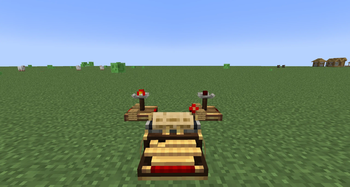
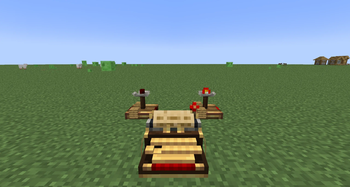
By default, Create Redstone Links use two items or blocks as a frequency. This mod makes the frequency depend not only on the item/block type, but also on its custom name.
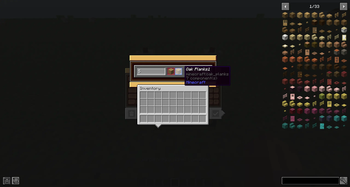
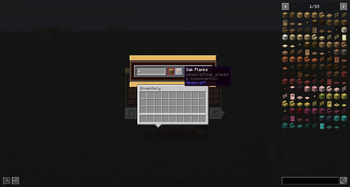
Rename a frequency item on an anvil to create a unique channel:
Stoneis different fromStonenamed#1Stonenamed#1is different fromStonenamed#2Stonenamed#Aonly connects to anotherStonenamed#A
For a Redstone Link to connect, all of these must match:
- First frequency item type
- First frequency item custom name
- Second frequency item type
- Second frequency item custom name
This is useful for compact Create builds, hidden doors, factories, bases, contraptions, multiplayer servers, and modpacks where many Redstone Links need similar item types but separate channels.
The mod works client-side and server-side, supports multiplayer, and keeps normal Create behavior while adding custom-name based frequency separation.
It also includes optional compatibility for Create Aeronautics/Sable.
Available Versions
How to Install Create: Better Frequency on Your Server
Order Server
Order a Minecraft Java server with at least 4 GB RAM (6 GB recommended).
Set neoforge Loader
In the panel under "Egg", select the neoforge loader and matching Minecraft version (1.21.1).
Install Mod
Open the mod browser in the dashboard and search for "Create: Better Frequency". Click "Install" – done! Alternatively, upload the .jar via SFTP to the /mods folder.
Compatibility
Mod Loaders
Minecraft Versions
1.21.1
Server-side
✓ RequiredRecommended RAM
6 GB(min. 4 GB)Frequently Asked Questions
Create: Better Frequency server crashes on startup – what to do?
Most common cause: wrong neoforge version or insufficient RAM. Check the server log (latest.log) for "OutOfMemoryError" or "Mixin" errors. With Mado Hosting: ensure at least 4 GB RAM is allocated and the loader matches the mod version (1.21.1). You can switch loaders with one click in the panel.
Is Create: Better Frequency compatible with neoforge?
Create: Better Frequency officially supports neoforge for Minecraft 1.21.1. The Mado dashboard automatically detects incompatible loader combinations.
Server lagging with Create: Better Frequency – how to optimize performance?
Recommended RAM: 6 GB (per 5 players). Use /spark profiler to check if Create: Better Frequency consumes the most tick time. Common fixes: reduce server view-distance to 8-10, install "performant" or "starlight" as supplementary mods on Forge. With Mado Hosting, your server runs on NVMe SSDs with dedicated CPU cores for minimal latency.
Similar Mods





Rent Modded Server
Install Create: Better Frequency with just one click on your server.