
Create: Capsule Corp.
Capture, store, and redeploy Sable simulated contraptions using capsules.
Screenshots

About this Mod
Haven't you ever thought, “Man, it would be great if I could just easily transport my little off-road vehicle into the Nether,” or “If only I could easily bring my portable drill onto my airship to go mine a few thousand blocks away”? No? Okay, move along.
But if transporting all your contraptions is a headache for you, and you don’t know what to do with your five different aircraft models, then this addon is for you.
Features:
- Use the Capsule Reader to scan and capture nearby contraptions.
- Capture named simulated contraptions inside tiered capsules.
- Throw filled capsules to redeploy contraptions anywhere you want.
- Use the Capsule Wallet to easily transport your capsules.
- Lots of configuration options available to meet your needs.
- Thanks to the API developed by Rew1nd, retain all the original settings of your contraption.
Items and Blocks
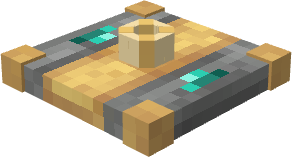
Capsule Reader
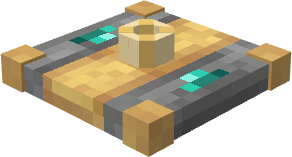
The Capsule Reader is used to capture a simulated contraption.
Place it on the contraption you want to capture, then right-click it with an empty capsule. The contraption must be named before it can be captured.
Capsules
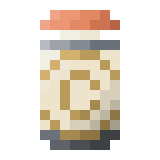
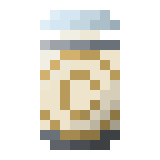
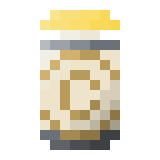
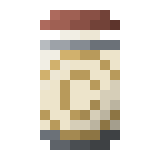
Capsules are used to store captured contraptions.
Available tiers:
- Copper Capsule

- Iron Capsule

- Gold Capsule

- Diamond Capsule

- Netherite Capsule

Once filled, a capsule takes the name of the captured contraption.
Throw a filled capsule to redeploy the contraption.
Capsule Wallet

The Capsule Wallet can store multiple capsules in a single item. We keep it simple. Max capacity is configurable.
Demo
Configuration
You can configure:
- capsule capacities
- capsule wallet slots
- capsule throw velocity
- automatic deploy delay
- post-deployment stabilization time
- nearby deployment search radius
Default maximum capsule capacity is currently capped at 8192 blocks to avoid oversized ItemStack NBT and network issues. This is subject to change later !
Dependencies
Required:
NeoForge;
Create;
Sable;
Sable Schematic API by Rew1nd ;
LDLib2
/!\ Important : use the sable-schematic-api.jar from my github for it to work (will fix this later) /!\
Contributing
This project is open source and released under the MIT license.
Anyone is welcome to use it, test it, report issues, suggest improvements, or contribute code.
Feedback is especially welcome for:
- Sable compatibility
- large contraption behavior
- deployment edge cases
- multiplayer/server testing
- balancing capsule capacities
Available Versions
How to Install Create: Capsule Corp. on Your Server
Order Server
Order a Minecraft Java server with at least 4 GB RAM (6 GB recommended).
Set neoforge Loader
In the panel under "Egg", select the neoforge loader and matching Minecraft version (1.21.1).
Install Mod
Open the mod browser in the dashboard and search for "Create: Capsule Corp.". Click "Install" – done! Alternatively, upload the .jar via SFTP to the /mods folder.
Compatibility
Mod Loaders
Minecraft Versions
1.21.1
Server-side
✓ RequiredRecommended RAM
6 GB(min. 4 GB)Frequently Asked Questions
Create: Capsule Corp. server crashes on startup – what to do?
Most common cause: wrong neoforge version or insufficient RAM. Check the server log (latest.log) for "OutOfMemoryError" or "Mixin" errors. With Mado Hosting: ensure at least 4 GB RAM is allocated and the loader matches the mod version (1.21.1). You can switch loaders with one click in the panel.
Is Create: Capsule Corp. compatible with neoforge?
Create: Capsule Corp. officially supports neoforge for Minecraft 1.21.1. The Mado dashboard automatically detects incompatible loader combinations.
Server lagging with Create: Capsule Corp. – how to optimize performance?
Recommended RAM: 6 GB (per 5 players). Use /spark profiler to check if Create: Capsule Corp. consumes the most tick time. Common fixes: reduce server view-distance to 8-10, install "performant" or "starlight" as supplementary mods on Forge. With Mado Hosting, your server runs on NVMe SSDs with dedicated CPU cores for minimal latency.
Similar Mods


Rent Modded Server
Install Create: Capsule Corp. with just one click on your server.