
Create: Cogged Up
Mod that adds bunch of new cogs based on materials of Create.
Screenshots



About this Mod
Create: Cogged Up
Create: Cogged Up is an Add-On to the mod Create, which adds lots of new cogs based on Create mod's materials.
!NOTE!
Create: Extended Cogwheels is NOT compatible with this mod yet. It will cause minor visual glitches when used together. + Embeddium seems to make encased cogs invisible. planning to make compatibility with both mods but please keep in mind these mods will cause issues with this mod for now
New Cogwheels
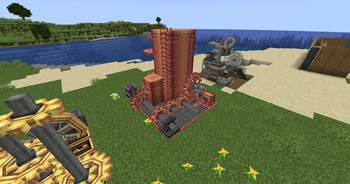
The newly added cogs include:
Andesite Cogwheel, Copper Cogwheel, Industrial Cogwheel, Brass Cogwheel
See gallery for example usages (beware of terrible sense of decoration)
Stress Reduction
As newly added cogs not only blend in with componants of Create, it also affects gameplay by reducing network stress impact.
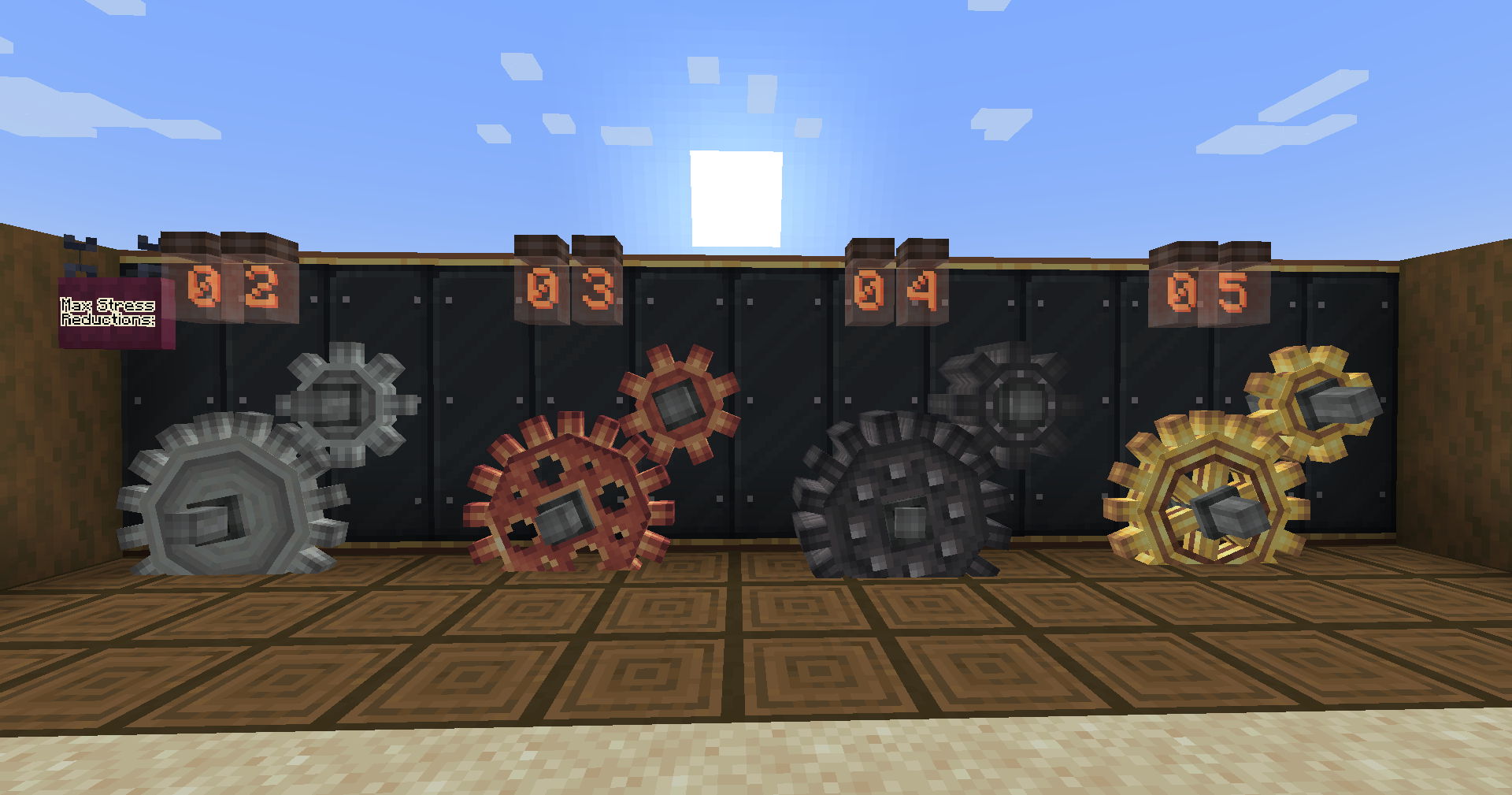
As the picture above implies, Max stress reduction of each cog is following:
Andesite - 2
Copper - 3
Industrial - 4
Brass - 5
Max stress reduction means the stress reduction that is applied to network when 100% of cogwheels in your contraption is following material.
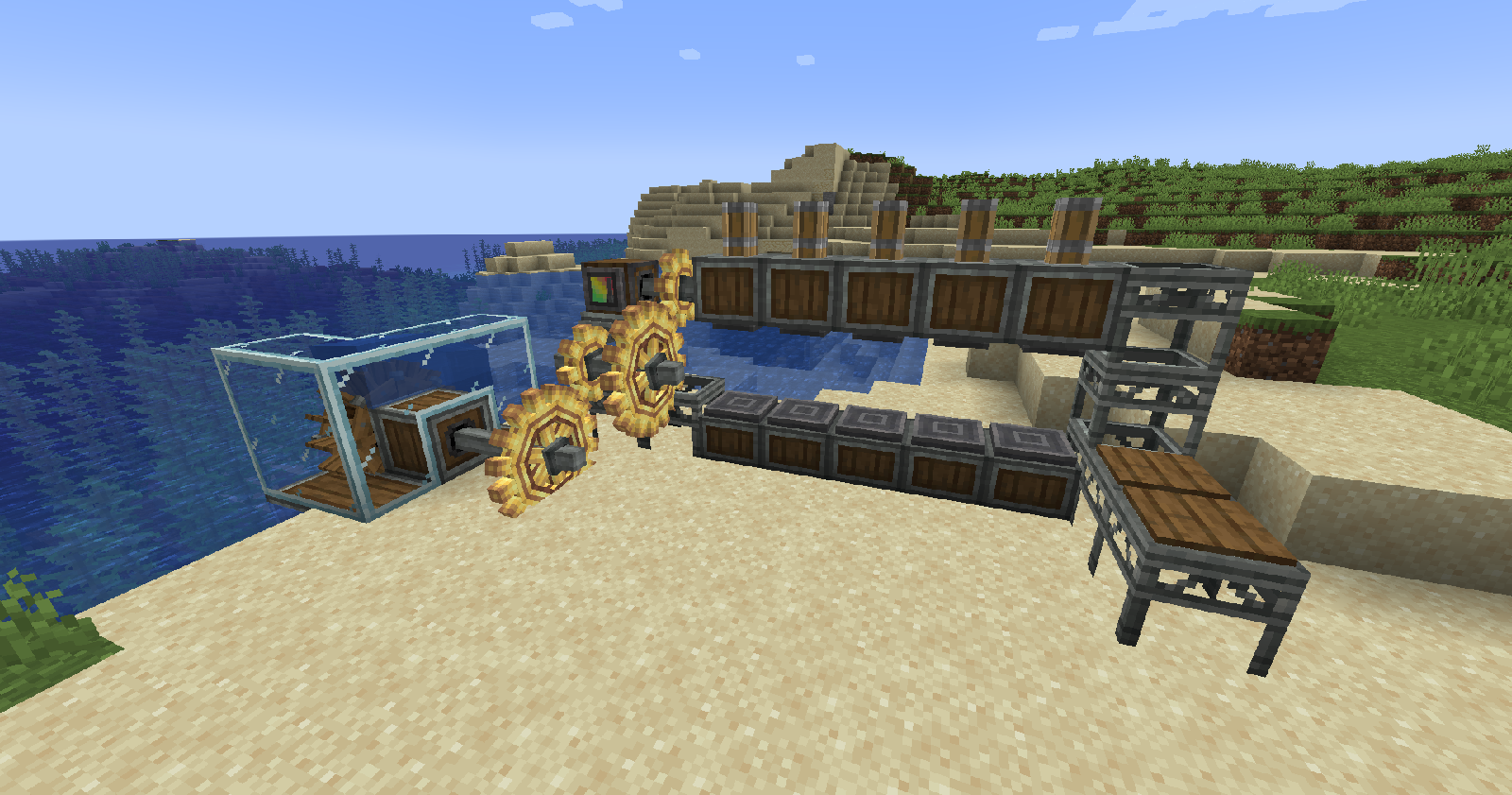
Stress capability of a waterwheel is 256 SU and each of mechanical pressers placed like the picture above impacts 256 SU each. It is possible to attach maximum 5 of them as the max stress reduction of brass cog is 5.
But they are completely configurable through commands
/coggedup stressReductionConfig disable
sets all max stress reduction factors for each cogwheels to 1
/coggedup stressReductionConfig default
sets all max stress reduction factors for each cogwheels to default
/coggedup stressReductionConfig set <material name in lowercase> <desired number>
sets max stress reduction factors for desired number for input material
/coggedup stressReductionConfig get
displays current stress reduction factor status
Copper Casings For Cogwheels
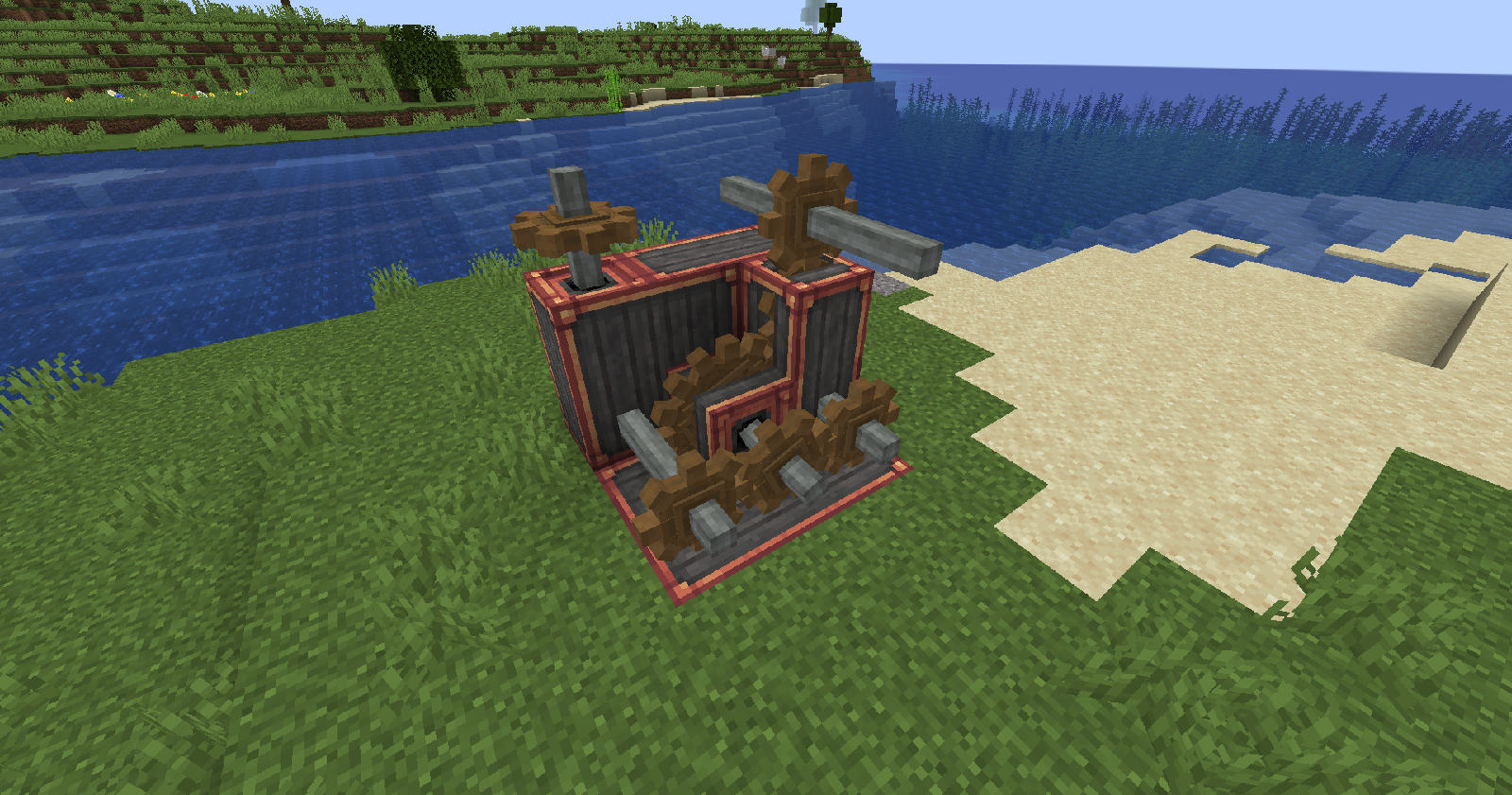
You can now encase cogwheels with copper casings with this mod. They can be applied to every cogwheels except industrial cogwheels.
Future Plans
I'm planning to add some decorative componants that can blend in with Create's aesthetics.
And also new a cog variant comming soon.
Dependency
As the mod being an Add-On of Create, it requires Create as mandatory.
Available Versions
How to Install Create: Cogged Up on Your Server
Order Server
Order a Minecraft Java server with at least 4 GB RAM (6 GB recommended).
Set forge Loader
In the panel under "Egg", select the forge loader and matching Minecraft version (1.20.1).
Install Mod
Open the mod browser in the dashboard and search for "Create: Cogged Up". Click "Install" – done! Alternatively, upload the .jar via SFTP to the /mods folder.
Compatibility
Mod Loaders
Minecraft Versions
1.20.1
Server-side
✓ RequiredRecommended RAM
6 GB(min. 4 GB)Frequently Asked Questions
Create: Cogged Up server crashes on startup – what to do?
Most common cause: wrong forge version or insufficient RAM. Check the server log (latest.log) for "OutOfMemoryError" or "Mixin" errors. With Mado Hosting: ensure at least 4 GB RAM is allocated and the loader matches the mod version (1.20.1). You can switch loaders with one click in the panel.
Is Create: Cogged Up compatible with forge?
Create: Cogged Up officially supports forge for Minecraft 1.20.1. The Mado dashboard automatically detects incompatible loader combinations.
Server lagging with Create: Cogged Up – how to optimize performance?
Recommended RAM: 6 GB (per 5 players). Use /spark profiler to check if Create: Cogged Up consumes the most tick time. Common fixes: reduce server view-distance to 8-10, install "performant" or "starlight" as supplementary mods on Forge. With Mado Hosting, your server runs on NVMe SSDs with dedicated CPU cores for minimal latency.
Similar Mods





Rent Modded Server
Install Create: Cogged Up with just one click on your server.