
Create: Fluidity
More recipes, by way of more fluids! The fun way
Screenshots


About this Mod
Create: Fluidity aims to add recipes for items that could use them, by way of fluids and unique processing lines.
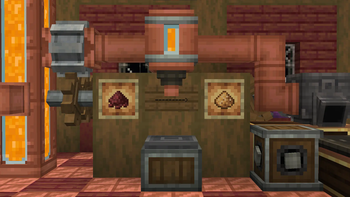
The first update focuses on the Molten Blaze, obtained from blazes, it allows you to create blackstone, magma blocks and the new imperfect debris!
Imperfect debris adds a processing line to make netherite automatable, so take note when considering balance, automation of netherite requires superheating but check images for the exact recipe.
The mod currently adds the following recipes:
New Recipes
Tuff,
Dripstone,
Blackstone,
Calcite,
Magma Block,
Crying Obsidian,
Glow Ink Sac,
Glow Berries,
Glow Lichen.
Extra Recipes
Stone,
Ghast Tears,
Glass.
Fluid Mixing Recipes
Basalt, (Lava and Molten Blaze)
Smooth Basalt, (Lava and Flowing Molten Blaze)
Magma Block, (Water and Molten Blaze)
Blackstone, (Water and Flowing Molten Blaze)
Imperfect Debris (Water and Flowing Molten Blaze Rare)
The mod also adds some drinkable fluids, that being Hot Chocolate and Caramel, which will see more uses in future updates.
Available Versions
How to Install Create: Fluidity on Your Server
Order Server
Order a Minecraft Java server with at least 4 GB RAM (6 GB recommended).
Set neoforge Loader
In the panel under "Egg", select the neoforge loader and matching Minecraft version (1.21.1).
Install Mod
Open the mod browser in the dashboard and search for "Create: Fluidity". Click "Install" – done! Alternatively, upload the .jar via SFTP to the /mods folder.
Compatibility
Mod Loaders
Minecraft Versions
1.21.1
Server-side
✓ RequiredRecommended RAM
6 GB(min. 4 GB)Frequently Asked Questions
Create: Fluidity server crashes on startup – what to do?
Most common cause: wrong neoforge version or insufficient RAM. Check the server log (latest.log) for "OutOfMemoryError" or "Mixin" errors. With Mado Hosting: ensure at least 4 GB RAM is allocated and the loader matches the mod version (1.21.1). You can switch loaders with one click in the panel.
Is Create: Fluidity compatible with neoforge?
Create: Fluidity officially supports neoforge for Minecraft 1.21.1. The Mado dashboard automatically detects incompatible loader combinations.
Server lagging with Create: Fluidity – how to optimize performance?
Recommended RAM: 6 GB (per 5 players). Use /spark profiler to check if Create: Fluidity consumes the most tick time. Common fixes: reduce server view-distance to 8-10, install "performant" or "starlight" as supplementary mods on Forge. With Mado Hosting, your server runs on NVMe SSDs with dedicated CPU cores for minimal latency.
Similar Mods





Rent Modded Server
Install Create: Fluidity with just one click on your server.