
Create Heads Up Display
Create Heads Up Display is an addon for the Create mod that lets players freely display custom information on screens or a wearable HUD.
Screenshots
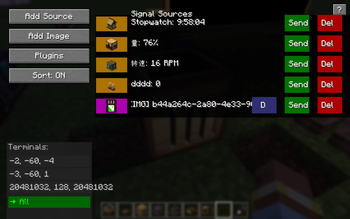
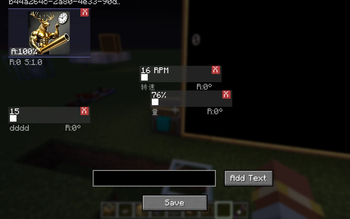
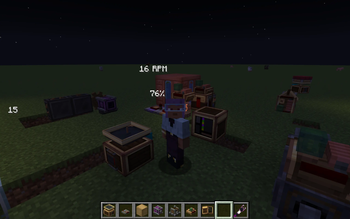
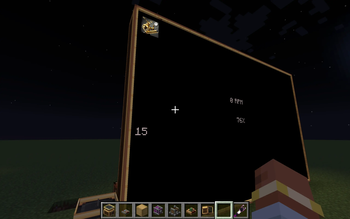
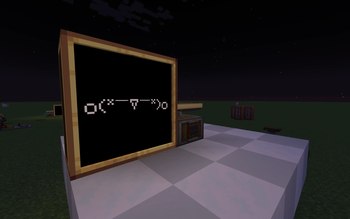
About this Mod
Create Heads Up Display is an addon for the Create mod that allows players to display various information as they wish.
Features
📺 Data Integration Core – Acts as a data reception and configuration hub that can connect to any terminal block.
📺 Terminal Block – Works as a data reception and configuration hub, capable of connecting to multiple data sources.
📺 Display – Binds to a terminal to render custom content onto a display, forming a multiblock structure.
🎮 Head‑Up Display (HUD) – When equipped, shows a custom HUD based on the bound terminal.
🎨 Highly Customizable – Each slot can independently adjust position, scale, rotation, color, and transparency.
📝 Static Text Slot – Adds custom text without needing any data source.
📡 Radar Addon Support – Can display radar renders from Create‑Radar‑Sable (without using its weapon network).
📹 Image Feature – Images need to be sent to the server for synchronisation with other players. Server admins can disable this feature via the config file. When an image is uploaded, the server console logs who uploaded it, making server management easier.
Dependencies
Minecraft 1.21.1
NeoForge 21.1.219 or higher
Create 6.0.10‑280 or higher
Integration
Radar from Create‑Radar‑Sable.
Installation
Make sure NeoForge and Create are already installed.
Place the mod’s JAR file into the .minecraft/mods folder.
Usage Guide
Please check in‑game for usage details.
Configuration & Synchronisation
The server stores all slot configurations and the latest data on the terminal entity.
Development Status
The core features of this mod are basically finished. Future work will focus on compatibility.
I’m too lazy to keep this description fully up‑to‑date, so some new features may not be mentioned here.
For efficiency, I used Claude.
I probably won’t backport to 1.20.1 Forge because it’s too much trouble.
Acknowledgements
The Create team for their powerful API, examples, and some texture assets.
Create‑Radar‑Sable for the display block model and texture resources – thank you so much!
All testers and contributors.
License
MIT © 2026 HAOYIYU994
Available Versions
How to Install Create Heads Up Display on Your Server
Order Server
Order a Minecraft Java server with at least 4 GB RAM (6 GB recommended).
Set neoforge Loader
In the panel under "Egg", select the neoforge loader and matching Minecraft version (1.21.1).
Install Mod
Open the mod browser in the dashboard and search for "Create Heads Up Display". Click "Install" – done! Alternatively, upload the .jar via SFTP to the /mods folder.
Compatibility
Mod Loaders
Minecraft Versions
1.21.1
Server-side
✓ RequiredRecommended RAM
6 GB(min. 4 GB)Frequently Asked Questions
Create Heads Up Display server crashes on startup – what to do?
Most common cause: wrong neoforge version or insufficient RAM. Check the server log (latest.log) for "OutOfMemoryError" or "Mixin" errors. With Mado Hosting: ensure at least 4 GB RAM is allocated and the loader matches the mod version (1.21.1). You can switch loaders with one click in the panel.
Is Create Heads Up Display compatible with neoforge?
Create Heads Up Display officially supports neoforge for Minecraft 1.21.1. The Mado dashboard automatically detects incompatible loader combinations.
Server lagging with Create Heads Up Display – how to optimize performance?
Recommended RAM: 6 GB (per 5 players). Use /spark profiler to check if Create Heads Up Display consumes the most tick time. Common fixes: reduce server view-distance to 8-10, install "performant" or "starlight" as supplementary mods on Forge. With Mado Hosting, your server runs on NVMe SSDs with dedicated CPU cores for minimal latency.
Similar Mods






Rent Modded Server
Install Create Heads Up Display with just one click on your server.