
Create: Industrial Tools
An Addon for Create that adds a full set of tools a tier above Netherite, along with a Copper Pickaxe that smelts blocks when charged.
Screenshots
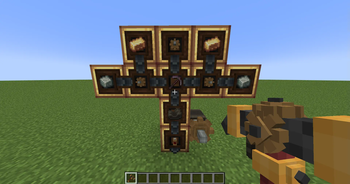


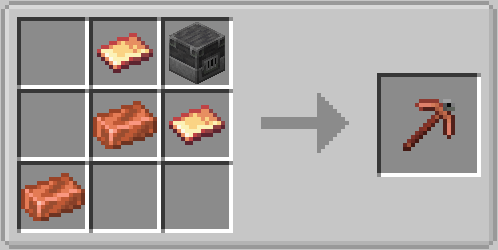
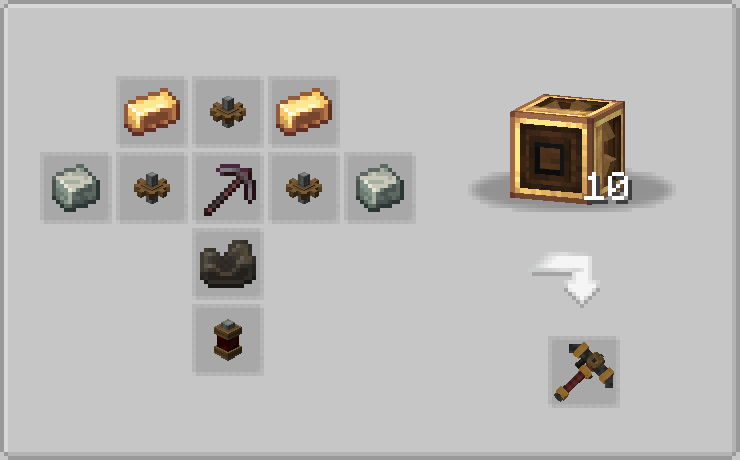
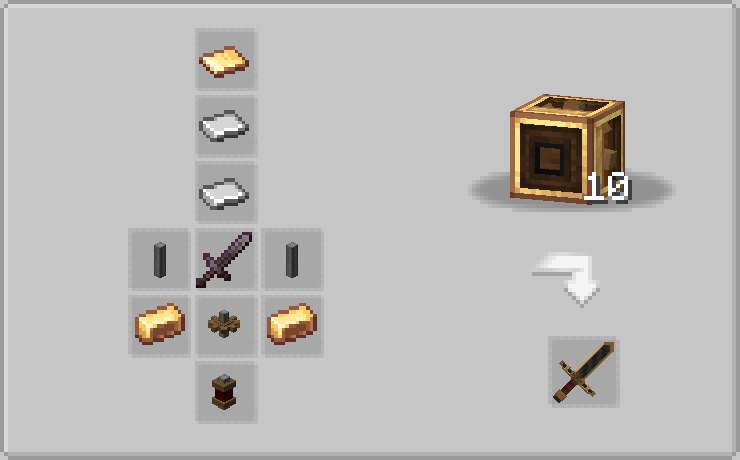
About this Mod

Requires Create Fabric
This Mod is an Addon for the Create Mod. It aims at offering a set of tools above netherite for large or complex modpacks, while keeping a create aesthetic.
Adds a new range of tools:
- Industrial Pickaxe
- Industrial Sword
- Industrial Axe
- Industrial Shovel
- Industrial Hoe
- Copper Pickaxe

The use of mods such as JEI is Highly recommended
Tools Description :
- All tools are a tier above netherite
- Industrial Pickaxe can insta-mine stone efficiency 5, and insta-mine deepslate efficiency 5 with the help of a haste II beacon.
- Industrial Hoe (referenced as hoe but called sythe) is a hoe but can receive sword enchantments as well. Cannot deal damage to multiple entities.
- Copper Pickaxe can be charged by right-clicking with coal, charcoal or a block of coal offhand. If charged, will drop the smelted drop of any block mined with it. By default, the maximum amount of charges the pickaxe can hold is 24. With the Charge Capacity enchantment, this limit can be increased. Level I > 36, level II > 49, Level III > 64.
Very special thanks to:
- Kaupenjoe for his amazing modding tutorials
- Kirpichom because why not
Thanks to Brassburg for creating Create: Tools n Weapons, which inspired this project and was actually the template I used for this mod because at the time I didn't know how to add dependencies.
Available Versions
How to Install Create: Industrial Tools on Your Server
Order Server
Order a Minecraft Java server with at least 4 GB RAM (6 GB recommended).
Set fabric Loader
In the panel under "Egg", select the fabric loader and matching Minecraft version (1.20.1).
Install Mod
Open the mod browser in the dashboard and search for "Create: Industrial Tools". Click "Install" – done! Alternatively, upload the .jar via SFTP to the /mods folder.
Compatibility
Mod Loaders
Minecraft Versions
1.20.1
Server-side
✓ RequiredRecommended RAM
6 GB(min. 4 GB)Frequently Asked Questions
Create: Industrial Tools server crashes on startup – what to do?
Most common cause: wrong fabric version or insufficient RAM. Check the server log (latest.log) for "OutOfMemoryError" or "Mixin" errors. With Mado Hosting: ensure at least 4 GB RAM is allocated and the loader matches the mod version (1.20.1). You can switch loaders with one click in the panel.
Is Create: Industrial Tools compatible with fabric?
Create: Industrial Tools officially supports fabric for Minecraft 1.20.1. The Mado dashboard automatically detects incompatible loader combinations.
Server lagging with Create: Industrial Tools – how to optimize performance?
Recommended RAM: 6 GB (per 5 players). Use /spark profiler to check if Create: Industrial Tools consumes the most tick time. Common fixes: reduce server view-distance to 8-10, install "performant" or "starlight" as supplementary mods on Forge. With Mado Hosting, your server runs on NVMe SSDs with dedicated CPU cores for minimal latency.
Similar Mods




![[TaCZ] Timeless and Classics Zero](https://cdn.modrinth.com/data/SzzJttH8/fd27766d2bb8390d284696b1dbd358f87e081439_96.webp)

Rent Modded Server
Install Create: Industrial Tools with just one click on your server.