
Create: Interval Filter
Adds a filter for deployers on contraptions that places items or blocks at set distance intervals
Screenshots


About this Mod
Create: Interval Filter
A small addon for Create that adds the Interval Filter — a filter item that
configures a Deployer to activate at set distance intervals as a contraption moves.




What does it do?
Building automated contraptions in Create often requires placing items at precise, repeating intervals — something
vanilla Deployers can't do on their own. The Interval Filter solves this.
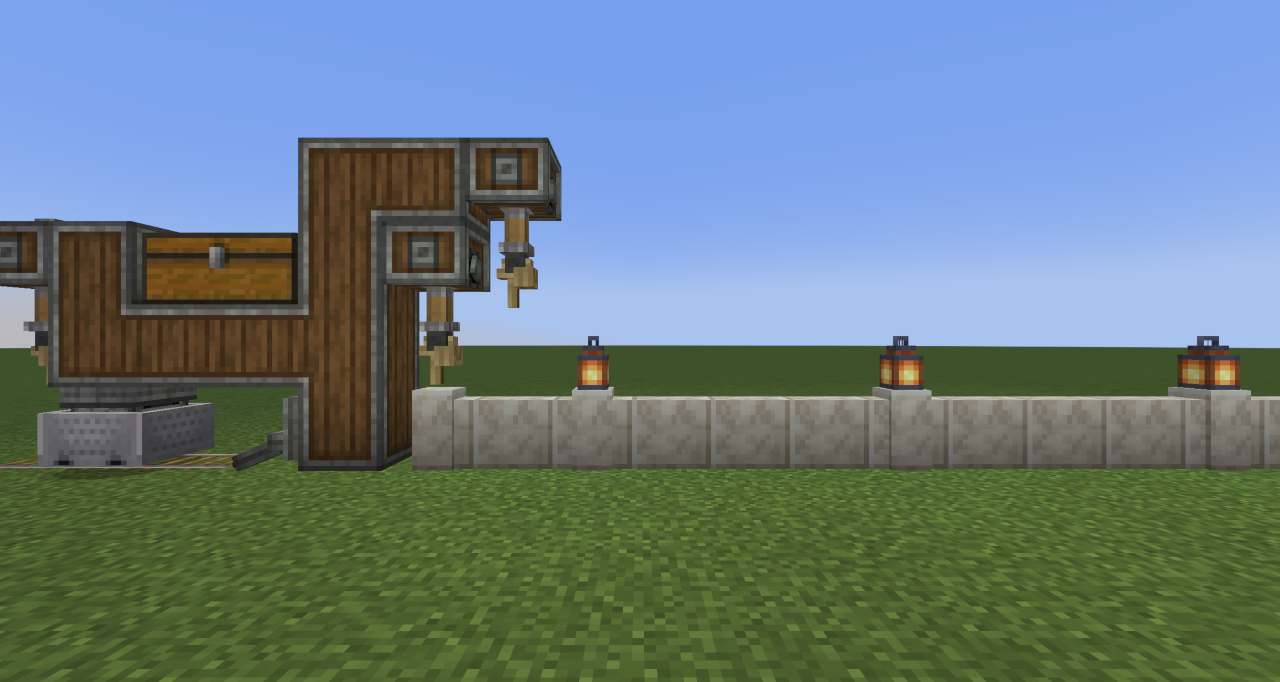
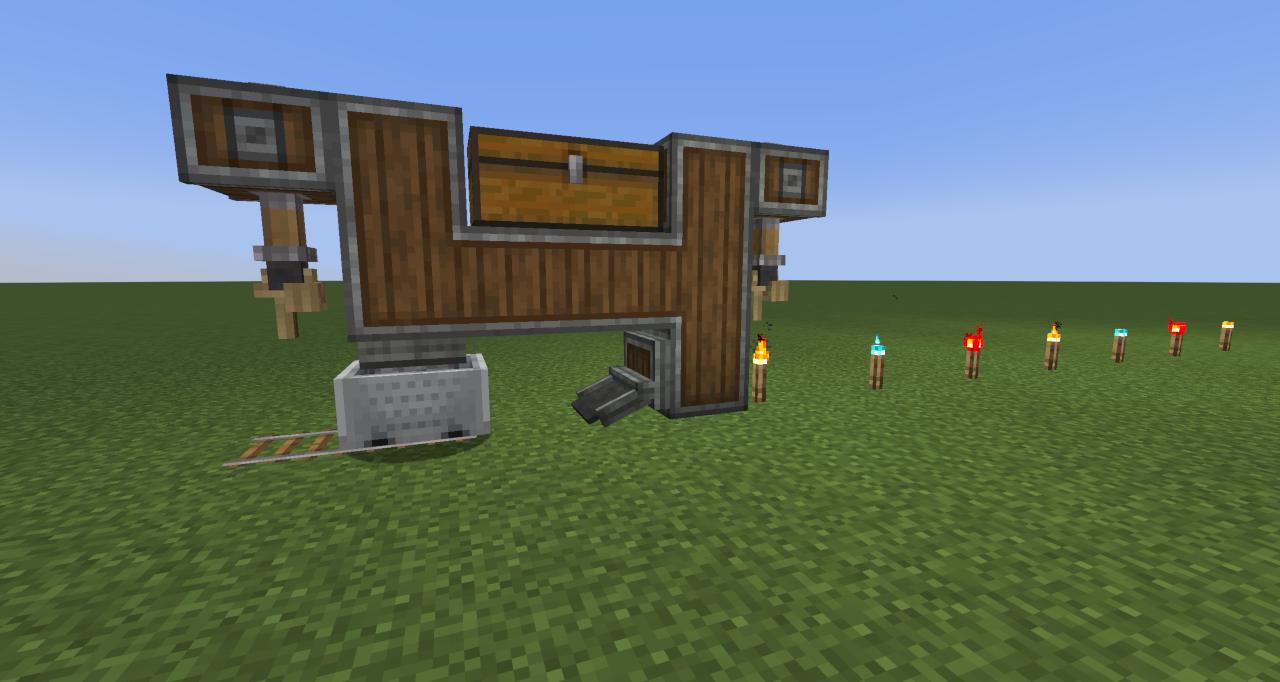
Place it in a Deployer's filter slot and it controls the cadence of activations: place items every 3rd block, every
10th block, or any interval up to 64 — with an optional offset to phase-shift where the pattern starts.
This opens up builds that were previously tedious or impossible to tune, such as:
- Evenly-spaced torch placement behind a mining drill
- Repeating decoration patterns on a wall or floor
- Skipping the first few blocks before a pattern begins
- Alternating between different items placed in sequence or at random
| Before | After |
|---|---|
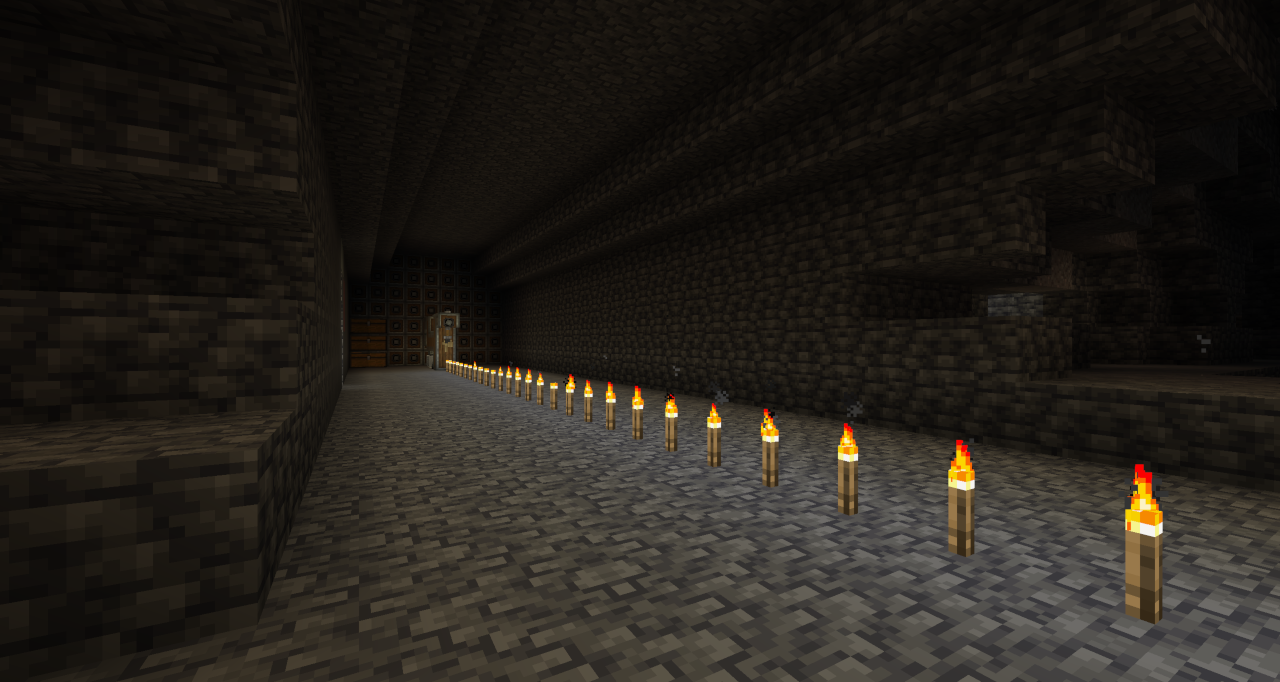 |
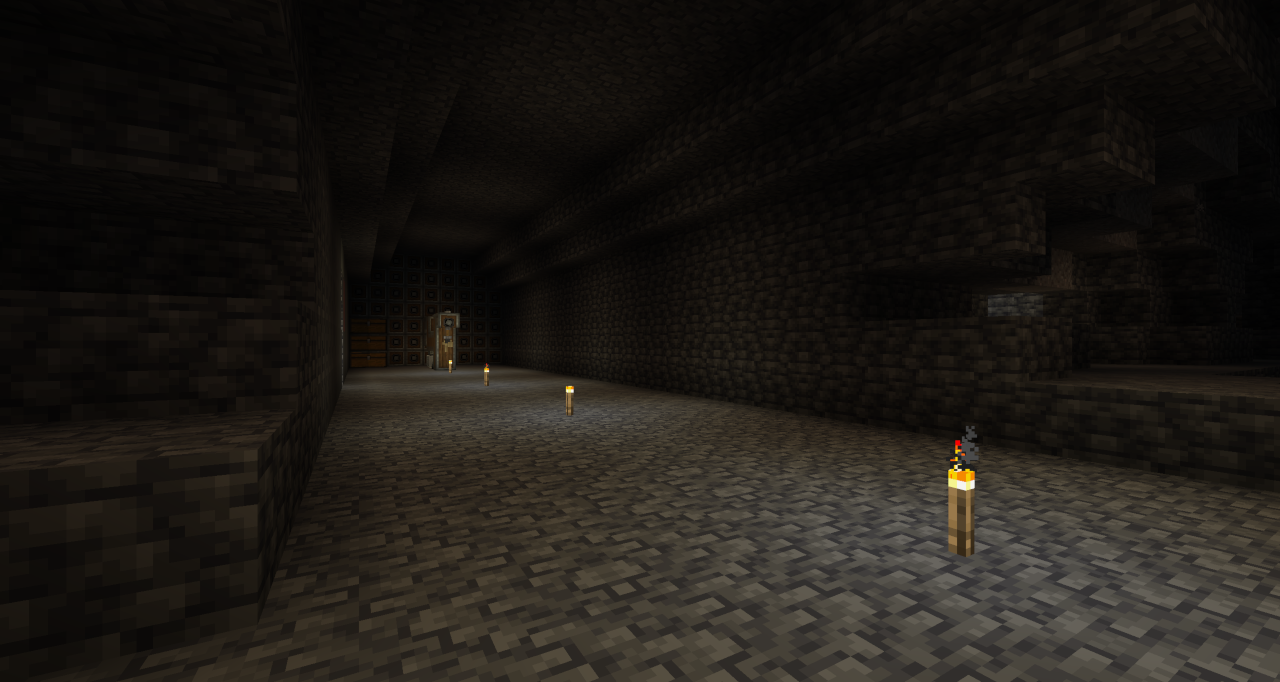 |
Features
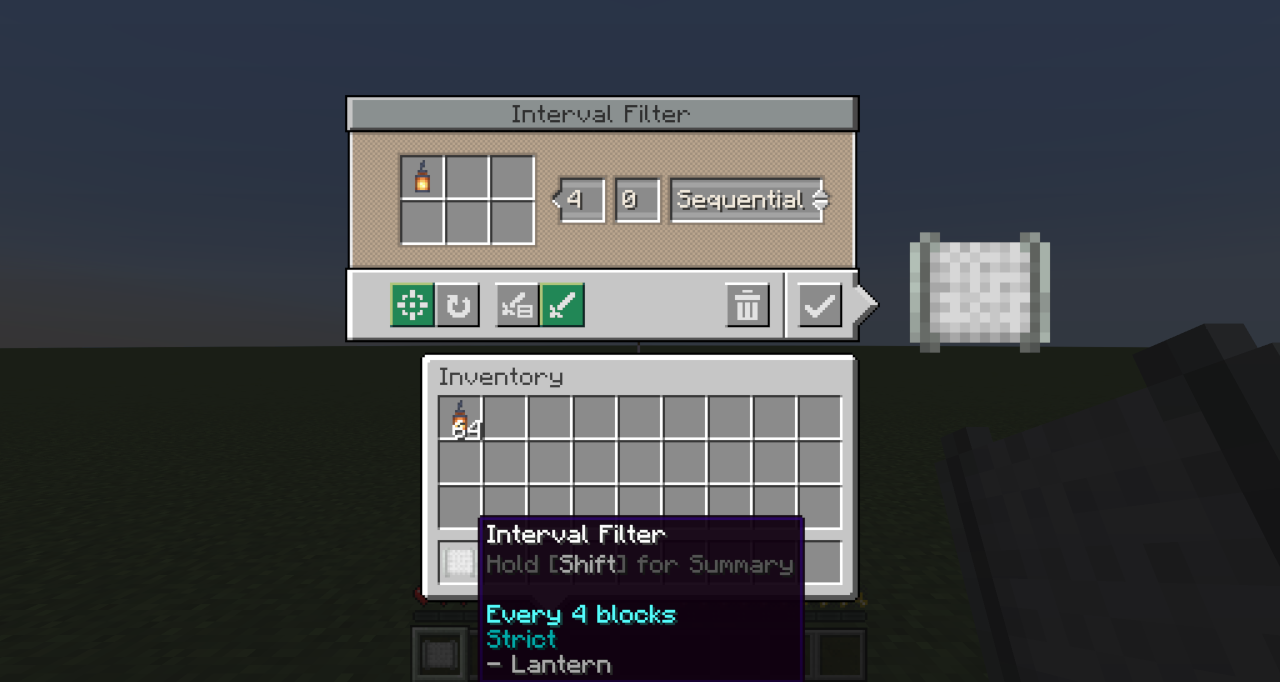
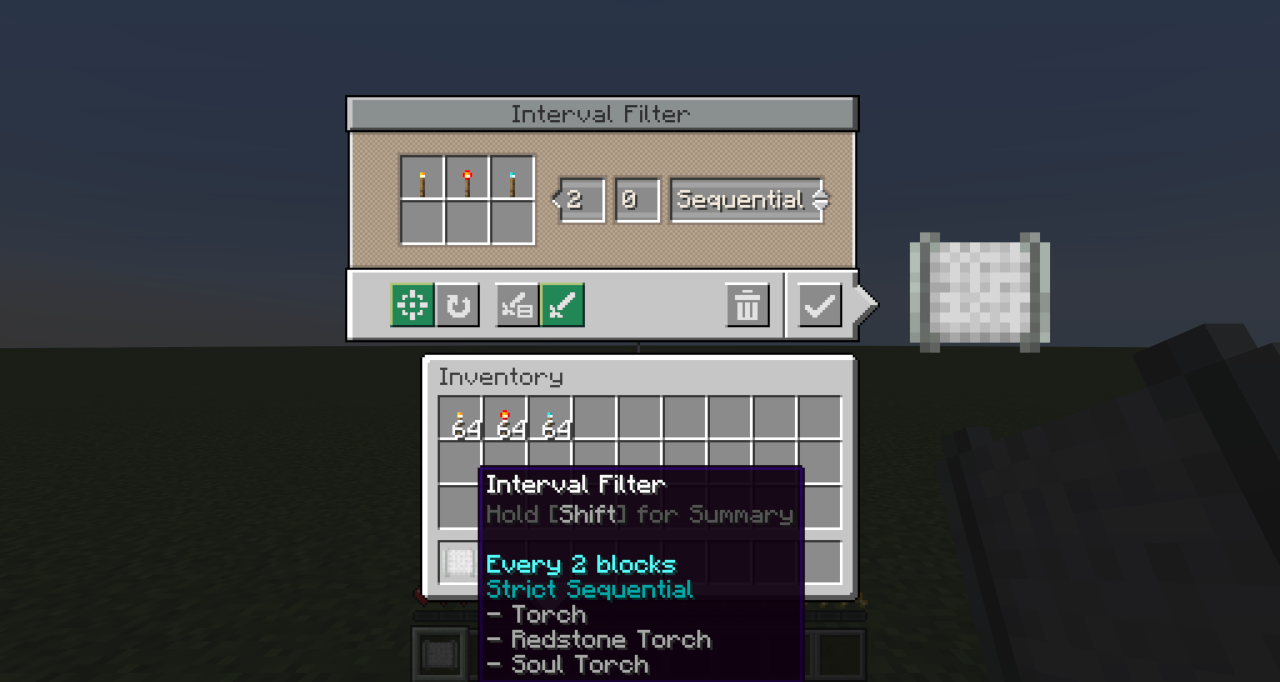
- Block Interval — Controls how many blocks the contraption travels between each Deployer activation. Supports
values from 1 to 64. - Initial Offset — Delays the start of the pattern by a set number of blocks. Useful for lining up placements
without needing to redesign or reposition contraptions. - Execution Modes — Two modes control what happens when a placement fails at the intended position:
- Strict — Skips the activation and continues the pattern unchanged. Use this when exact positioning matters.
- Best Effort — Keeps retrying on subsequent blocks until a placement succeeds. Use this when gaps are
unacceptable.
- Placement Mode — Two modes control what happens when multiple items (up to 6) are configured:
- Sequential — Cycles through all items in order each time the Deployer activates
- Random — Selects one item at random for each activation.
| Single Item | Multiple Items |
|---|---|
 |
 |
 |
 |
Crafting
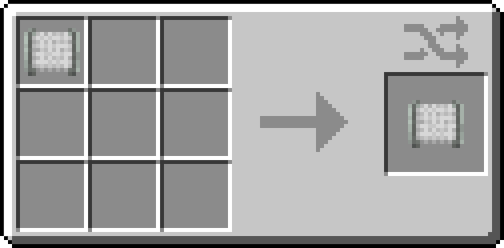
Craft any wool block with 2 × andesite alloy to create the Interval Filter.
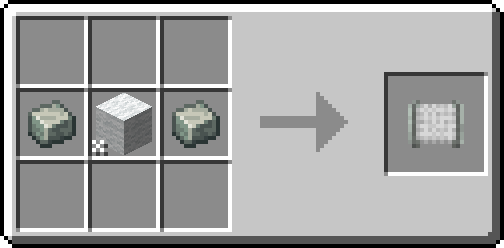
Crafting a configured Interval Filter resets all stored settings back to defaults.
Usage
- Craft the Interval Filter.
- Right-click it to open the configuration screen.
- Set the desired Block Interval and optionally an Initial Offset.
- Add up to 6 items to the filter slots. Choose Strict or Best Effort mode depending on whether missed placements
should be skipped or retried...and choose Sequential or Random if using multiple items. - Place the configured Interval Filter into the filter slot of a Deployer on your contraption.
Note: The Interval Filter only works in a Deployer's filter slot on moving contraptions. It cannot be used in
other filter slots.
Notes
- Train Relocation — Using a Wrench to pick up and relocate a train resets the interval counter, offset, and
sequence order. Regular stops (such as stations) do not reset progress. - The filter can be reconfigured at any time by right-clicking it in your hand. Placing it back into the Deployer
applies the updated settings immediately.
FAQ
Does the Interval Filter work on non-train contraptions?
Yes — it works on any moving contraption that includes a Deployer, such as those driven by a Minecraft w/Furnace,
Mechanical Bearing or Contraption Controller.
What happens if the Deployer's item supply runs out mid-pattern?
The Deployer behaves as normal — it simply won't activate until items are available again. The interval counter
continues to advance.
Can I use multiple Interval Filters on the same contraption?
Yes. Each Deployer tracks its own interval state independently.
Requirements
- Minecraft 1.21.1 / 1.20.1
- Mod Loader: NeoForge 21.1.181+ / Forge 47.3.30+ / Fabric 0.17.2+
- Create: 6.0.7+
Licensed under GNU GPL 3.0
Available Versions
How to Install Create: Interval Filter on Your Server
Order Server
Order a Minecraft Java server with at least 4 GB RAM (6 GB recommended).
Set fabric Loader
In the panel under "Egg", select the fabric loader and matching Minecraft version (1.21.1).
Install Mod
Open the mod browser in the dashboard and search for "Create: Interval Filter". Click "Install" – done! Alternatively, upload the .jar via SFTP to the /mods folder.
Compatibility
Mod Loaders
Minecraft Versions
1.21.1, 1.20.1
Server-side
✓ RequiredRecommended RAM
6 GB(min. 4 GB)Frequently Asked Questions
Create: Interval Filter server crashes on startup – what to do?
Most common cause: wrong fabric version or insufficient RAM. Check the server log (latest.log) for "OutOfMemoryError" or "Mixin" errors. With Mado Hosting: ensure at least 4 GB RAM is allocated and the loader matches the mod version (1.21.1). You can switch loaders with one click in the panel.
Is Create: Interval Filter compatible with fabric and forge and neoforge?
Create: Interval Filter officially supports fabric, forge, neoforge for Minecraft 1.21.1, 1.20.1. Note: Forge and Fabric mods are NOT cross-compatible – pick one loader and stick with it. The Mado dashboard automatically detects incompatible loader combinations.
Server lagging with Create: Interval Filter – how to optimize performance?
Recommended RAM: 6 GB (per 5 players). Use /spark profiler to check if Create: Interval Filter consumes the most tick time. Common fixes: reduce server view-distance to 8-10, install "performant" or "starlight" as supplementary mods on Forge. With Mado Hosting, your server runs on NVMe SSDs with dedicated CPU cores for minimal latency.
Rent Modded Server
Install Create: Interval Filter with just one click on your server.