
Create: Molten Geodes
Adds a renewable source of the orestones found in the Create mod, and by extension, many resources.
Screenshots
About this Mod
For 1.20, try an updated version of this mod: Create: Molten Vents (https://modrinth.com/mod/create-molten-vents)
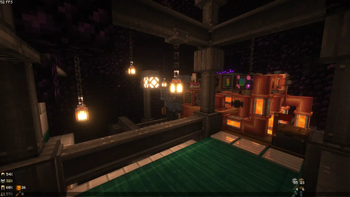
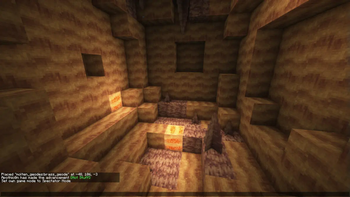
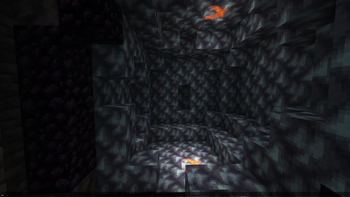
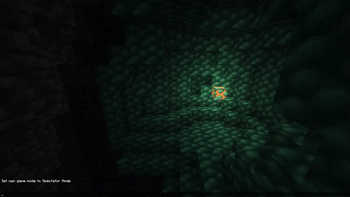
Molten Geodes is a mod which adds a renewable source of the orestones found in the Create mod. These ore stones include: Veridium, Asurine, Crimsite, & Ochrum.
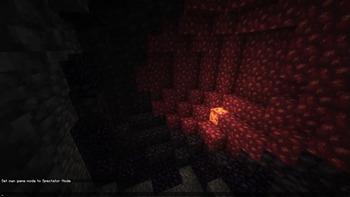
The geodes contain dormant orestones scattered through them, which when activated with TNT will convert into molten orestones which will convert lava into the corresponding orestone when near it.
There are many configurable options for this mod to suit everybody's playstyle.
IMPORTANT: To activate the dormant orestones you must place a TNT directly above them. This will explode the visual debris on the texture of the block and convert it into a molten orestone, allowing it to make contact with and begin converting lava into the orestones.
Also important: If you use this mod with one which makes the oceans notably deeper, you will want to adjust the config of this mod prior to creating your world so that the geodes do not generate floating in the ocean.
Currently added geodes include:
- Brass Geode (Rare geode that contains both Veridium & Asurine, the orestones needed to create brass)
- Veridium Geode
- Asurine Geode
- Crimsite Geode
- Ochrum Geode
Also try a similar mod: Create: Molten Vents
Discord: https://discord.gg/HHqKa8vTAN
This mod may be used in any modpack.
Although this mod has the ARR license, I have another mod that is almost identical except with the MIT license found here: https://modrinth.com/mod/create-molten-vents (Using the ARR license was accidental)
Available Versions
How to Install Create: Molten Geodes on Your Server
Order Server
Order a Minecraft Java server with at least 4 GB RAM (6 GB recommended).
Set forge Loader
In the panel under "Egg", select the forge loader and matching Minecraft version (1.19.2).
Install Mod
Open the mod browser in the dashboard and search for "Create: Molten Geodes". Click "Install" – done! Alternatively, upload the .jar via SFTP to the /mods folder.
Compatibility
Mod Loaders
Minecraft Versions
1.19.2, 1.18.2
Server-side
✓ RequiredRecommended RAM
6 GB(min. 4 GB)Frequently Asked Questions
Create: Molten Geodes server crashes on startup – what to do?
Most common cause: wrong forge version or insufficient RAM. Check the server log (latest.log) for "OutOfMemoryError" or "Mixin" errors. With Mado Hosting: ensure at least 4 GB RAM is allocated and the loader matches the mod version (1.19.2). You can switch loaders with one click in the panel.
Is Create: Molten Geodes compatible with forge?
Create: Molten Geodes officially supports forge for Minecraft 1.19.2, 1.18.2. The Mado dashboard automatically detects incompatible loader combinations.
Server lagging with Create: Molten Geodes – how to optimize performance?
Recommended RAM: 6 GB (per 5 players). Use /spark profiler to check if Create: Molten Geodes consumes the most tick time. Common fixes: reduce server view-distance to 8-10, install "performant" or "starlight" as supplementary mods on Forge. With Mado Hosting, your server runs on NVMe SSDs with dedicated CPU cores for minimal latency.
Similar Mods





Rent Modded Server
Install Create: Molten Geodes with just one click on your server.