
Create Ore Excavation Better Finder
Create Ore Excavation Better Finder is an addon for Create: Ore Excavation that replaces the Vein Finder with a proper prospecting radar.
Screenshots
About this Mod
Create Ore Excavation Better Finder is a lightweight addon for Create: Ore Excavation (COE) that turns vein hunting into a modern prospecting radar experience, replacing the original text-based Vein Finder.
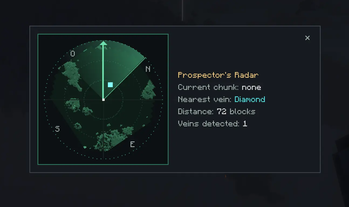
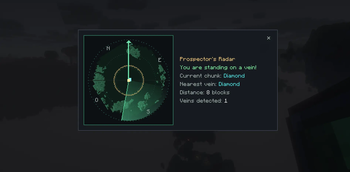
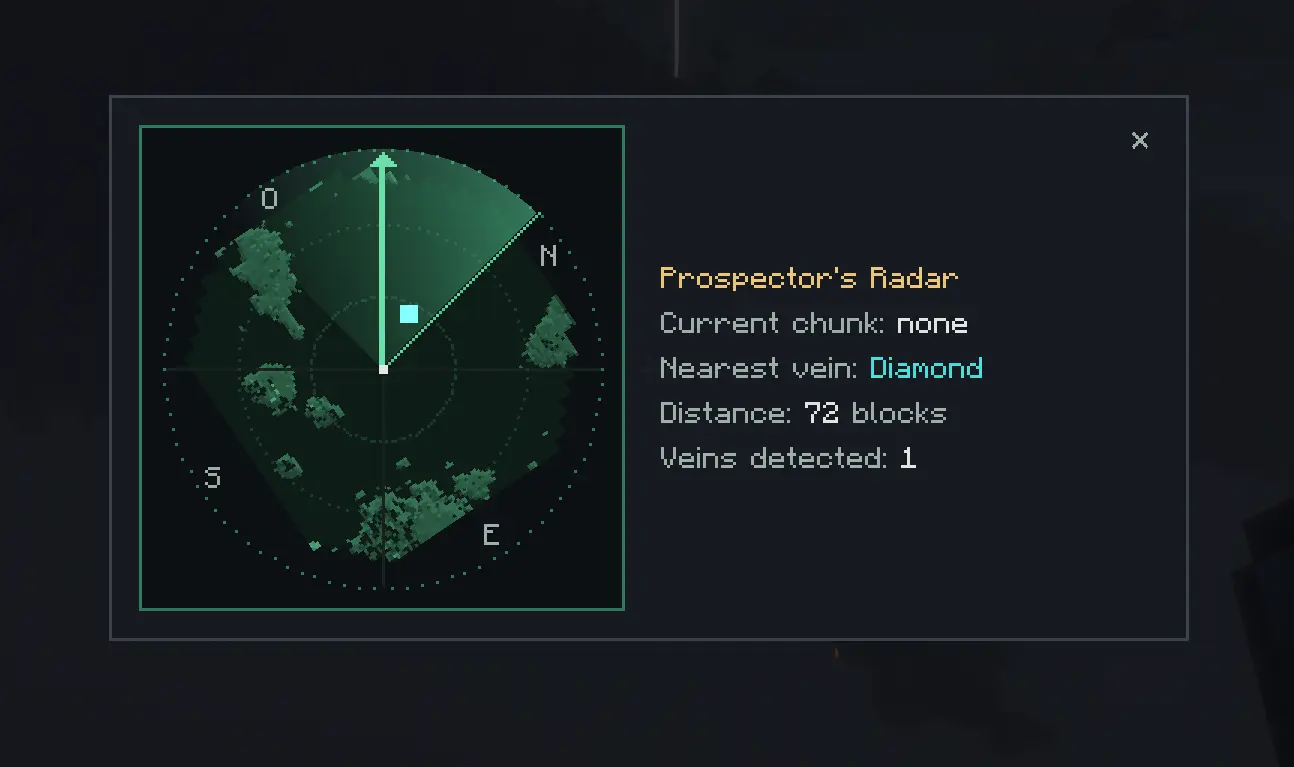
The hand-held Prospector's Radar is used with a right-click to open a two-column interface:
- On the left, a "heading-up" radar (a real radar): your looking direction stays fixed toward the top of the screen while the map, the compass rose (N/S/E/W), and the veins rotate around you based on your orientation. Every detected vein shows up as a blip, and the nearest one is highlighted.
- On the right, an info panel: the vein type of the chunk you're standing in, the nearest vein, its distance, and the number of veins detected, all kept readable and laid out so it never overflows.
Each scan triggers a radar ping sound, and the item has a configurable cooldown, in the spirit of the original Vein Finder.
Additional features:
- Type filter: Sneak + right-click cycles the targeted vein type (or "all").
- Lag-free: scanning only reads already-loaded chunks, never forcing terrain generation.
- Radial density mode (optional, off by default): more veins the farther you get from spawn, following a configurable curve.
- Admin commands to place, remove, and list veins.
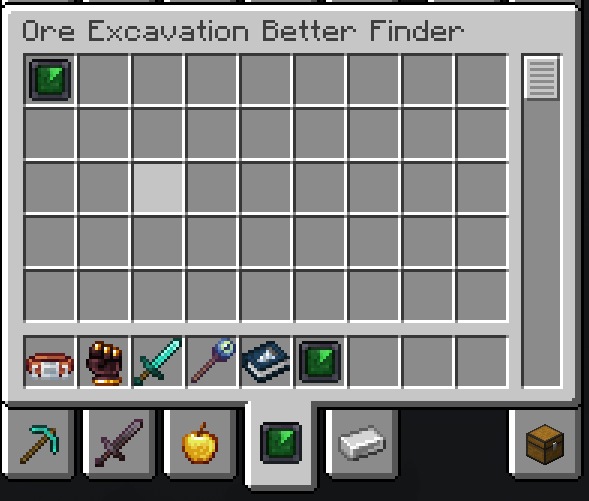
- Upgrade recipe built from COE's Vein Finder.
Commands
All commands live under /coebf vein and require OP permission level 2 (operators only). They are admin/debug tools for populating or testing a world, normal prospecting is done in-game with the Prospector's Radar, not with these commands.
Note: all positions are chunk coordinates, not block coordinates.
| Command | Description |
|---|---|
/coebf vein set <type> [chunkX chunkZ] [multiplier] |
Place a vein. <type> autocompletes from the known Create: Ore Excavation vein recipes. With no coordinates, the vein is placed in the chunk you're standing in. The optional multiplier (0–1000) sets the vein size, COE-style. |
/coebf vein delete [chunkX chunkZ] |
Remove the vein from a chunk (the current chunk if no coordinates are given). |
/coebf vein list [radius] |
List the veins within a radius in chunks (default 3, max 32), sorted by distance from your position. |
Details
- One vein per chunk: following COE's rule,
posefails with a clear message if the target chunk already holds a vein. - Unknown type: if
<type>doesn't match an existing COE vein recipe, the command reports an error and does nothing. - Source of truth: these commands read and write Create: Ore Excavation's own chunk vein data, they don't create a parallel system. Anything you place or remove is a real COE vein.
- Feedback messages are fully translated (English / French).
Join my discord for any suggestion or question https://discord.gg/AG8B2kV5cX
I'm an experienced Java developer, this is my first mod. This mod was developed with AI assistance to get into the NeoForge ecosystem.
Create: Ore Excavation remains the single source of truth for vein data, this mod only reads and presents it.
Requires NeoForge 1.21.1, Create, Create: Ore Excavation, and owo-lib (client-side, for the interface).
Available Versions
How to Install Create Ore Excavation Better Finder on Your Server
Order Server
Order a Minecraft Java server with at least 4 GB RAM (6 GB recommended).
Set neoforge Loader
In the panel under "Egg", select the neoforge loader and matching Minecraft version (1.21.1).
Install Mod
Open the mod browser in the dashboard and search for "Create Ore Excavation Better Finder". Click "Install" – done! Alternatively, upload the .jar via SFTP to the /mods folder.
Compatibility
Mod Loaders
Minecraft Versions
1.21.1
Server-side
✓ RequiredRecommended RAM
6 GB(min. 4 GB)Frequently Asked Questions
Create Ore Excavation Better Finder server crashes on startup – what to do?
Most common cause: wrong neoforge version or insufficient RAM. Check the server log (latest.log) for "OutOfMemoryError" or "Mixin" errors. With Mado Hosting: ensure at least 4 GB RAM is allocated and the loader matches the mod version (1.21.1). You can switch loaders with one click in the panel.
Is Create Ore Excavation Better Finder compatible with neoforge?
Create Ore Excavation Better Finder officially supports neoforge for Minecraft 1.21.1. The Mado dashboard automatically detects incompatible loader combinations.
Server lagging with Create Ore Excavation Better Finder – how to optimize performance?
Recommended RAM: 6 GB (per 5 players). Use /spark profiler to check if Create Ore Excavation Better Finder consumes the most tick time. Common fixes: reduce server view-distance to 8-10, install "performant" or "starlight" as supplementary mods on Forge. With Mado Hosting, your server runs on NVMe SSDs with dedicated CPU cores for minimal latency.
Similar Mods




Rent Modded Server
Install Create Ore Excavation Better Finder with just one click on your server.