
Create: Recipe Everything
This mod introduces a variety of new items and blocks specifically designed to enhance and expand the automation capabilities within the already existing Create mod.
Screenshots
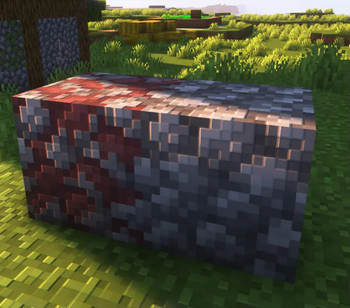
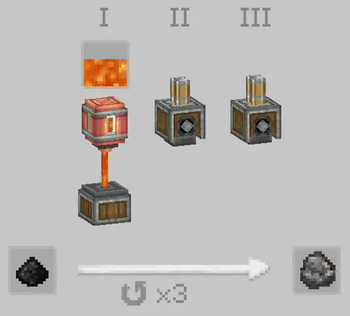
About this Mod
New Blocks and Items Expansion for Create Mod
This mod introduces several new features to enhance the automation and crafting experience within the Create mod. Below is an overview of the additions:
New Blocks
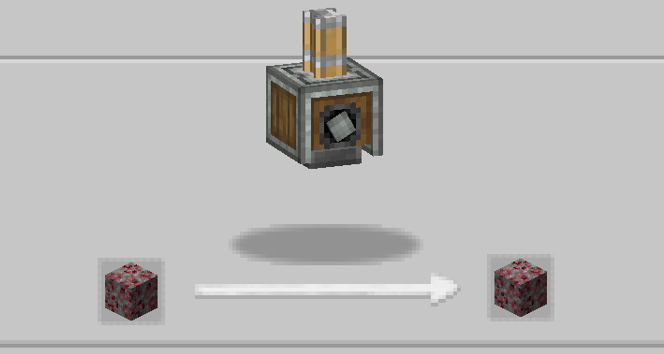
- Gravel Wart
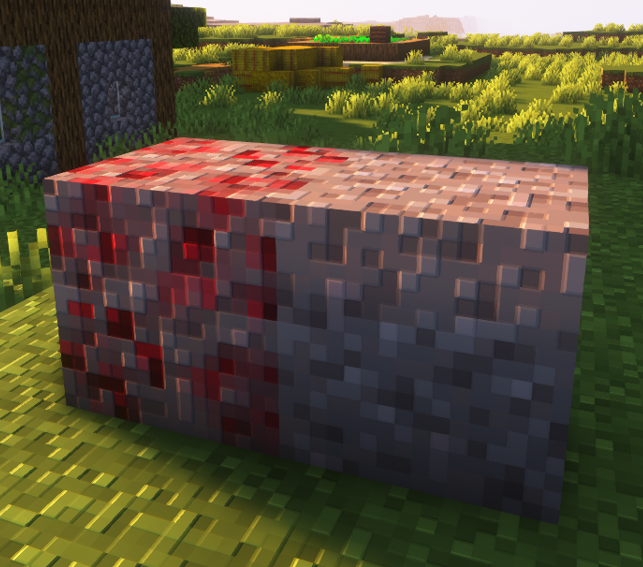
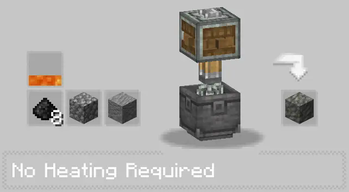
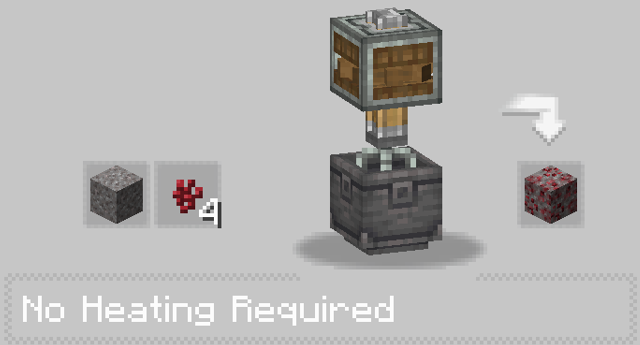
- Cobble Wart
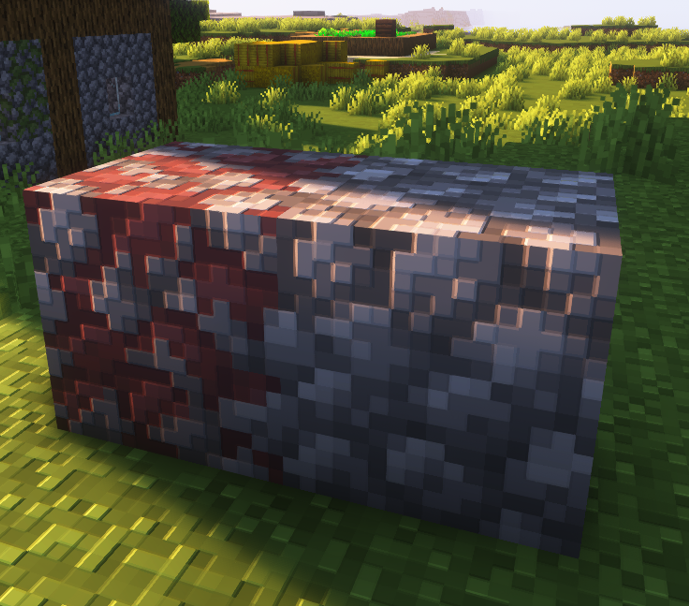
New Crops
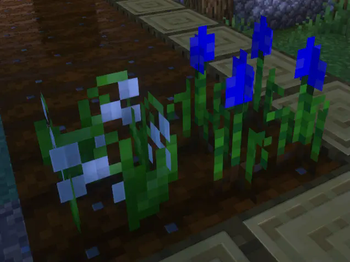
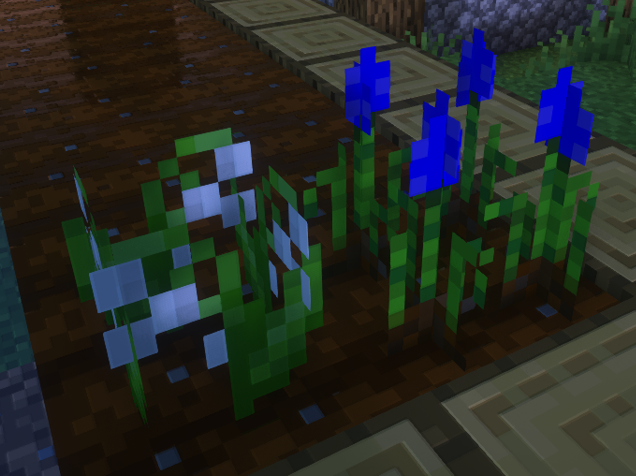
- Muscari Flower: Not just a decorative flower, but also a new crop with its own uses.
- Lily of the Valley: Traditionally found in gardens, now available as a crop for cultivation.
New Items
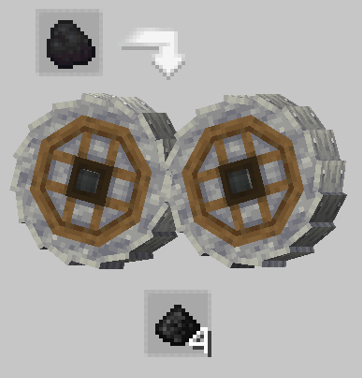
- Coal Dust: A new resource obtained from coal, used in various new recipes.
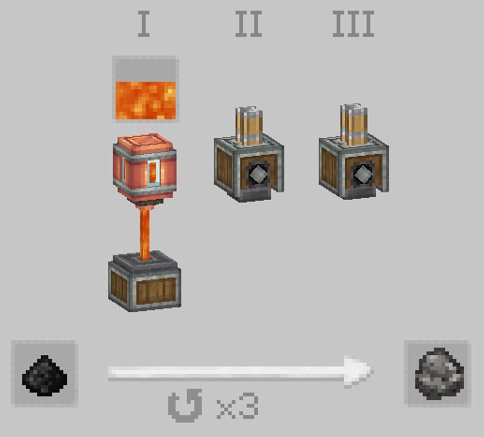
- Graphite: A derivative of coal, used in advanced crafting.
- Lily of the Valley Seed: Plantable seeds for growing your own Lily of the Valley crops.
- Muscari Seed: Seeds for cultivating the Muscari flowers.
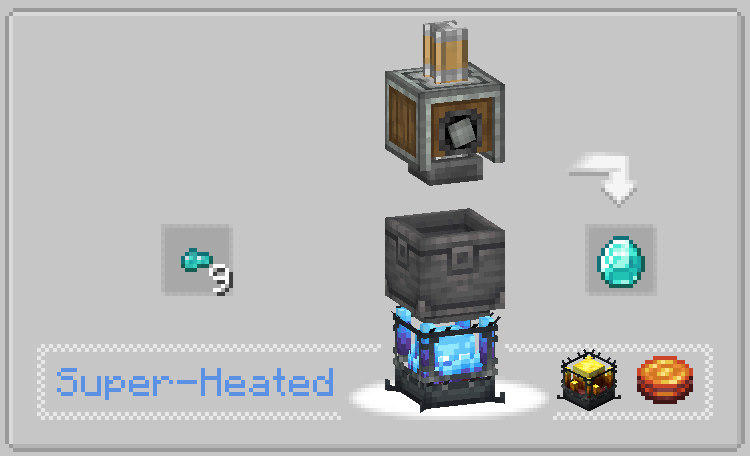
- Diamond Fragment: A new item obtained from breaking down less valuable materials, used in crafting diamonds themselves. This provides a new method for players to obtain diamonds, adding depth to resource management and crafting strategies.
Config
Enable/ Disable all new recipes in the config file (
%USERPROFILE%\AppData\Roaming\.minecraft\config\createrecipeeverything-common.toml
)
New Recipes
Several new recipes have been added to provide more depth to the game's crafting system. These recipes allow for the creation of new items and block types, further enhancing the mod's integration with the Create mod's automation features.
Gravel Wart:
Cobble Wart:
Graphite:
Diamond Fragment:
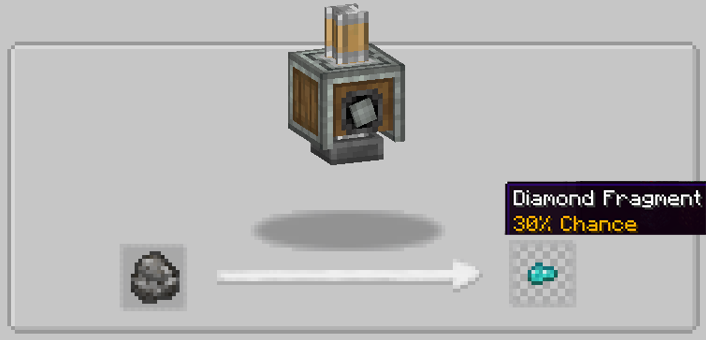
Diamond:
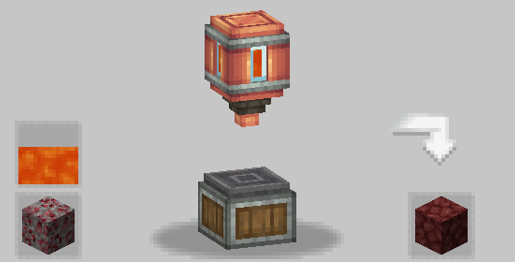
Netherrack:
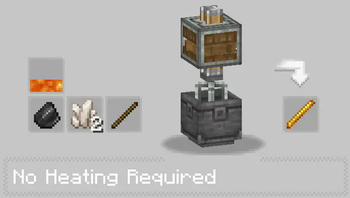
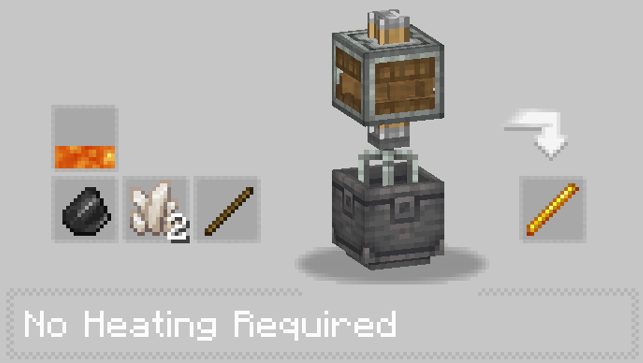
Blaze Rod:
Netherrite Ingot:
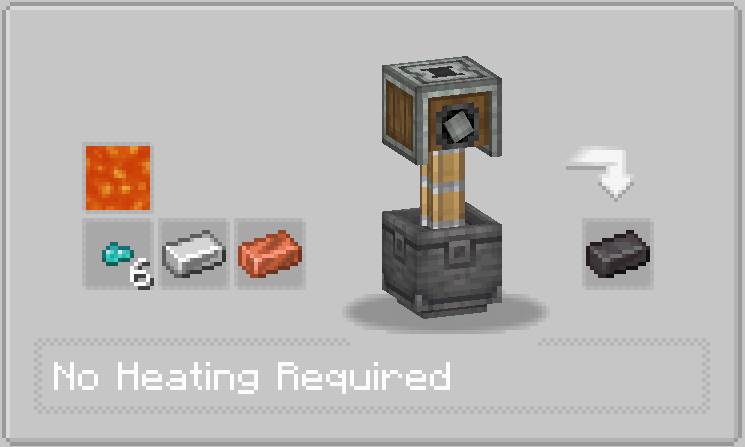
Coal Dust:
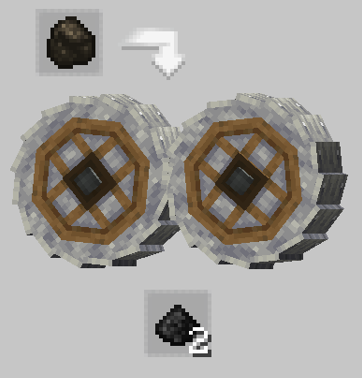
Leather:
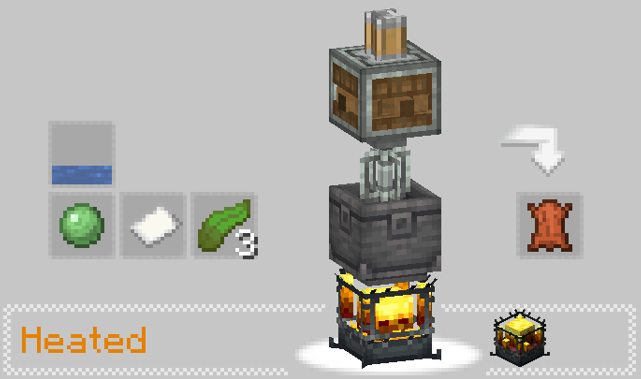
Saddle:
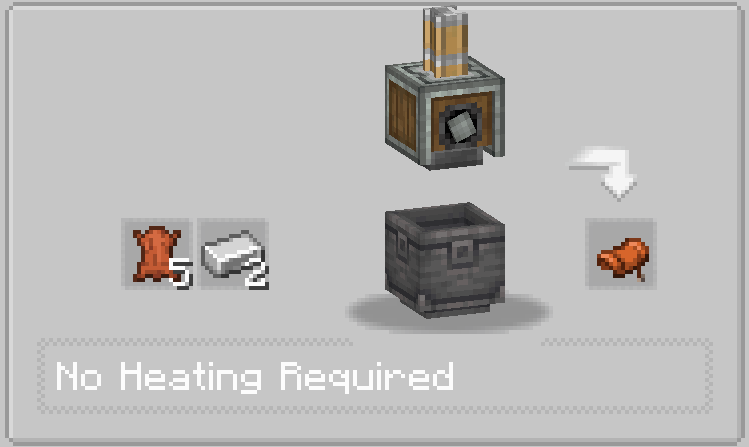
Blue Dye:
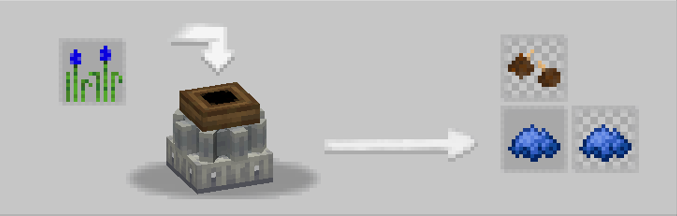
Black Dye:
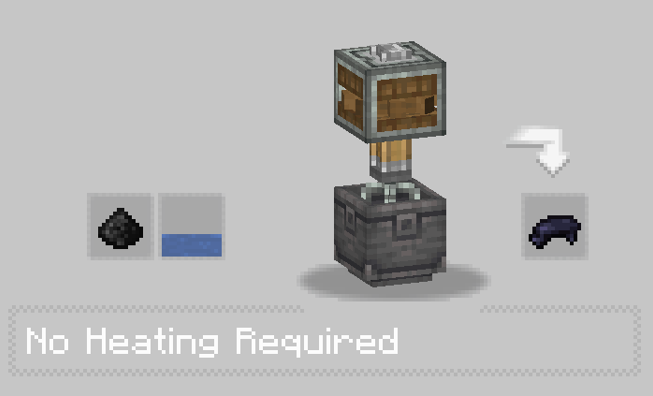
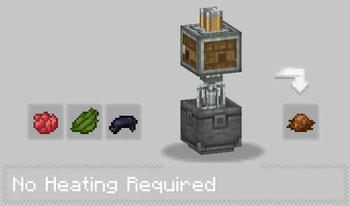
Brown Dye:
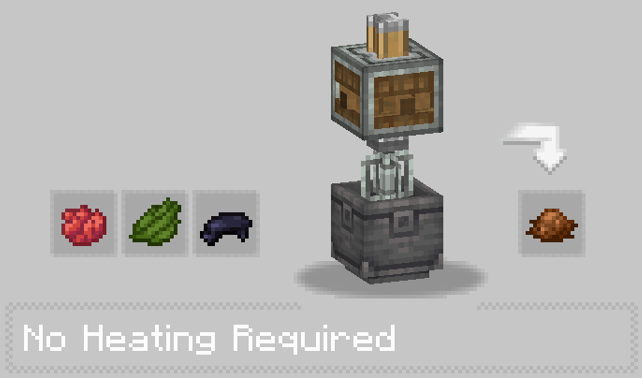
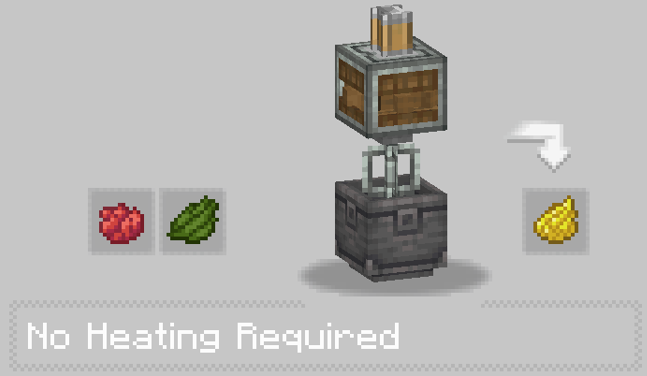
Yellow Dye:
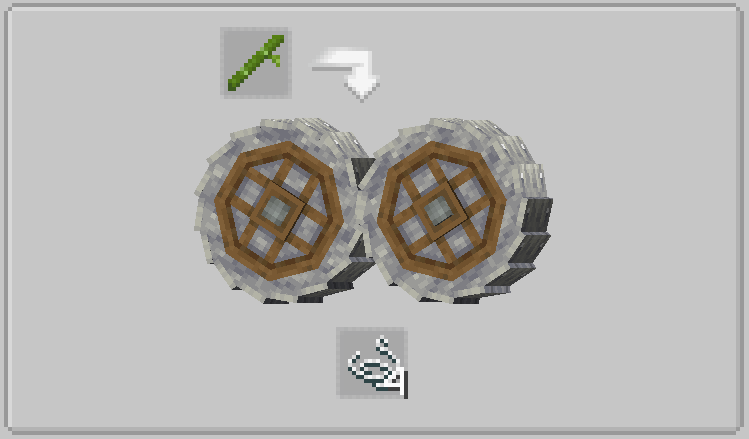
String:
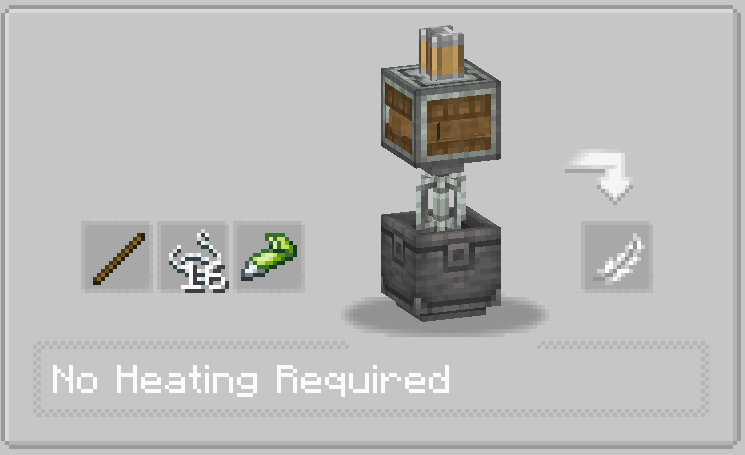
Feather:
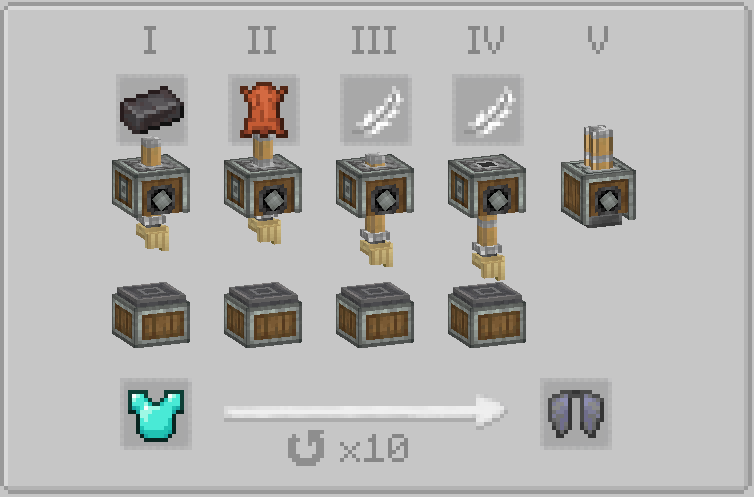
Elytra:
Available Versions
How to Install Create: Recipe Everything on Your Server
Order Server
Order a Minecraft Java server with at least 4 GB RAM (6 GB recommended).
Set forge Loader
In the panel under "Egg", select the forge loader and matching Minecraft version (1.18.2).
Install Mod
Open the mod browser in the dashboard and search for "Create: Recipe Everything". Click "Install" – done! Alternatively, upload the .jar via SFTP to the /mods folder.
Compatibility
Mod Loaders
Minecraft Versions
1.18.2
Server-side
✓ RequiredRecommended RAM
6 GB(min. 4 GB)Frequently Asked Questions
Create: Recipe Everything server crashes on startup – what to do?
Most common cause: wrong forge version or insufficient RAM. Check the server log (latest.log) for "OutOfMemoryError" or "Mixin" errors. With Mado Hosting: ensure at least 4 GB RAM is allocated and the loader matches the mod version (1.18.2). You can switch loaders with one click in the panel.
Is Create: Recipe Everything compatible with forge?
Create: Recipe Everything officially supports forge for Minecraft 1.18.2. The Mado dashboard automatically detects incompatible loader combinations.
Server lagging with Create: Recipe Everything – how to optimize performance?
Recommended RAM: 6 GB (per 5 players). Use /spark profiler to check if Create: Recipe Everything consumes the most tick time. Common fixes: reduce server view-distance to 8-10, install "performant" or "starlight" as supplementary mods on Forge. With Mado Hosting, your server runs on NVMe SSDs with dedicated CPU cores for minimal latency.
Rent Modded Server
Install Create: Recipe Everything with just one click on your server.