
Create: Sound of Steam: Ultimine Tuning
An automation addon that integrates Tuning Wrench with the FTB Ultimine API to mass-configure redstone networks in a single click.
Screenshots
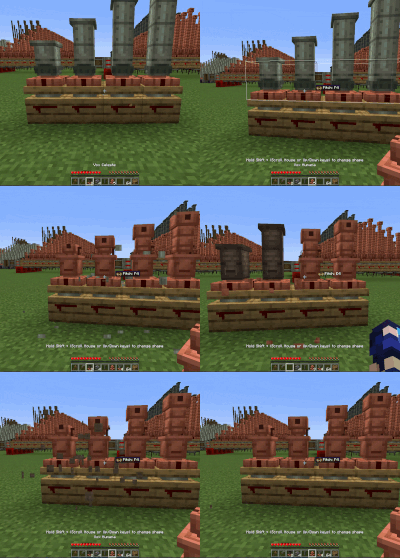
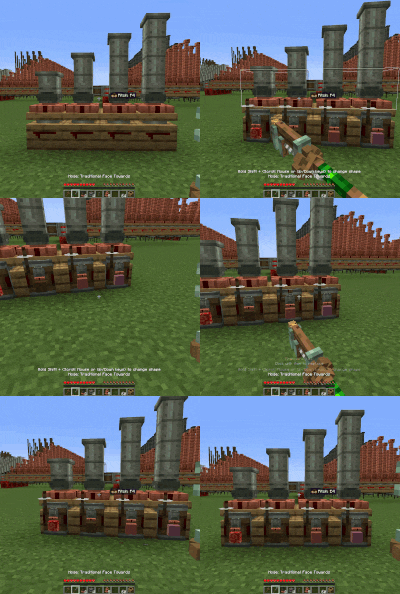
About this Mod
UltimineTuning
An automation addon for NeoForge 1.21.1 that integrates Tuning Wrench with the FTB Ultimine API to mass-configure redstone networks in a single click.
🔍 The Problem & Solution
- The Problem: In Create: Sound of Steam, setting up complex redstone links manually is incredibly tedious. The Tuning Wrench mod solved this by letting you configure individual links in a single click. However, if you have a massive network of interconnected pipes, you still have to manually run down the line and click every single block one-by-one.
- The Solution: UltimineTuning bridges the gap. By leveraging the FTB Ultimine API, you can now hold your Ultimine key, click a single pipe block with your Tuning Wrench, and instantly tune the entire chain at once.
🛠️ Requirements & Dependencies
This mod functions as an extension and requires the following mods to be installed:
- NeoForge (1.21.1)
- Create
- Create: Sound of Steam
- Create: Sound of Steam: Tuning Wrench
- FTB Ultimine
🚀 Features
- Chain-Tuning: Holds the FTB Ultimine shape/chain key to apply wrench frequencies across all connected compatible blocks instantly.
- Chain-Modification: Hold your FTB Ultimine shape/chain key while holding a different pipe variant to swap the pipe type for the entire connected network at once.
- Time Saver: Cuts down the setup time for massive steam or piping networks from minutes to a single second.
- Smart Filtering: Utilizes FTB Ultimine's logical block matching to ensure you only tune the relevant blocks you intend to configure.
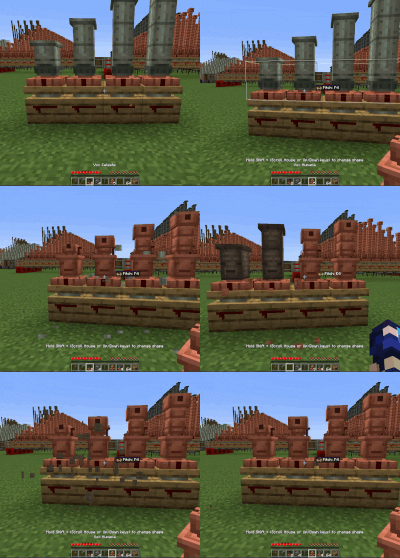
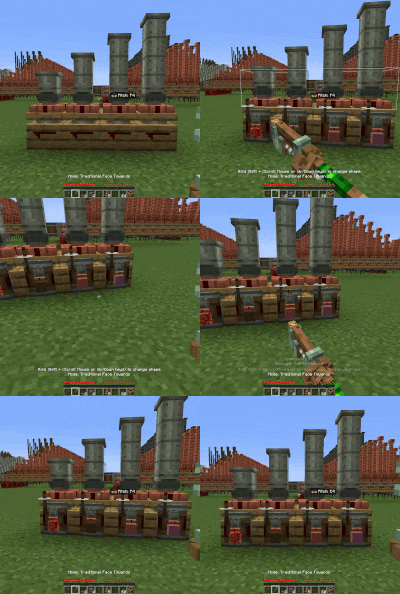
📜 Credits & License
- Code & Concept: Developed by trungpro200.
- License: This mod's source code is distributed under the MIT License.
Disclaimer: This is an unofficial third-party addon extension and is not directly affiliated with the official Create, FTB, or Sound of Steam development teams.
Available Versions
How to Install Create: Sound of Steam: Ultimine Tuning on Your Server
Order Server
Order a Minecraft Java server with at least 4 GB RAM (6 GB recommended).
Set neoforge Loader
In the panel under "Egg", select the neoforge loader and matching Minecraft version (1.21.1).
Install Mod
Open the mod browser in the dashboard and search for "Create: Sound of Steam: Ultimine Tuning". Click "Install" – done! Alternatively, upload the .jar via SFTP to the /mods folder.
Compatibility
Mod Loaders
Minecraft Versions
1.21.1
Server-side
✓ RequiredRecommended RAM
6 GB(min. 4 GB)Frequently Asked Questions
Create: Sound of Steam: Ultimine Tuning server crashes on startup – what to do?
Most common cause: wrong neoforge version or insufficient RAM. Check the server log (latest.log) for "OutOfMemoryError" or "Mixin" errors. With Mado Hosting: ensure at least 4 GB RAM is allocated and the loader matches the mod version (1.21.1). You can switch loaders with one click in the panel.
Is Create: Sound of Steam: Ultimine Tuning compatible with neoforge?
Create: Sound of Steam: Ultimine Tuning officially supports neoforge for Minecraft 1.21.1. The Mado dashboard automatically detects incompatible loader combinations.
Server lagging with Create: Sound of Steam: Ultimine Tuning – how to optimize performance?
Recommended RAM: 6 GB (per 5 players). Use /spark profiler to check if Create: Sound of Steam: Ultimine Tuning consumes the most tick time. Common fixes: reduce server view-distance to 8-10, install "performant" or "starlight" as supplementary mods on Forge. With Mado Hosting, your server runs on NVMe SSDs with dedicated CPU cores for minimal latency.
Similar Mods





Rent Modded Server
Install Create: Sound of Steam: Ultimine Tuning with just one click on your server.