
Create: SteelWorks
This mod adds Steel element to mod Create
Screenshots
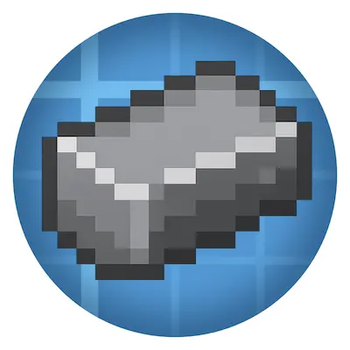
About this Mod
Create: SteelWorks is an immersive addon for the Create mod that introduces a full-featured steel production system into Minecraft. Designed to seamlessly integrate with Create’s mechanical automation, this mod adds a realistic metallurgy chain that enhances both progression and industrial gameplay.
From raw ore processing to refined steel plates, players can build complex production lines that simulate real-world steel manufacturing. The mod introduces new materials such as Steel Blend, Unsmoothed Steel Ingots, and Polished Steel Ingots, each requiring mechanical processing steps like crushing, smelting, and polishing. These materials can then be used to craft advanced components, machines, and structures that expand the possibilities of your factory builds.
Whether you're designing a steampunk steel mill or automating high-tier machinery, Create: SteelWorks provides the tools and depth to take your engineering to the next level. The mod is optimized for both client and server environments, ensuring smooth multiplayer experiences.
Key Features:
- A complete steel production chain integrated with Create’s mechanical systems
- New items: Steel Blend, Unsmoothed Steel Ingot, Steel Ingot, Steel Plate
- Realistic processing steps: crushing, smelting, polishing
- Compatible with both Forge and Fabric loaders
- Server-friendly and modpack-ready
- Actively maintained and open to community feedback
Requirements:
- Minecraft 1.XX.X
- Create mod (latest compatible version)
- Forge or Fabric loader
Recommended For:
- Players who enjoy automation, industry, and immersive progression
- Modpack creators looking to expand Create’s tech tree
- Multiplayer servers focused on engineering and factory gameplay
Join the growing community of engineers and metallurgists who are reshaping Minecraft’s industrial age—one steel beam at a time.
Available Versions
How to Install Create: SteelWorks on Your Server
Order Server
Order a Minecraft Java server with at least 4 GB RAM (6 GB recommended).
Set forge Loader
In the panel under "Egg", select the forge loader and matching Minecraft version (1.20.1).
Install Mod
Open the mod browser in the dashboard and search for "Create: SteelWorks". Click "Install" – done! Alternatively, upload the .jar via SFTP to the /mods folder.
Compatibility
Mod Loaders
Minecraft Versions
1.20.1
Server-side
✓ RequiredRecommended RAM
6 GB(min. 4 GB)Frequently Asked Questions
Create: SteelWorks server crashes on startup – what to do?
Most common cause: wrong forge version or insufficient RAM. Check the server log (latest.log) for "OutOfMemoryError" or "Mixin" errors. With Mado Hosting: ensure at least 4 GB RAM is allocated and the loader matches the mod version (1.20.1). You can switch loaders with one click in the panel.
Is Create: SteelWorks compatible with forge?
Create: SteelWorks officially supports forge for Minecraft 1.20.1. The Mado dashboard automatically detects incompatible loader combinations.
Server lagging with Create: SteelWorks – how to optimize performance?
Recommended RAM: 6 GB (per 5 players). Use /spark profiler to check if Create: SteelWorks consumes the most tick time. Common fixes: reduce server view-distance to 8-10, install "performant" or "starlight" as supplementary mods on Forge. With Mado Hosting, your server runs on NVMe SSDs with dedicated CPU cores for minimal latency.
Similar Mods





Rent Modded Server
Install Create: SteelWorks with just one click on your server.