
Create: The Air War
This mod was created for aerial vehicles. The main function of the mod was to add more weapons to air transport so that people could create an air war between different factions and countries
Screenshots

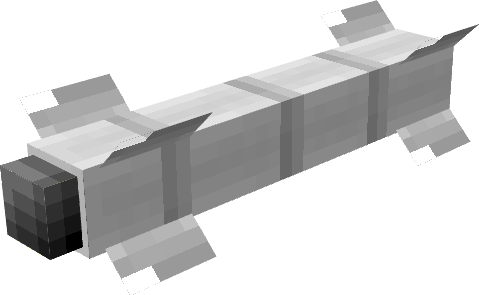
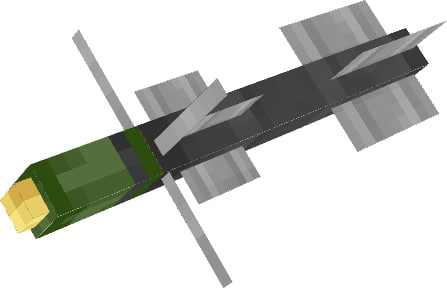
About this Mod
Create: The Air War - Second Part Of New Update
1.Weapons
C-3K - Close strike cruise missile
C-8 - Rocket box containing 9 long strike missiles
SC250 - Close strike cruise missile
OZM72 - Anti-infantry mine
RIM-7 - Long strike cruise missile
C-25 - Long strike missile
9K119M - Long strike missile
8. Hand Grenade M24 - classic german grenade
Machine Gun - less 12 bullets to sec
Tomahawk - working only with rocket designator, right click to link and set cordinates
AIM-9X - new era of air to air rockets, this is anti Create: Aeronautics ship rocket
"Vihr" - this is laser rocket can lock in aeronautics ships
X-25ML - also laser rocket and can lock in aeronautics and create big boom
2.Important
All new updates will be only on NeoForge port, and we will be upload updates on modrinth only v
very soon.
AND THIS MOD NEEDS Create Aeronautics and supports Sable
3. Very Important Items
Monitor - connect camera and rockets and chill
Camera - connect to monitor and get your target
Link Cable - this is cable
4.Support Buttons
Discord
Available Versions
How to Install Create: The Air War on Your Server
Order Server
Order a Minecraft Java server with at least 4 GB RAM (6 GB recommended).
Set forge Loader
In the panel under "Egg", select the forge loader and matching Minecraft version (1.21.1).
Install Mod
Open the mod browser in the dashboard and search for "Create: The Air War". Click "Install" – done! Alternatively, upload the .jar via SFTP to the /mods folder.
Compatibility
Mod Loaders
Minecraft Versions
1.21.1, 1.20.1
Server-side
✓ RequiredRecommended RAM
6 GB(min. 4 GB)Frequently Asked Questions
Create: The Air War server crashes on startup – what to do?
Most common cause: wrong forge version or insufficient RAM. Check the server log (latest.log) for "OutOfMemoryError" or "Mixin" errors. With Mado Hosting: ensure at least 4 GB RAM is allocated and the loader matches the mod version (1.21.1). You can switch loaders with one click in the panel.
Is Create: The Air War compatible with forge and neoforge?
Create: The Air War officially supports forge, neoforge for Minecraft 1.21.1, 1.20.1. The Mado dashboard automatically detects incompatible loader combinations.
Server lagging with Create: The Air War – how to optimize performance?
Recommended RAM: 6 GB (per 5 players). Use /spark profiler to check if Create: The Air War consumes the most tick time. Common fixes: reduce server view-distance to 8-10, install "performant" or "starlight" as supplementary mods on Forge. With Mado Hosting, your server runs on NVMe SSDs with dedicated CPU cores for minimal latency.
Similar Mods






Rent Modded Server
Install Create: The Air War with just one click on your server.