
Create: Trial & Error
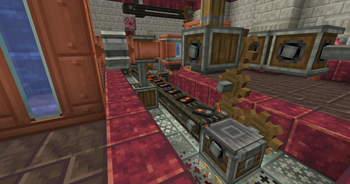
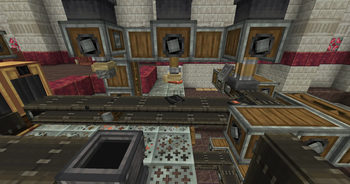
Automate the Trial Chambers with unique and challenging production lines!
Screenshots
About this Mod
This is Create: Trial & Error!
While Create has been updated to 1.21 for some time, there hasn't been much interaction between 1.21's new features and Create... until now! Create: Trial & Error allows for full automation of the Trial Chamber's Vaults through various features.
Key Casts: Both regular Trial and Ominous Keys can now be replicated by creating casts of them. While this process has a high chance of failure, once a cast is made, it can be used to make infinite keys using Tuff and Copper.
Deployers & Vaults: In base game, a Vault cannot be opened unless the player is within a certain distance. This has been changed so that Deployers can open Vaults without a player needing to be nearby, allowing for remote vault automation.
Blank Slate: Vaults can now be reattempted using the new Tabula Rasa item. Applying one to a Vault allows it to be reopened. They can be obtained through Ominous Vaults, as well as duplicated using Mechanical Crafters.
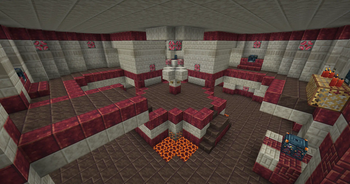
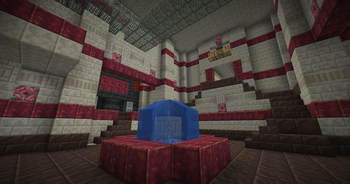
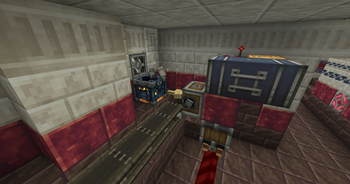
Trial Chambers Aesthetic Overhaul: The Trial Chambers have been palette swapped to feature decorative Create blocks. They also feature a new line of Andesite decorative blocks: Andesite Grates, Bulbs, and Trapdoors. Vaults now also contain Create items such as Zinc and Andesite Alloy with an added on loot pool.
Veridium & Tuff Automation: To facilitate the full automation of Trial Keys, recipes have been added for the automation of Tuff and Veridium, which can both be used to obtain renewable copper.
While the road to automating Trial Chambers is a long one, the end result is a (relatively balanced) infinite source of Diamonds, Heavy Cores, and even Enchanted Golden Apples.
Note that the Ominous Key requires Oxidized Copper. This mod does not provide a recipe for oxidizing copper for balancing purposes, you are meant to automate oxidization using Deployers and Drills. An alternative would be downloading Create: Oxidized, which adds oxidization recipes, here.
Available Versions
How to Install Create: Trial & Error on Your Server
Order Server
Order a Minecraft Java server with at least 4 GB RAM (6 GB recommended).
Set neoforge Loader
In the panel under "Egg", select the neoforge loader and matching Minecraft version (1.21.7).
Install Mod
Open the mod browser in the dashboard and search for "Create: Trial & Error". Click "Install" – done! Alternatively, upload the .jar via SFTP to the /mods folder.
Compatibility
Mod Loaders
Minecraft Versions
1.21.7, 1.21.6, 1.21.5 (+4 more)
Server-side
✓ RequiredRecommended RAM
6 GB(min. 4 GB)Frequently Asked Questions
Create: Trial & Error server crashes on startup – what to do?
Most common cause: wrong neoforge version or insufficient RAM. Check the server log (latest.log) for "OutOfMemoryError" or "Mixin" errors. With Mado Hosting: ensure at least 4 GB RAM is allocated and the loader matches the mod version (1.21.7). You can switch loaders with one click in the panel.
Is Create: Trial & Error compatible with neoforge?
Create: Trial & Error officially supports neoforge for Minecraft 1.21.7, 1.21.6, 1.21.5. The Mado dashboard automatically detects incompatible loader combinations.
Server lagging with Create: Trial & Error – how to optimize performance?
Recommended RAM: 6 GB (per 5 players). Use /spark profiler to check if Create: Trial & Error consumes the most tick time. Common fixes: reduce server view-distance to 8-10, install "performant" or "starlight" as supplementary mods on Forge. With Mado Hosting, your server runs on NVMe SSDs with dedicated CPU cores for minimal latency.
Similar Mods





Rent Modded Server
Install Create: Trial & Error with just one click on your server.