
Create: Worldshaper Utilities
An enhanced Create Worldshaper with survival-friendly controls.
Screenshots
About this Mod

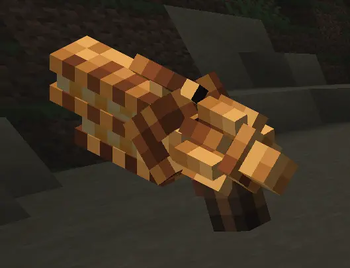
🛠️ Worldshaper Utilities
🔥 Works in Survival!
Upgrade your building workflow with a powerful new Worldshaper designed for both creative and survival gameplay.
This Create addon adds an enhanced Worldshaper that feels identical to the original — but with smarter mechanics, better control, and survival-friendly building.
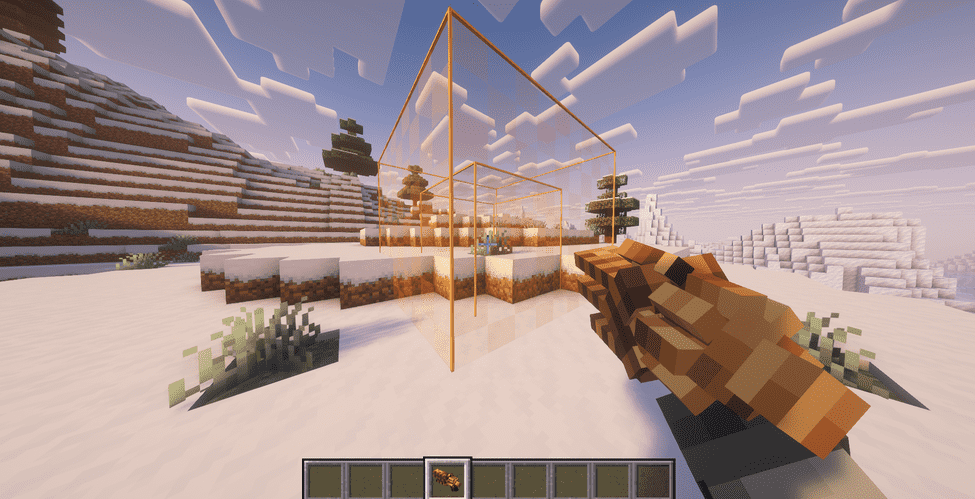
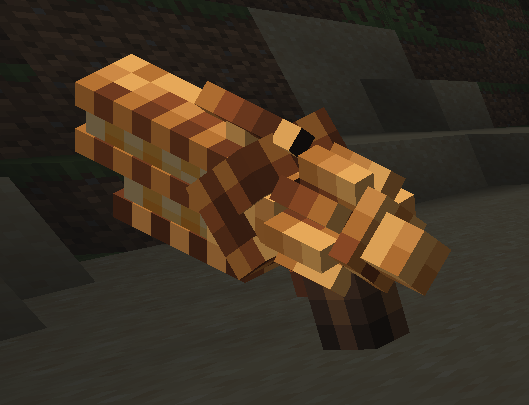
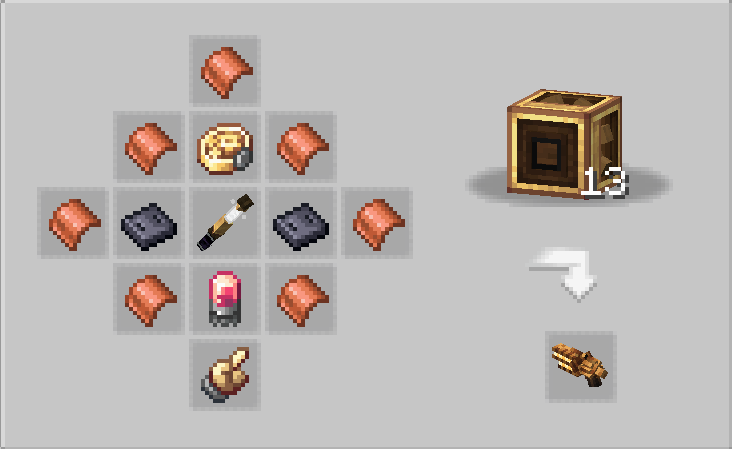
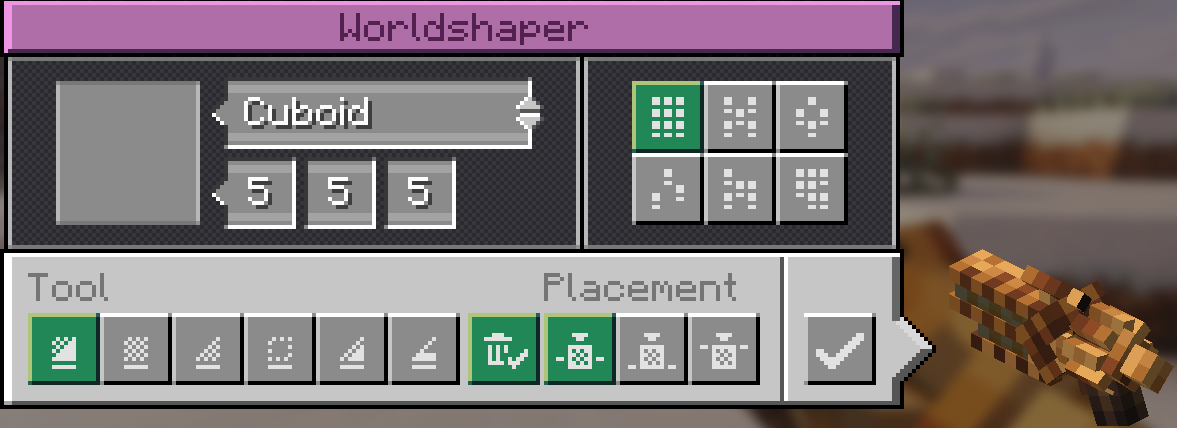

✨ Features
🧱 Adds a new Worldshaper (Create-style)
✅ Fully compatible — does NOT modify Create’s original Creative Worldshaper
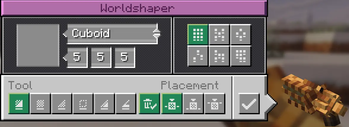
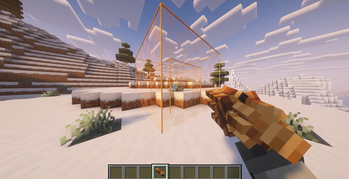
🎮 Same UI, controls, modes, preview, and selection behavior
📦 Survival building support
Places blocks directly from your inventory
No blocks = no placement
No duplication
🧊 Creative mode still works without limitations
📏 Configurable range and cuboid size
💥 Clear Mode Improvements
Optionally drops removed blocks as items. Block drop when using the clear mode! ( can be turned off )
Drops spawn near the player (clean & controlled)
🔘 GUI toggle to enable/disable drops
✨ Optional Silk Touch clear mode
⚙️ Performance & Safety
🛡️ Block blacklist support
⚙️ Drop/action limits to reduce lag
🚫 Prevents duplication and unsafe behavior
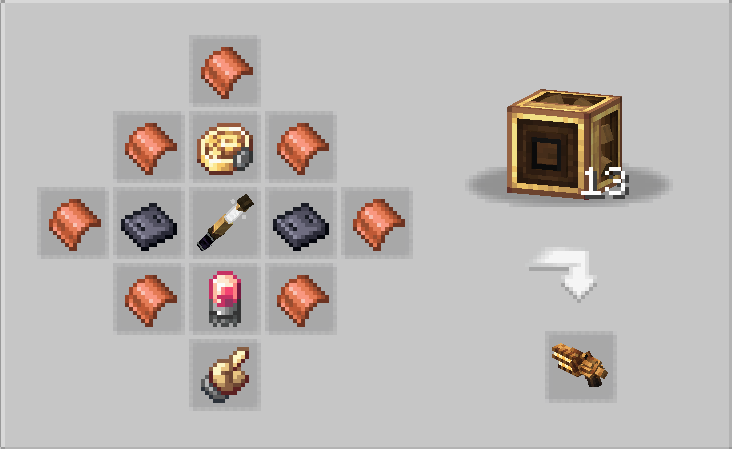
🏭 Crafting
Includes a Mechanical Crafter recipe
⚙️ Configuration
Fully customizable via:
worldshaperutilities-common.toml
Adjust:
Range & size limits
Drop behavior
Silk Touch mode
Performance limits
Blacklisted blocks
💡 Why use this?
The default Creative Worldshaper is powerful — but limited to creative-style usage.
Worldshaper Utilities brings that same power to survival gameplay
without breaking balance or causing item duplication.
⚠️ Disclaimer
This is an addon for the Create mod.
Create is required to run this mod.
This mod does NOT modify or replace Create’s original Worldshaper.

This mod have been created with IntelliJ
❗ NOT AN OFFICIAL MINECRAFT PRODUCT
NOT APPROVED BY OR ASSOCIATED WITH MOJANG OR MICROSOFT
Available Versions
How to Install Create: Worldshaper Utilities on Your Server
Order Server
Order a Minecraft Java server with at least 4 GB RAM (6 GB recommended).
Set forge Loader
In the panel under "Egg", select the forge loader and matching Minecraft version (1.21.1).
Install Mod
Open the mod browser in the dashboard and search for "Create: Worldshaper Utilities". Click "Install" – done! Alternatively, upload the .jar via SFTP to the /mods folder.
Compatibility
Mod Loaders
Minecraft Versions
1.21.1, 1.20.1
Server-side
✓ RequiredRecommended RAM
6 GB(min. 4 GB)Frequently Asked Questions
Create: Worldshaper Utilities server crashes on startup – what to do?
Most common cause: wrong forge version or insufficient RAM. Check the server log (latest.log) for "OutOfMemoryError" or "Mixin" errors. With Mado Hosting: ensure at least 4 GB RAM is allocated and the loader matches the mod version (1.21.1). You can switch loaders with one click in the panel.
Is Create: Worldshaper Utilities compatible with forge and neoforge?
Create: Worldshaper Utilities officially supports forge, neoforge for Minecraft 1.21.1, 1.20.1. The Mado dashboard automatically detects incompatible loader combinations.
Server lagging with Create: Worldshaper Utilities – how to optimize performance?
Recommended RAM: 6 GB (per 5 players). Use /spark profiler to check if Create: Worldshaper Utilities consumes the most tick time. Common fixes: reduce server view-distance to 8-10, install "performant" or "starlight" as supplementary mods on Forge. With Mado Hosting, your server runs on NVMe SSDs with dedicated CPU cores for minimal latency.
Similar Mods




![[TaCZ] Timeless and Classics Zero](https://cdn.modrinth.com/data/SzzJttH8/fd27766d2bb8390d284696b1dbd358f87e081439_96.webp)

Rent Modded Server
Install Create: Worldshaper Utilities with just one click on your server.