
CreateTagsFix
Fixes blocks on contraptions
Screenshots
About this Mod
IF YOU WANT ME TO ADD OTHER BLOCKS, CREATE AN ISSUE ON GITHUB OR ASK ME ON THE DISCORD LINKED AT THE BOTTOM OF THIS PAGE
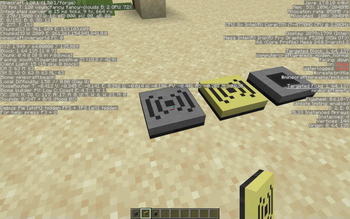
Fixes various blocks on create contraptions.
This works by adding tags to modded, and some vanilla blocks. Check out createccfix/data/create/tags/blocks/ on the github for a list of tags. The tags are the file names.
The fix for the original problem was suggested by the author of this issue, and now the project has expanded to adding tags to any blocks that need a create tag.
I would recommend that if the mod works for your version, you use it instead of the datapack, as the datapack has to be installed to the datapacks folder for each world, which is a bit tiresome.
Supported Blocks:
supplementaries candle holders https://github.com/MehVahdJukaar/Supplementaries/issues/1086
computercraft modems - these are fixed in cc:tweaked 1.110.2
vanilla moss carpet - fixed in create patch h
vanilla banners - fixed in create patch h
vanilla cake - fixed in create patch h
Most blocks have been fixed in dev versions of the respective mods apart from supplementaries, where no-one has replied to me, but leaving them in the datapack doesn't affect the fixed versions, so i'm leaving them in for now (I've removed the fixed blocks from 4.0+).
If you have any issues or ideas for improvement, create an issue on the github or join the discord.
If you have other blocks that have the same problem, please comment on the pinned issue on the github.
Github:
https://github.com/Plite7067/CreateCCModemFix
Discord:
https://discord.gg/JVnsenjzUd
Available Versions
How to Install CreateTagsFix on Your Server
Order Server
Order a Minecraft Java server with at least 4 GB RAM (6 GB recommended).
Set datapack Loader
In the panel under "Egg", select the datapack loader and matching Minecraft version (1.21.1).
Install Mod
Open the mod browser in the dashboard and search for "CreateTagsFix". Click "Install" – done! Alternatively, upload the .jar via SFTP to the /mods folder.
Compatibility
Mod Loaders
Minecraft Versions
1.21.1, 1.20.1, 1.19.2 (+1 more)
Server-side
✓ RequiredRecommended RAM
6 GB(min. 4 GB)Frequently Asked Questions
CreateTagsFix server crashes on startup – what to do?
Most common cause: wrong datapack version or insufficient RAM. Check the server log (latest.log) for "OutOfMemoryError" or "Mixin" errors. With Mado Hosting: ensure at least 4 GB RAM is allocated and the loader matches the mod version (1.21.1). You can switch loaders with one click in the panel.
Is CreateTagsFix compatible with datapack and fabric and forge and neoforge and quilt?
CreateTagsFix officially supports datapack, fabric, forge, neoforge, quilt for Minecraft 1.21.1, 1.20.1, 1.19.2. Note: Forge and Fabric mods are NOT cross-compatible – pick one loader and stick with it. The Mado dashboard automatically detects incompatible loader combinations.
Server lagging with CreateTagsFix – how to optimize performance?
Recommended RAM: 6 GB (per 5 players). Use /spark profiler to check if CreateTagsFix consumes the most tick time. Common fixes: reduce server view-distance to 8-10, install "performant" or "starlight" as supplementary mods on Forge. With Mado Hosting, your server runs on NVMe SSDs with dedicated CPU cores for minimal latency.
Similar Mods





Rent Modded Server
Install CreateTagsFix with just one click on your server.