CreateGear
Adds new tools in the world in a vanilla style utulizing Create
About this Mod

CreateGear brings new tools to your gameplay experience. Using Create, this mod expands the possibilities of crafting and introduces advanced tools to the game.
In CreateGear, you'll discover five unique tools that offer enhanced capabilities and durability compared to their vanilla counterparts. These tools are designed to empower players with superior mining, excavation, farming, wood cutting, and combat abilities, providing an exciting edge in their adventures.
Special Thanks to...
Tinkers Construct for the inspirations,
and my favorite mod Create!
THIS MOD REQUIRES CREATE(0.5.1a) TO BE INSTALLED TO WORK
Tools Added
Dagger
Faster than a sword but less damage


Hammer
3x3 Pickaxe

Excavator
3x3 Shovel

Hatchet
Chops a tree in 1 hit

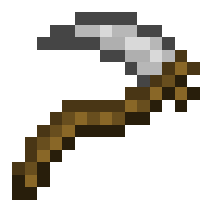
Scythe
3x3 Hoe

Crafting Process
Wood and stone tools are crafted in a crafting bench like any other tool, however, iron and above require molds and liquid metal!
Stone Head Recipes
Dagger

Hammer

Excavator

Hatchet

Scythe

Combining Parts

Creating Molds
Hardened Clay

Empty Mold

Hammer Mold (Same process for any mold)

Melting Liquid
Iron/Gold/Diamond

Netherite

Using Mold

Info/Links:
Available Versions
How to Install CreateGear on Your Server
Order Server
Order a Minecraft Java server with at least 4 GB RAM (6 GB recommended).
Set forge Loader
In the panel under "Egg", select the forge loader and matching Minecraft version (1.19.2).
Install Mod
Open the mod browser in the dashboard and search for "CreateGear". Click "Install" – done! Alternatively, upload the .jar via SFTP to the /mods folder.
Compatibility
Mod Loaders
Minecraft Versions
1.19.2
Server-side
✓ RequiredRecommended RAM
6 GB(min. 4 GB)Frequently Asked Questions
CreateGear server crashes on startup – what to do?
Most common cause: wrong forge version or insufficient RAM. Check the server log (latest.log) for "OutOfMemoryError" or "Mixin" errors. With Mado Hosting: ensure at least 4 GB RAM is allocated and the loader matches the mod version (1.19.2). You can switch loaders with one click in the panel.
Is CreateGear compatible with forge?
CreateGear officially supports forge for Minecraft 1.19.2. The Mado dashboard automatically detects incompatible loader combinations.
Server lagging with CreateGear – how to optimize performance?
Recommended RAM: 6 GB (per 5 players). Use /spark profiler to check if CreateGear consumes the most tick time. Common fixes: reduce server view-distance to 8-10, install "performant" or "starlight" as supplementary mods on Forge. With Mado Hosting, your server runs on NVMe SSDs with dedicated CPU cores for minimal latency.
Similar Mods




![[TaCZ] Timeless and Classics Zero](https://cdn.modrinth.com/data/SzzJttH8/fd27766d2bb8390d284696b1dbd358f87e081439_96.webp)

Rent Modded Server
Install CreateGear with just one click on your server.