
Creator Minecraft Java
Allows you to make models like Blockbench but allows a simplistic approach to it
Screenshots
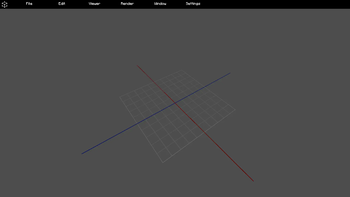
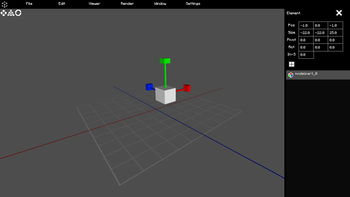
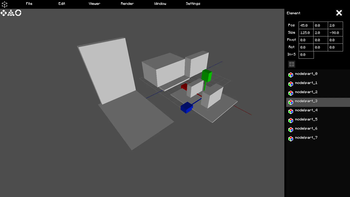
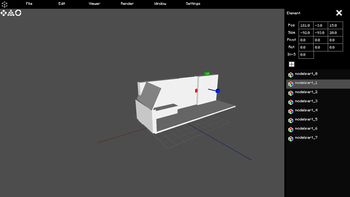

About this Mod

Update (2024/7/27)
This is still being worked on. I plan on releasing The Big Update in August.
About
Creator Minecraft Java allows you to make models like 3D Software but allows a simplistic approach to it.
Currently, it has few features and no saving feature as of right now however it will improve over time. pre-alpha version 1.0.0 is a very early demonstration of what this mod is.
No Lag Performace!
Model Edit
This feature is the main feature for model creation. It has Model Part Editing Dragging, Add modelpart Button and can delete a modelpart. Also has a visual modelpart list.
Requirements
[Fabric only] Fabric API is REQUIRED.
[Quilt only] Quilted Fabric API is REQUIRED.
[Forge only] Architectury is REQUIRED.
Progress Preview
The Big Update - 1.1.0
- Minecraft Transit Railway Resource Pack Creator 3.2.2 & 4.0.0 Support
- Addon Creator Feature
- Creator Keyboard Shortcuts Screen
- Minecraft World Model Editing
- Save and Load File Feature
- Folder Group Feature
- Better Model Control
- Home Page + Beginner Guide
This includes most features from my Experimental Project:
I Coded 3D Model Creator In Minecraft - Youtube Video
Also many more features
Keyboard Shortcuts
Editing Model on Model Edit - TAB
Delete Model - DELETE
Link
Let's connect
Any feedback, issues, questions or suggestions would be appreciated!
 )
)Available Versions
How to Install Creator Minecraft Java on Your Server
Order Server
Order a Minecraft Java server with at least 3 GB RAM (4 GB recommended).
Set fabric Loader
In the panel under "Egg", select the fabric loader and matching Minecraft version (1.20.1).
Install Mod
Open the mod browser in the dashboard and search for "Creator Minecraft Java". Click "Install" – done! Alternatively, upload the .jar via SFTP to the /mods folder.
Compatibility
Mod Loaders
Minecraft Versions
1.20.1
Server-side
✗ UnsupportedRecommended RAM
4 GB(min. 3 GB)Frequently Asked Questions
Creator Minecraft Java server crashes on startup – what to do?
Most common cause: wrong fabric version or insufficient RAM. Check the server log (latest.log) for "OutOfMemoryError" or "Mixin" errors. With Mado Hosting: ensure at least 3 GB RAM is allocated and the loader matches the mod version (1.20.1). You can switch loaders with one click in the panel.
Is Creator Minecraft Java compatible with fabric and forge and quilt?
Creator Minecraft Java officially supports fabric, forge, quilt for Minecraft 1.20.1. Note: Forge and Fabric mods are NOT cross-compatible – pick one loader and stick with it. The Mado dashboard automatically detects incompatible loader combinations.
Server lagging with Creator Minecraft Java – how to optimize performance?
Recommended RAM: 4 GB (per 8 players). Use /spark profiler to check if Creator Minecraft Java consumes the most tick time. Common fixes: reduce server view-distance to 8-10, install "performant" or "starlight" as supplementary mods on Forge. With Mado Hosting, your server runs on NVMe SSDs with dedicated CPU cores for minimal latency.
Similar Mods






Rent Modded Server
Install Creator Minecraft Java with just one click on your server.