
Crop & Kettle
A cozy cooking datapack that adds new food, crops and more! Over 100 recipes!
Screenshots
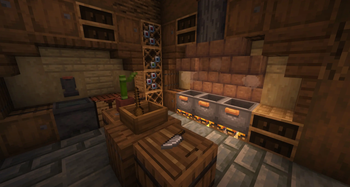
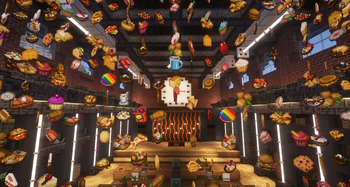


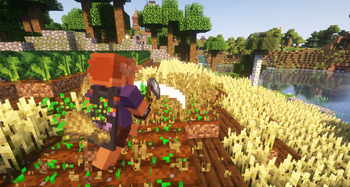
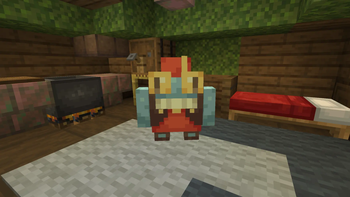
About this Mod

Crop & Kettle is a cozy cooking datapack, that aims to make cooking in Minecraft a much more engaging, interactive and rewarding experience!
Features
- Over 100 new recipes, ranging from snacks to feasts
- 7 new crops that can be found throughout the world
- An in-game cookbook that updates as you pick up ingredients and unlock recipes
- New interactive cooking blocks to let you chop, mix and cook your way to culinary excellence
- A wine aging system, with unique effects that increase in potency the longer a wine is aged
- A new trader NPC you can find out in the world, trading your home cooked meals for special rewards
- An advancement tab to help guide you through the pack
- A fully data-driven backend, allowing other datapacks to easily add their own recipes and cookbook pages!
- New music, new tools, secrets, and so much more!
Be sure to checkout the gallery!
Crop & Kettle is designed to be figured out by playing it, using the advancement tab and cookbook to figure out recipes and what to do next! But if you're stuck, or just want more detail on what the pack offers, then checkout the wiki or join the discord!
Trailer
FAQ
Where is the resource pack?
It's packaged with the datapack! The zip file you download can be used interchangeably, so just drop it into your resourcepack and datapack folders and you'll be good to go!
How do I get the cookbook?
Craft it using wheat and a book in a crafting table, but the recipe is unlocked for you by default. Search for "The Craft of Cooking"
Where can I find the seeds for the new crops?
Check the cookbook!
Where can I find the food recipes?
In the cookbook!
I hate the discovery system, how can I unlock all the recipes in the cookbook?
Crop & Kettle has a settings page! Press escape, then click:
Datapacks... > Crop & Kettle > Settings > Unlock Cookbook
How can I get rid of the chat spam from turning pages in the cookbook?
These can be disabled by running /gamerule send_command_feedback false. Do note that this disables feedback from all commands. Modern versions of the datapack also include a setting called "dynamic command feedback", this can be enabled by running /function dcf:on or via the admin panel: /function cnk:admin_panel. This will only disable the send_command_feedback gamerule when someone has a book open.
Will you port to version 1.X.X?
The answer will always be "if I have time". However, Crop & Kettle is made using a lot of features (dialogs, etc...) that were added in 1.21.6, hence it being the earliest version its currently available on. But who knows what the future holds!
How do I make an addon/add compatibility to my datapack?
Glad you asked! Checkout the wiki, it has a guide on how to do add recipes and cookbook pages, as well as an example addon!
Why can't I see the items in the creative menu or in REI/JEI/NEI?
This is a datapack with re-packaged mod versions for convenience of installation. It is currently not possible for custom items added by datapacks to be added to the creative menu or detected by any REI-like mod.
Thanks
- Special thanks to Marius Chamberlin for handling all sound-related stuff! If you love the music tracks he made for this pack then checkout his work here!
- Thanks to Smithed for being an awesome community for datapack developers!
- Thanks to crsdf5 for extra textures!
- Thanks to Lead for the Booze model, Fizz model and Cheese!
Translations
- Chinese: ZeroIcceBear
- Russian: ooliiverwicked
- German: CaptainGummiball
- Korean: Hu-Myo
- Vietnamese: Bush
- French: Stoupy
- Polish: Greytber
- Portugese: narcikitty
- Finnish: Toast
- Turkish: Vencins
Want to help translate the pack? Check out the Crowdin!
Available Versions
How to Install Crop & Kettle on Your Server
Order Server
Order a Minecraft Java server with at least 3 GB RAM (4 GB recommended).
Set datapack Loader
In the panel under "Egg", select the datapack loader and matching Minecraft version (26.1.2).
Install Mod
Open the mod browser in the dashboard and search for "Crop & Kettle". Click "Install" – done! Alternatively, upload the .jar via SFTP to the /mods folder.
Compatibility
Mod Loaders
Minecraft Versions
26.1.2, 26.1.1, 26.1 (+6 more)
Server-side
✓ RequiredRecommended RAM
4 GB(min. 3 GB)Frequently Asked Questions
Crop & Kettle server crashes on startup – what to do?
Most common cause: wrong datapack version or insufficient RAM. Check the server log (latest.log) for "OutOfMemoryError" or "Mixin" errors. With Mado Hosting: ensure at least 3 GB RAM is allocated and the loader matches the mod version (26.1.2). You can switch loaders with one click in the panel.
Is Crop & Kettle compatible with datapack and fabric and forge and neoforge and quilt?
Crop & Kettle officially supports datapack, fabric, forge, neoforge, quilt for Minecraft 26.1.2, 26.1.1, 26.1. Note: Forge and Fabric mods are NOT cross-compatible – pick one loader and stick with it. The Mado dashboard automatically detects incompatible loader combinations.
Server lagging with Crop & Kettle – how to optimize performance?
Recommended RAM: 4 GB (per 8 players). Use /spark profiler to check if Crop & Kettle consumes the most tick time. Common fixes: reduce server view-distance to 8-10, install "performant" or "starlight" as supplementary mods on Forge. With Mado Hosting, your server runs on NVMe SSDs with dedicated CPU cores for minimal latency.
Similar Mods




Rent Modded Server
Install Crop & Kettle with just one click on your server.