
crosshair plus
Crosshair+ - The Ultimate Pixel-Based PvP Editor
Screenshots
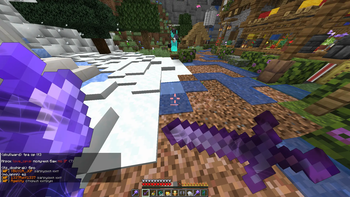
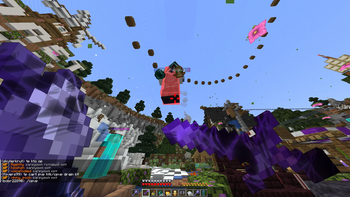
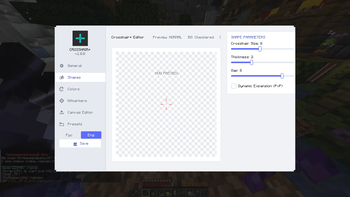
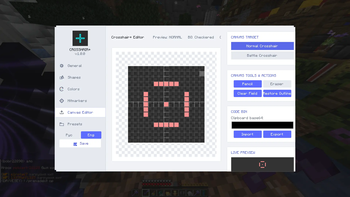
About this Mod
Crosshair+ — The Ultimate Pixel-Based PvP Editor
Crosshair+ is a powerful, creative tool designed for competitive players who demand both aesthetics and functionality. Built on the modern owo-lib framework, it offers a sleek, premium settings menu and unparalleled pixel-by-pixel customization to help you dominate the arena.
Key Features
Dual-Grid Editor: Design your crosshair using classic parameter sliders (size, thickness, gap) or draw pixel-by-pixel with a precision 15x15 canvas editor.
Dynamic Battle Modes:
Automatically switch your crosshair designs between Normal and Battle (combat/aiming) modes to maximize focus during PvP fights.
Intuitive Tools:
Utilize dedicated pencil and eraser tools with simple mouse toggles for precise pixel placement.
Premium Theme Design:
Experience a unified, beautiful palette with custom-colored sliders and clean, modern interface elements.
Bilingual Support:
Persistent in-game language switcher (English / Русский) with full translation across all tabs and labels.
Instant Access:
Open the graphical editor instantly in-game by pressing a configurable hotkey (Default: G).
How to Use
Download and install Fabric API and owo-lib.
Place the Crosshair+ jar file into your mods folder.
Launch the game and press G to open the editor.
Customize your crosshair, set your combat preferences, and hit the arena!
Available Versions
How to Install crosshair plus on Your Server
Order Server
Order a Minecraft Java server with at least 3 GB RAM (4 GB recommended).
Set fabric Loader
In the panel under "Egg", select the fabric loader and matching Minecraft version (1.21.11).
Install Mod
Open the mod browser in the dashboard and search for "crosshair plus". Click "Install" – done! Alternatively, upload the .jar via SFTP to the /mods folder.
Compatibility
Mod Loaders
Minecraft Versions
1.21.11, 1.21.10, 1.21.9 (+5 more)
Server-side
✗ UnsupportedRecommended RAM
4 GB(min. 3 GB)Frequently Asked Questions
crosshair plus server crashes on startup – what to do?
Most common cause: wrong fabric version or insufficient RAM. Check the server log (latest.log) for "OutOfMemoryError" or "Mixin" errors. With Mado Hosting: ensure at least 3 GB RAM is allocated and the loader matches the mod version (1.21.11). You can switch loaders with one click in the panel.
Is crosshair plus compatible with fabric?
crosshair plus officially supports fabric for Minecraft 1.21.11, 1.21.10, 1.21.9. The Mado dashboard automatically detects incompatible loader combinations.
Server lagging with crosshair plus – how to optimize performance?
Recommended RAM: 4 GB (per 8 players). Use /spark profiler to check if crosshair plus consumes the most tick time. Common fixes: reduce server view-distance to 8-10, install "performant" or "starlight" as supplementary mods on Forge. With Mado Hosting, your server runs on NVMe SSDs with dedicated CPU cores for minimal latency.
Similar Mods




![[TaCZ] Timeless and Classics Zero](https://cdn.modrinth.com/data/SzzJttH8/fd27766d2bb8390d284696b1dbd358f87e081439_96.webp)

Rent Modded Server
Install crosshair plus with just one click on your server.