
Crusalis Cappinger
A simple, client sided, QoL mod made for Crusalis, and other Nodes Servers, that watches your chat for war alerts and instantly sends a clean embed to your Discord webhook to inform you.
Screenshots
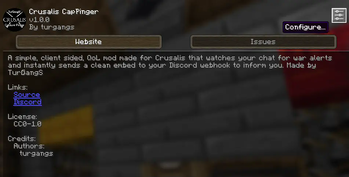


About this Mod
Crusalis CapPinger
A tiny, client-side Fabric mod that watches your chat for war alerts and fires a clean Discord embed with a live map image so your team can react instantly.

What it does
Detects war messages like:
"[War] <player> is attacking <town> at (x, y, z)""[War] <player> captured chunk (cx, cz) from <town>""[War] <player> captured territory (id=ID) from <town>"
Sends a Discord embed with:
- Attacker name
- Target town
- Coordinates
- Timestamp
- A generated map image showing the attack location with nation colors from Dynmap
Different embed styles for different events:
- Chunk Attacked - Red, for ongoing attacks
- Chunk Captured - Orange, for when a chunk is taken
- Territory Captured - Purple, with a striped visualization showing attacker vs defender
No commands, no server plugin required—just drop it in your client.
Configuration (Cloth Config)
Open Mods → Crusalis Cap Pinger → Config (Mod Menu), then:
- Discord Webhook URL — paste your channel webhook.
- Broadcast All (default ON) — forward every matching alert.
- Target Names — when Broadcast is OFF, only send if the target matches one of these names (exact match, case-insensitive).
- Ping Role ID (optional) — paste a Discord Role ID to @mention your defense squad.
Settings are saved locally; you can change them in-game anytime.
How it works
The mod listens to client message events on Fabric 1.21.7-1.21.8, parses each line, matches regex patterns for [War] messages, and—if allowed by your config—generates a map image from Dynmap data and POSTs a Discord embed. Map generation runs on a background thread so there's no FPS impact.
Requirements
- Minecraft 1.21.7 or 1.21.8
- Fabric Loader + Fabric API
- Cloth Config
- Mod Menu (for the config button)
Installation
- Install Fabric Loader and Fabric API.
- Drop Crusalis CapPinger into
mods/. - Add Mod Menu and Cloth Config.
- Launch → Mods → Crusalis Cap Pinger → Config → paste webhook.
- Keep Broadcast All ON or add Target Names if you only care about certain towns.
- (Optional) Add Role ID to ping a specific role.
You're live the moment a war alert hits chat.
The Map Image
Each alert includes an auto-generated map showing:
- Nation territories in their actual Dynmap colors
- Chunk grid overlay for reference
- Blue ocean background
- The attacked/captured chunk or territory highlighted
- Territory captures show stripes to indicate attacker vs defender
Privacy & Safety
- The mod reads incoming chat locally to find alerts.
- It only sends matched war alerts to your webhook.
- Your webhook URL stays on your PC.
- Dynmap data is fetched from the public Crusalis map API.
Filtering behavior
- Broadcast All = ON: every matching
[War]message goes to Discord. - Broadcast All = OFF: only send if the parsed target equals one of your Target Names (case-insensitive).
Compatibility
- Client-side only. No server permissions required.
- Works alongside optimization mods (Sodium, etc.).
- Doesn't modify gameplay—just listens for messages and posts webhooks.
Modpack & server policy
- Allowed in modpacks.
- Safe for client-only use (it doesn't automate gameplay, just relays alerts you can already see).
Summary
Paste webhook → choose Broadcast All or targets → (optional) role ping → done.
Crusalis CapPinger gives your team fast, clean Discord alerts with map images the moment a war event happens.
Special thanks to:
oreotrollturbo for providing me his original dynmap fetcher code from Crusalis Utils.
Available Versions
How to Install Crusalis Cappinger on Your Server
Order Server
Order a Minecraft Java server with at least 3 GB RAM (4 GB recommended).
Set fabric Loader
In the panel under "Egg", select the fabric loader and matching Minecraft version (1.21.11).
Install Mod
Open the mod browser in the dashboard and search for "Crusalis Cappinger". Click "Install" – done! Alternatively, upload the .jar via SFTP to the /mods folder.
Compatibility
Mod Loaders
Minecraft Versions
1.21.11, 1.21.10, 1.21.9 (+2 more)
Server-side
~ OptionalRecommended RAM
4 GB(min. 3 GB)Frequently Asked Questions
Crusalis Cappinger server crashes on startup – what to do?
Most common cause: wrong fabric version or insufficient RAM. Check the server log (latest.log) for "OutOfMemoryError" or "Mixin" errors. With Mado Hosting: ensure at least 3 GB RAM is allocated and the loader matches the mod version (1.21.11). You can switch loaders with one click in the panel.
Is Crusalis Cappinger compatible with fabric?
Crusalis Cappinger officially supports fabric for Minecraft 1.21.11, 1.21.10, 1.21.9. The Mado dashboard automatically detects incompatible loader combinations.
Server lagging with Crusalis Cappinger – how to optimize performance?
Recommended RAM: 4 GB (per 8 players). Use /spark profiler to check if Crusalis Cappinger consumes the most tick time. Common fixes: reduce server view-distance to 8-10, install "performant" or "starlight" as supplementary mods on Forge. With Mado Hosting, your server runs on NVMe SSDs with dedicated CPU cores for minimal latency.
Similar Mods






Rent Modded Server
Install Crusalis Cappinger with just one click on your server.