
CrystalCores
A mod to help newbies learn crystal!
Screenshots
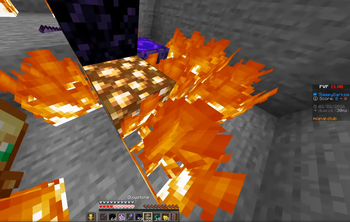

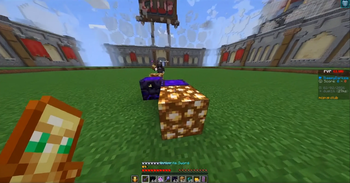
About this Mod
A mod to help newbies learn crystal! its a kind of utility mod based around Crystal and Anchor PVP. Helps with totem-ing, Helps with crystal-ing, helps with anchor-ing, and more! This mod has tritotem/totem gaze (One of the first autototems to actually OPEN YOUR INVENTORY, move your cursor towards a totem, then equips it. Speed and other factors can be modified in the config as well.)
Crystal Flick Assist (if you hit a player with a full knockback attack while you have obsidian and end crystals in your hotbar, a nearby available placeable block will be found and your aim will be slightly shifted towards that block to facilitate placement of a quick obsidian + end crystal.)
Anchor Flick Assist (If you charge a respawn anchor past minimum capacity, your viewpoint will be flicked downwards (to facilitate the placement of a block between you and the anchor so you take no damage), and back up again to destroy the anchor. Speed is configurable)
Crystal Breaker (If you're holding the right click button, you'll automatically destroy end crystals as soon as they are within your crosshair as fast as possible, UNLESS you are above the crystal or at feet level to it.)
DragR (When holding right click while holding some specific blocks (such as glowstone or obsidian), it will simulate a packet-accurate drag click (places blocks as fast as possible), pairing great with crystal flick assist and anchor flick assist.)
Available Versions
How to Install CrystalCores on Your Server
Order Server
Order a Minecraft Java server with at least 3 GB RAM (4 GB recommended).
Set fabric Loader
In the panel under "Egg", select the fabric loader and matching Minecraft version (26.1.2).
Install Mod
Open the mod browser in the dashboard and search for "CrystalCores". Click "Install" – done! Alternatively, upload the .jar via SFTP to the /mods folder.
Compatibility
Mod Loaders
Minecraft Versions
26.1.2, 26.1.1, 26.1 (+1 more)
Server-side
✗ UnsupportedRecommended RAM
4 GB(min. 3 GB)Frequently Asked Questions
CrystalCores server crashes on startup – what to do?
Most common cause: wrong fabric version or insufficient RAM. Check the server log (latest.log) for "OutOfMemoryError" or "Mixin" errors. With Mado Hosting: ensure at least 3 GB RAM is allocated and the loader matches the mod version (26.1.2). You can switch loaders with one click in the panel.
Is CrystalCores compatible with fabric?
CrystalCores officially supports fabric for Minecraft 26.1.2, 26.1.1, 26.1. The Mado dashboard automatically detects incompatible loader combinations.
Server lagging with CrystalCores – how to optimize performance?
Recommended RAM: 4 GB (per 8 players). Use /spark profiler to check if CrystalCores consumes the most tick time. Common fixes: reduce server view-distance to 8-10, install "performant" or "starlight" as supplementary mods on Forge. With Mado Hosting, your server runs on NVMe SSDs with dedicated CPU cores for minimal latency.
Similar Mods




![[TaCZ] Timeless and Classics Zero](https://cdn.modrinth.com/data/SzzJttH8/fd27766d2bb8390d284696b1dbd358f87e081439_96.webp)

Rent Modded Server
Install CrystalCores with just one click on your server.