![[CS] Foundation](https://cdn.modrinth.com/data/GawFcMk8/9c8c76f7f390c25153dc9fd0b161d67f3a73934f.png)
[CS] Foundation
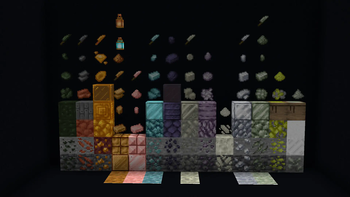
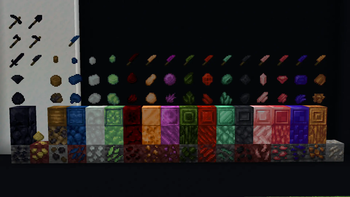
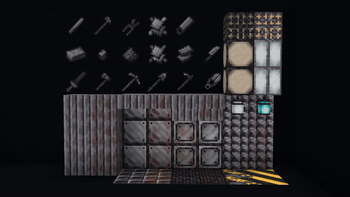
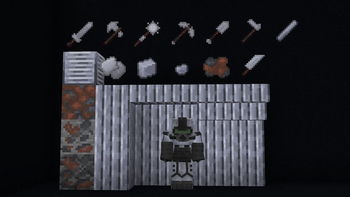
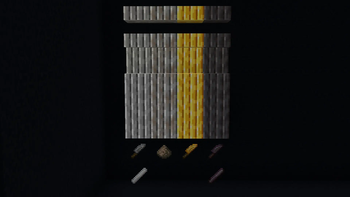
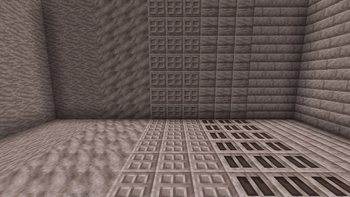
The core mod filled with all the every ore/mineral we will use, while attempting to make them as compatible as can be with ForgeTags. Don't you just hate when a mod has a steel ingot you cant use with another?
Screenshots
About this Mod
[CS] Library
[Mod Requirements]
For this mod to function you require Geckolib and Curios Api
[Our thought process]
We are attempting to make our Library and other mods as inclusive as we can on our end, while outreaching to several different parts of the Modding Community with our different Mods
This means our Library will house every ore/mineral we will use, while attempting to make them as compatible as can be with ForgeTags.
Don't you just hate when a mod has a steel ingot you cant use with another?
We'll try to mitigate it as much as possible with our Mods but, there will obviously still be mishaps.
Here and there accidents happen in coding especially.
Please report these bugs in our Discord Server<3
Regarding notable features:
Autosmelt Enchantment
Most deepslate related ores, our mod and vanilla give double.
Crafting recipe for Cobwebs
Nether Wart blocks may be converted into usable Nether Wart
Overworld Quartz Ore
Made candles easily recolorable once dyed
Flint & Steel craftable with steel as well
Currently we have:
- Amber
- Brass
- Bauxite(Aluminium)
- Lead
- Magnesium
- Nickel
- Platinum
- Potassium & Sulfur (Gunpowder creation)
- Silver
- Tin
- Uranium
- Zinc
- Rose Gold
- Steel.
- Black Diamond
- Bloodstone
- Citrine
- Fluorite
- Jade
- Jasper
- Lithium
- Malachite
- Onyx
- Rose Quartz
- Ruby
- Sapphire
- Topaz
Join our Discord to also find out how to use most of our materials with ForgeTags for your own mod!
It'll make your time implementing custom tools much simpler, in the future we do plan to turn this into an actual API not just ForgeTags but as of now the project will remain closed source.
Available Versions
How to Install [CS] Foundation on Your Server
Order Server
Order a Minecraft Java server with at least 4 GB RAM (6 GB recommended).
Set forge Loader
In the panel under "Egg", select the forge loader and matching Minecraft version (1.21.1).
Install Mod
Open the mod browser in the dashboard and search for "[CS] Foundation". Click "Install" – done! Alternatively, upload the .jar via SFTP to the /mods folder.
Compatibility
Mod Loaders
Minecraft Versions
1.21.1, 1.20.4, 1.20.1 (+1 more)
Server-side
✓ RequiredRecommended RAM
6 GB(min. 4 GB)Frequently Asked Questions
[CS] Foundation server crashes on startup – what to do?
Most common cause: wrong forge version or insufficient RAM. Check the server log (latest.log) for "OutOfMemoryError" or "Mixin" errors. With Mado Hosting: ensure at least 4 GB RAM is allocated and the loader matches the mod version (1.21.1). You can switch loaders with one click in the panel.
Is [CS] Foundation compatible with forge and neoforge?
[CS] Foundation officially supports forge, neoforge for Minecraft 1.21.1, 1.20.4, 1.20.1. The Mado dashboard automatically detects incompatible loader combinations.
Server lagging with [CS] Foundation – how to optimize performance?
Recommended RAM: 6 GB (per 5 players). Use /spark profiler to check if [CS] Foundation consumes the most tick time. Common fixes: reduce server view-distance to 8-10, install "performant" or "starlight" as supplementary mods on Forge. With Mado Hosting, your server runs on NVMe SSDs with dedicated CPU cores for minimal latency.
Similar Mods



Rent Modded Server
Install [CS] Foundation with just one click on your server.