
Custom Advancements
Ever wanted to get more out of the vanilla advancement system of minecraft? Then Custom Advancements is for you.
Screenshots
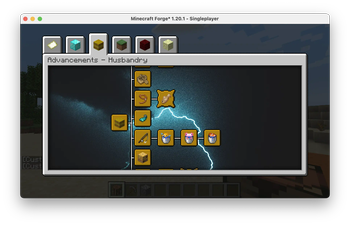
About this Mod
Ever wanted to get more out of the vanilla advancement system of minecraft? Then Custom Advancements is for you.
Features:
- Tired of minecrafts build-in advancements? Add as many new advancements as you like!
- Hate that one advancement that you seem to can't achieve? Simply remove it from the game, or even remove all!
- Want to change the title, description or even the criteria of an advancement? Simply use the mod to edit the advancement as you like! Even supports translations!
- Change how advancements behave, making it necessary to have the parent advancement achieved in order to achieve the next one!
- Is the game to easy for you? Let the mod reset your advancements when you die!
- Want to change the order of the advancement tabs? Do so via the config!
- Bored of the same old, endless repeating background textures used by minecraft? Use your own large background images for your advancement tabs!
Each feature also works with the advancements of other mods and can be toggled via config options!
This mod is especially useful for modpack creators who want to base their modpack on an advancement system.
How to add Custom Advancements:
- Simply add an advancement '.json' file to the
customadvancementsfolder created by the mod. - For in depth explanation how to add custom advancements please use the Wiki page of this mod.
How to remove Advancements:
- You can remove advancements by enabling or disabling different config options of the mod.
- For in depth explanation how to remove advancements please use the Wiki page of this mod.
Note: Removing advancements can cause problems with other mods!
How to edit Advancements:
- You can edit advancements by editing their corresponding '.json' file.
- To generate these '.json' files use the command:
/ca generate advancement all - For in depth explanation how to edit advancements please use the Wiki page of this mod.
Note: Editing existing game advancements can cause problems with other mods!
Known incompatibilities:
- If you notice any incompatibilities, please report them under the issues tab or simply write a comment.
Currently planned:
- Different themes for the advancement screen (maybe completely customisable advancement screen?)
- Add Advancement Generator with an easy to use GUI
- If you have any suggestions, please report them under the issues tab or simply write a comment..
Update: Release of the Advancement Generator will be postponed until I know how to implement the different criteria into the generation. Without them the generator is useless. Should have thought about that before.
The wiki has been updated for the newest version so have look if you have problems!
You are allowed to use this mod in your modpack, as long as you credit the author.
Available Versions
How to Install Custom Advancements on Your Server
Order Server
Order a Minecraft Java server with at least 3 GB RAM (4 GB recommended).
Set forge Loader
In the panel under "Egg", select the forge loader and matching Minecraft version (1.20.1).
Install Mod
Open the mod browser in the dashboard and search for "Custom Advancements". Click "Install" – done! Alternatively, upload the .jar via SFTP to the /mods folder.
Compatibility
Mod Loaders
Minecraft Versions
1.20.1, 1.19.3, 1.19.2 (+2 more)
Server-side
✓ RequiredRecommended RAM
4 GB(min. 3 GB)Frequently Asked Questions
Custom Advancements server crashes on startup – what to do?
Most common cause: wrong forge version or insufficient RAM. Check the server log (latest.log) for "OutOfMemoryError" or "Mixin" errors. With Mado Hosting: ensure at least 3 GB RAM is allocated and the loader matches the mod version (1.20.1). You can switch loaders with one click in the panel.
Is Custom Advancements compatible with forge?
Custom Advancements officially supports forge for Minecraft 1.20.1, 1.19.3, 1.19.2. The Mado dashboard automatically detects incompatible loader combinations.
Server lagging with Custom Advancements – how to optimize performance?
Recommended RAM: 4 GB (per 8 players). Use /spark profiler to check if Custom Advancements consumes the most tick time. Common fixes: reduce server view-distance to 8-10, install "performant" or "starlight" as supplementary mods on Forge. With Mado Hosting, your server runs on NVMe SSDs with dedicated CPU cores for minimal latency.
Similar Mods




Rent Modded Server
Install Custom Advancements with just one click on your server.